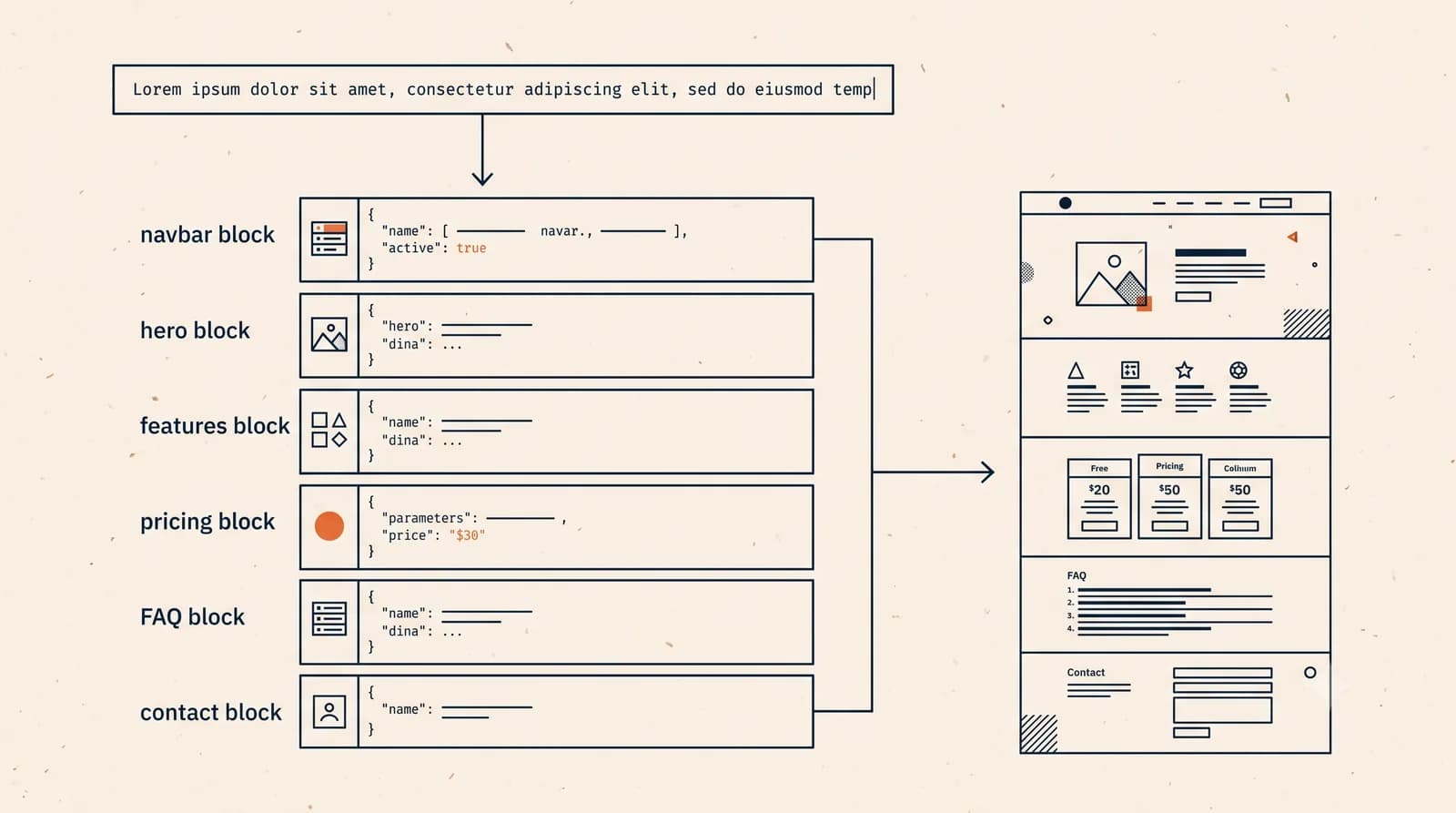
An AI website generator is software that turns a short, plain-language description of your business into a complete, live website in a few minutes. You type something like "a website for my coffee shop in Bandung with a menu and a contact form," and instead of a blank canvas, you get finished pages: a homepage, sections, written copy, images, and a working layout, ready to publish. No code, no drag and drop, no template hunting.
Updated 28 September 2026. Competitor facts come from each vendor's official page, checked on that date. Prices change and vary by country, so confirm on the linked page before you buy.
AI website generators compared: Forgelo, Wix, and Durable
| Criterion | Forgelo | Wix AI | Durable |
|---|---|---|---|
| Free plan | Yes, 1 site on a subdomain (Forgelo pricing) | Yes, with Wix branding (wix.com/plans) | Yes, branding cannot be removed (durable.com/pricing) |
| Cheapest paid plan | $9 per month (Forgelo pricing) | Varies by country, shown for yearly billing (wix.com/plans) | Launch $25 per month, $22 billed yearly (durable.com/pricing) |
| Time to first draft | A few minutes from one prompt | "In seconds", per Wix (wix.com/ai-website-builder) | About 30 seconds, per Durable (durable.com/pricing) |
| Editing after generation | Prompt per section, only that section is rebuilt | AI assistant plus drag-and-drop (wix.com/ai-website-builder) | No-code editor with AI tools, limited HTML customization (durable.com/pricing) |
| Custom domain | From Starter (Forgelo pricing) | On Premium plans (wix.com/plans) | Included on paid plans (durable.com/pricing) |
| Extras beyond the site | WhatsApp lead forms | Store, bookings, app market (wix.com/ai-website-builder) | CRM, bookings, marketing agents (durable.com/pricing) |
| Main limit | 5 AI actions per day on Free, no store | Cannot move the site to another host (Wix Help Center) | Free: 10 AI chat messages and 5 images per month (durable.com/pricing) |
That is the short answer. The longer answer, how it actually works, what it can and cannot do, and how to tell a good generator from a gimmick, is worth understanding before you commit your business to one. This guide walks through all of it.
What an AI website generator actually does
Think of the older way to build a site. You picked a template, then moved boxes around a canvas, wrote every line of text yourself, sourced images, and wired up the pages. A website builder gave you the tools. You still did the labor.
An AI website generator flips that. You describe the outcome, and the generator does the assembly. It decides the page structure, drafts the copy, chooses a layout that fits your type of business, and places images and buttons where they belong. What used to take a weekend now takes a sentence.
The appeal is obvious for anyone who is not a designer or developer. You do not need to know what a good homepage looks like, how many sections a services page should have, or where the contact button belongs. The generator makes those calls for you, based on thousands of sites in your category, and gives you a working draft to react to instead of a blank screen to fear.
This is different from a general chatbot writing HTML. A real generator is a product built around one job: producing a structured, editable website you can publish and own. If you want the deeper version of this comparison, our guide on the AI website builder breaks down the category in full.
How does an AI website generator work?
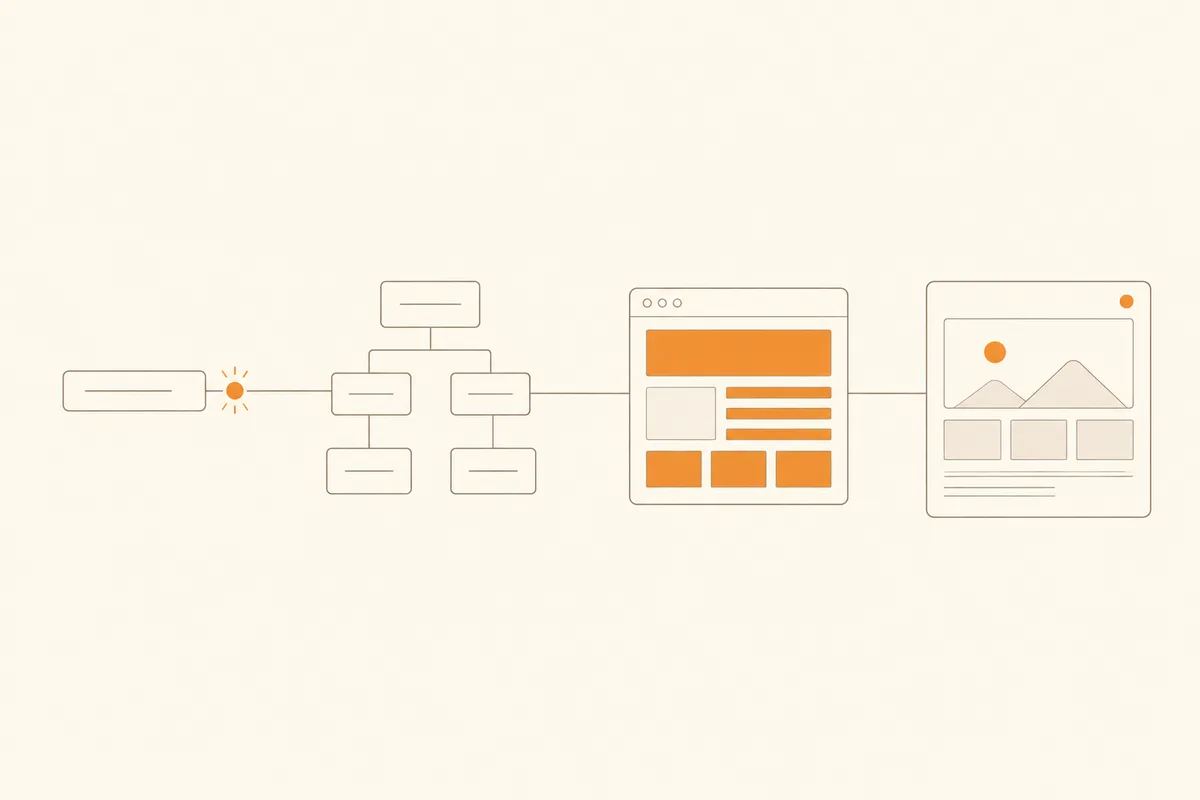
Under the hood, most generators follow the same four steps. The polish differs, but the pipeline is consistent.
1. It reads your prompt and infers intent
When you describe your business, the model does more than copy your words. It works out what kind of site you need. A restaurant needs a menu, hours, and a location. A consultant needs services, credentials, and a booking or contact path. A shop needs products and a clear way to buy. The generator maps your one sentence onto a sensible page structure before it writes anything.
2. It builds a section tree, not a wall of text
Good generators do not produce a single blob. They build the site as a set of sections: hero, about, services, testimonials, contact, and so on. Each section is a distinct, structured piece. This matters later, because it is what lets you edit one part without disturbing the rest. If you want the technical view of this stage, we cover it in how AI generates a website.
3. It writes copy and places media
For each section, the generator drafts real copy in your language and tone, then fills in images and layout. This is where speed shows: a full first draft usually lands in a few minutes. The writing is a starting point, not a final draft, but it is specific to your business rather than lorem ipsum placeholder.
4. It publishes to a live address
Finally, the site goes live, usually on a free subdomain so you can share it immediately, with a path to connect your own custom domain later. The technical basics, page titles, meta descriptions, mobile layout, and fast loading, come baked in. You get a real website, not a mockup. For a hands-on walkthrough, see how to build a website with AI.
What you can build with one
AI generators are strongest for the sites most people actually need:
- Small business and local services. A plumber, salon, clinic, or cafe that needs a clean, findable site with hours, services, and a contact path.
- Company profiles. A simple, credible presence for a small firm or agency.
- Personal and portfolio sites. Freelancers, creators, and consultants showing work and taking enquiries.
- Landing pages. A focused page for one offer, product, or campaign.
They are less suited to complex web apps, large stores with thousands of products, or heavily custom software. If your needs are genuinely bespoke, you may still want a developer. For most owners, though, a generator covers the job, and does it in an afternoon rather than a month.
The pattern is the same across all of these: your business is simple enough to describe in a few sentences, and you need a credible, findable site more than you need a one-of-a-kind design. When that is true, paying a studio for weeks of work is often solving a problem you do not have. Our comparison of an AI website builder versus a web designer helps you judge which side of that line you sit on.
The catch most AI website generators miss
Here is the honest part that vendors gloss over. Generating a website is the easy half. The hard half is changing it after the first draft.
Most generators are one-shot machines. They hand you an output, and then your options narrow fast. You either accept what the AI produced, learn a fiddly editor to fix it by hand, or hit "regenerate" and gamble on a completely different result that loses everything you liked. The first draft is rarely the final draft, and that is exactly where a lot of tools abandon you.
This is worth testing before you choose. A first draft that looks great in a demo means little if you cannot nudge it toward what you actually want. The real question is not "can it generate a site" (most can) but "can it keep changing the site as my business changes."
Generation is step one, editing is the whole game
The tools worth using treat generation as the start of a conversation, not the end of one. Instead of a canvas full of buttons, you describe the change in plain language and the AI rebuilds just that section. "Make the hero calmer and lead with the free consultation." "Swap the testimonials for a pricing table." "Shorten the about section and add our WhatsApp number." You say what should be different, and only that part changes.
That is the model Forgelo is built around. You generate a full site from one sentence, then keep shaping it by talking to it, section by section, for as long as the business runs. It is not a drag-and-drop canvas and not a one-time generator. It is a website you keep editing by describing what you want. You can see the loop on the how it works page, and the full list on features.
The practical payoff: your site is never frozen at "whatever the AI produced on day one." When your hours change, a promotion starts, or your offer shifts, you update the live site in a sentence instead of booking a developer or fighting an editor.
How to choose an AI website generator
If you are comparing options, judge them on five things, not just the demo:
- Editing after generation. Can you refine any section by describing the change, or are you stuck with the first output? This is the single biggest differentiator.
- SEO out of the box. Does every site come with proper titles, meta descriptions, clean structure, and fast pages? A pretty site nobody can find is not much use. Our primer on website SEO basics covers what to check.
- Lead capture. Can visitors actually reach you? Forms that route straight to WhatsApp or email matter more than another animation.
- Ownership and domain. Can you connect your own domain and keep what you publish, or are you renting a page on someone else's terms?
- Honest pricing. Free to start and preview is standard. Look for clear pricing when you scale up, not a bait-and-switch at the domain step. Forgelo's pricing is public and starts free.
If you want a head-to-head with an established name, Forgelo versus Wix shows how a conversational generator compares to a traditional builder.
Where Forgelo falls short
We build Forgelo, so here is what it does not do well today. Weigh these before you choose it.
- No manual design canvas or code editor. You change the site by describing edits in plain language. If you want to drag an element 4 pixels to the left, Wix or Framer will feel better.
- No built-in online store. Forgelo has no product catalog, cart, or checkout today. For real eCommerce, a dedicated store builder is the safer pick.
- Tight free plan. Free allows 1 site and 5 AI generations and edits per day, and shows a Made with Forgelo badge. A custom domain starts on Starter ($9 per month). See Forgelo pricing.
- Export is limited. Downloading your site as HTML is only available on the Agency plan. On other plans your site stays hosted by Forgelo.
- Small ecosystem. There is no app marketplace, and white label for agencies is on the roadmap, not shipped.
- Younger product. Forgelo does not yet have the years of third-party reviews that Wix, Squarespace, or Durable have, so test it with your real business before you commit.
Getting started
You do not need a plan, a designer, or a spare weekend. Open a generator, describe your business in one honest sentence, and let it build the first draft. Then read it critically. Is the structure right? Is the copy close? Most importantly, when you want something different, how easy is it to change?
If the answer to that last question is "I just say what I want," you have found a tool worth keeping. Browse the templates to see the range of sites a generator can produce, then start with your own prompt. The first version costs you a sentence and about a minute. From there, it is a conversation.
If you prefer to skip the canvas entirely, our guide on how to make a website without coding shows the no-code path from the same starting point.