
If you came here looking for a Hocoos AI website builder review, there is one fact that outranks every feature comparison: Hocoos has shut down. The platform is no longer operating, its editor and dashboard have been disabled, and users were given until April 23, 2026 to download a static copy of their sites before everything on Hocoos servers was permanently deleted. Searches for hocoos ai website builder (and the common misspelling, hocus ai website builder) still number in the hundreds every month, which tells me a lot of people either had a site there or were about to sign up. This review covers both groups: what Hocoos actually did well, why the shutdown matters more than any feature ever did, the dates and the official source, which Hocoos alternatives are worth moving to, and how a builder like Forgelo compares as the place to rebuild.
The short version
Hocoos was a quiz-based AI website builder. You answered a short series of questions about your business, and it generated a website with copy, images, and a design already in place. It also offered add-on apps for a store, bookings, and a blog, plus domain registration through a partnership with name.com.
Then it closed. The notice Hocoos published on its own site states plainly: "Hocoos is no longer operating." The same page set April 23, 2026 as the last day to download an HTML copy of your website, and confirmed that after that date the platform would be permanently shut down, with all stored websites and files deleted.
So a traditional pros-and-cons review is only half useful now. The more valuable questions are what you can learn from Hocoos, and where you should rebuild. Let's take them in order.
Hocoos shut down: the dates, in the company's own words
This section exists because most pages still describing Hocoos as a live product have not been touched since the closure. Here is what the company itself published, so you can check it rather than take my word for it.
The notice sits on the Hocoos pricing page at hocoos.com/pricing, under the heading "Thank You for Building With Hocoos." Its key statements:
- "Hocoos is no longer operating."
- "Website downloads will be available until April 23, 2026."
- "After this date, the platform will be permanently shut down, and access to all stored websites and files will no longer be available."
- "After 23 April 2026, all websites and data stored on Hocoos servers will be permanently deleted."
- On billing: "no new subscription charges will occur," and active paid subscriptions were promised "a pro-rata refund for the unused portion" starting 23 April 2026.
A snapshot of that notice is preserved in the Internet Archive at web.archive.org, which is useful because the rest of hocoos.com still serves its original marketing pages, including a homepage that makes no mention of the shutdown at all. If you landed on that homepage first and concluded Hocoos was still trading, that is why.
Two practical consequences follow, and they are the reason this page is worth reading in 2026:
- The download deadline has passed. April 23, 2026 is now more than three months behind us. There is no remaining route to pull your files out of Hocoos, so any advice telling you to "log in and export" is out of date.
- The comparison question has changed. Nobody needs to decide whether to sign up for Hocoos any more. The only live question is which platform to move to, which is what the rest of this page covers.

What the Hocoos AI website builder did well
Credit where it is due, because Hocoos got several things right and those things are worth looking for in whatever you use next.
First, the quiz-driven setup was genuinely beginner friendly. Instead of dropping you into a blank editor, Hocoos asked you plain questions about your business and built the site around your answers. For a bakery owner or a plumber who had never touched a website tool, that flow removed the scariest part: the empty page.
Second, it bundled the practical extras. A small online store, a booking system, a blog, mailing list capture, and domain purchase all lived inside one account. You did not have to duct-tape five services together.
Third, it kept the promise of speed. The pitch was a working website in minutes, and by most accounts it delivered a usable draft quickly. That mattered for its audience, which was mostly first-time site owners rather than designers.
None of this was revolutionary, but it was a coherent product for a real audience. That is exactly why the shutdown stings for the people who trusted it.
Where the Hocoos AI website builder fell short
Even before the closure, the trade-offs were familiar for this category of tool.
Editing depth was the main one. Quiz-based generation is great on day one, but growing businesses eventually want to restructure pages, change layouts, or push the design somewhere specific. Builders aimed at absolute beginners tend to hit a ceiling there, and Hocoos was built for absolute beginners.
Lock-in was the other, and it turned out to be the fatal one. Your site, your store data, your booking records, and your mailing list all lived on Hocoos infrastructure. The export the company offered during the wind-down proves the point: what you got back was a static HTML copy plus spreadsheets. Hocoos itself confirmed that contact forms, subscribe forms, booking, checkout, and integrations stop working in the downloaded version, because those features ran on its servers.
Note: this is not unique to Hocoos. Almost every hosted website builder works this way, including Forgelo. The honest difference between platforms is not whether your site depends on their servers, it is whether the company behind those servers is likely to still exist in five years, and how easily you can take your content and leads with you.
What actually happened, and the lesson most reviews skip
Here is my contrarian take: the most useful thing Hocoos ever taught its users had nothing to do with AI. It taught them platform risk.
Most "best AI website builder" roundups compare templates, editors, and prices, and never ask the boring question: what happens to my business if this company disappears? Hocoos users found out. Their websites went dark on their custom domains once the platform closed, their dynamic features died in the export, and anyone who missed the April 23, 2026 download deadline lost their files entirely.
The practical lesson is simple and worth applying to any tool you pick next:
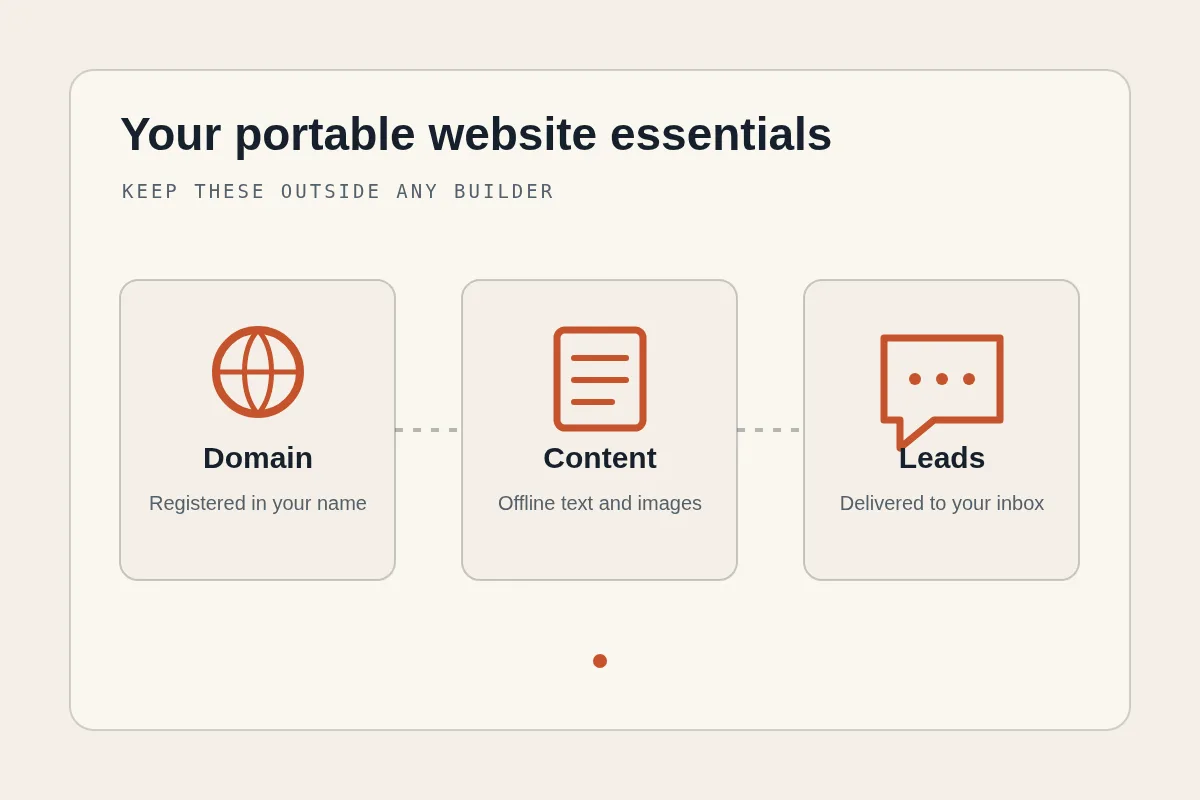
- Keep your domain registered in an account you control, not bundled invisibly into a builder subscription.
- Route your leads somewhere you own. A lead form that delivers to your WhatsApp or email inbox survives any platform shutdown, because the conversation history lives with you.
- Keep an offline copy of your text and images. Even a simple document with your headlines, service descriptions, and prices makes rebuilding a one-afternoon job instead of a one-month job.
- Prefer builders where leaving is cheap. If rebuilding your site elsewhere takes an afternoon, platform risk stops being scary.
Tip: do the "shutdown drill" once. Ask yourself: if this platform closed tomorrow, what would I lose? If the answer is "my domain, my leads, and all my content," fix that this week, not during a wind-down notice.
What to do if your website was on Hocoos
Where you stand depends on one date.
If you downloaded your export before April 23, 2026, you have a static copy of your site and spreadsheets of your data. You can host those HTML files anywhere that serves static sites, but your forms, bookings, and checkout will not work. Realistically, the static copy is best treated as a content backup, not a live site. Rebuild on an active platform, paste in your text, and reconnect your domain there.
If you missed the deadline, the files on Hocoos servers are gone, per the company's own notice. That is painful, but not fatal. Your domain still works if it was registered in your name or transferred out via name.com. Your business information still exists in your head and your phone. Archive services sometimes hold snapshots of public pages, which can help you recover your old wording. From there, rebuilding is faster than you think, and honestly, most businesses tell me their second website is better than their first because they finally know what to say.
For a walkthrough of the modern flow, see our guide on how to build a website with AI. The whole process has gotten dramatically shorter since the era when Hocoos launched.
Hocoos alternatives in 2026: where each piece of your old site goes
"What is a good Hocoos alternative" is really five smaller questions, because Hocoos bundled five jobs into one subscription. When you replace it, you replace each job. This migration table is the fastest way to see what needs a new home.
| What you had on Hocoos | What it was | Where it goes now |
|---|---|---|
| The website itself | Quiz-generated pages on Hocoos hosting | An active AI builder that generates and hosts. This is the piece you choose first, because everything else attaches to it |
| Your domain | Registered through name.com via Hocoos | Your own name.com account, then pointed at the new site. If you already transferred it, nothing is lost |
| Contact and subscribe forms | Ran on Hocoos servers, dead in the export | A builder with built-in lead delivery. Forgelo sends submissions straight to your WhatsApp |
| Store and booking data | Add-on apps, exported as spreadsheets | A dedicated tool, or a simple enquiry-and-quote flow if your volume is low |
| Your copy and images | Inside the Hocoos editor | Paste into the new builder. If you never exported, archived snapshots of your public pages are often enough to reconstruct the text |
On the first row, the realistic shortlist for a former Hocoos user is short, because the audience Hocoos served (business owners, not designers) rules out developer-first tools. We keep an alternatives hub with a like-for-like breakdown of each one, plus a side-by-side comparison table if you would rather see them all at once.
| Alternative | Best for | Watch out for |
|---|---|---|
| Forgelo | The closest match to what Hocoos promised: describe your business, get a site, edit by typing | It is our product, so weigh this section accordingly |
| Durable | Very fast generation for service businesses | Editing depth is limited once you want a specific layout |
| Wix | Maximum feature surface and app marketplace | Much steeper learning curve than the Hocoos quiz you are used to |
| WordPress | Total control and portability | You become the person responsible for hosting, updates, and security |
If you want the longer survey rather than the shortlist, our roundup of the best AI website builder options walks through the category, and our Durable review covers the tool most often suggested to departing Hocoos users.
Ready to rebuild? The fastest way to replace a Hocoos site is to describe your business in one sentence and let the generator do the first draft, then correct it by typing changes. The free tier covers one published site on a Forgelo subdomain, and the pricing page shows what a custom domain and WhatsApp lead forms cost when you are ready for them.
Hocoos vs Forgelo: an honest comparison
Forgelo is our product, so read this section knowing that. But the comparison is straightforward because the two tools aim at the same person: a business owner who wants a site live today without learning a design tool.
| Factor | Hocoos (as it was) | Forgelo (today) |
|---|---|---|
| Status in 2026 | Permanently shut down | Active |
| Site generation | Quiz with questions about your business | Describe your business in one sentence |
| Time to a ready site | Minutes | A few minutes |
| Editing | Built-in editor, beginner focused | Edit by typing the change you want |
| Leads | Forms tied to platform servers | Lead form submissions go to your WhatsApp |
| SEO | Basic settings | Built in by default |
| Publishing | Hocoos hosting, domain via name.com | Free subdomain or your own custom domain |
| Agency use | Not a focus | Agency plan, one dashboard for client sites |
| Pricing | No longer sold | $9, $19, or $39 per month |
The lead handling difference deserves a highlight given what happened. With Forgelo, when a visitor fills in your contact form, the inquiry lands in your WhatsApp. That means your lead conversations live in your own phone, in an app you already use, not in a dashboard that can vanish. After watching a platform wind down, that design choice reads less like a convenience and more like insurance.
Editing works by prompt: type "make the headline about same-day service" or "add a section with three pricing packages" and the change happens. No blocks to drag, no settings to hunt for. If you are comparing several tools before deciding, our Forgelo vs Wix comparison shows how we stack up against the biggest name in the category, and our guide to making a website without coding covers what to expect from the no-code route in general.
Tip: whichever builder you choose, connect a custom domain early. It costs little, it makes you look established, and it is the one asset that moves with you if you ever change platforms again.
Rebuilding in one afternoon: a realistic plan
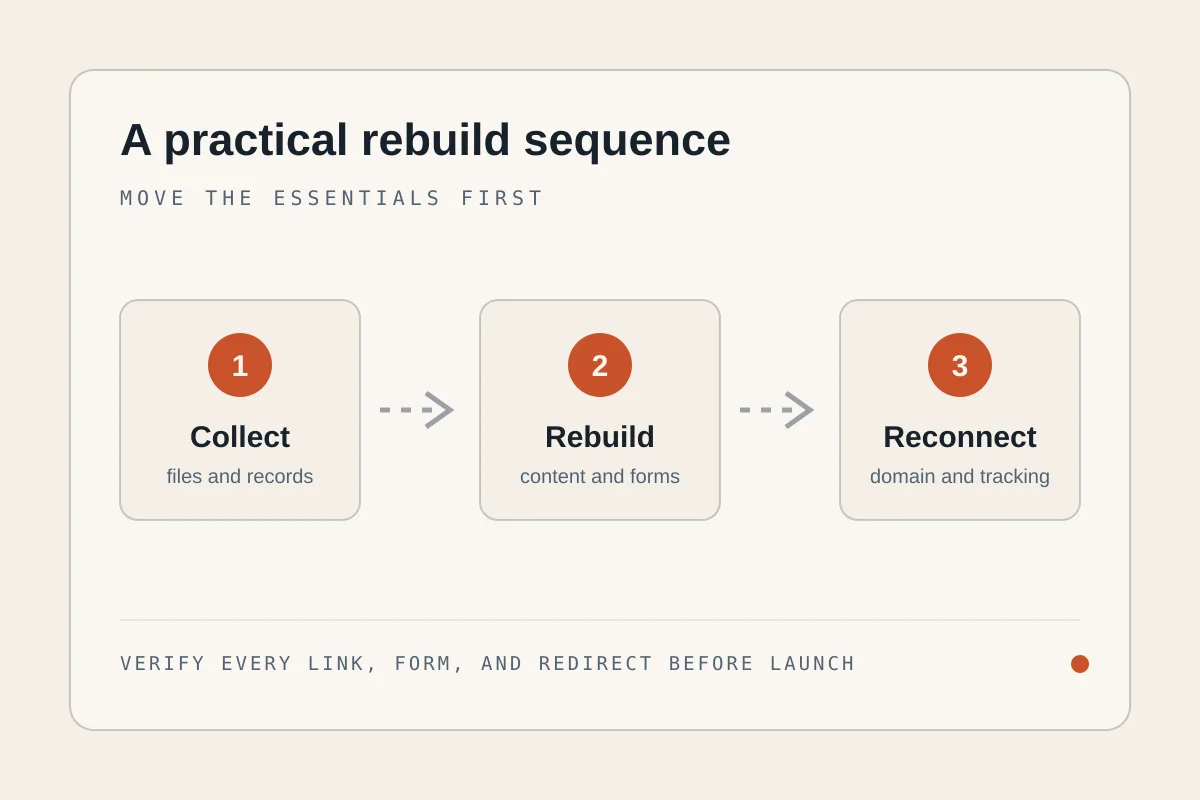
If your Hocoos site is gone, here is the fastest honest path back online.
- Gather your content. Old export files, archived snapshots, your Google Business Profile text, even your Instagram bio. Thirty minutes.
- Generate a new site. In Forgelo, you describe your business in a sentence, and a complete site is ready to publish in a few minutes. Then refine it by typing changes.
- Point your domain. If your domain came through Hocoos, complete the transfer at name.com if you have not already, then connect it. If you never had one, publish on the free subdomain today and add a domain later.
- Test your lead flow. Submit your own form and confirm the inquiry arrives in WhatsApp. A website that cannot deliver a lead is a brochure.
- Check the basics: your services, prices, opening hours, and location. These pages win more customers than any design flourish.
Plans start at $9 per month, with $19 and $39 tiers as you grow, and you can see exactly what each includes on our pricing page. That is less than most businesses spend on coffee for one client meeting, which is a fair benchmark for a tool that answers the question "are you still in business?" twenty-four hours a day.
The takeaway
As a product, the Hocoos AI website builder was a decent, beginner-friendly tool that made real websites for real businesses. As a platform, it is finished, and every review that ignores that is wasting your time. If you had a site there, treat this as an unplanned upgrade: rebuild on an active platform, route your leads to WhatsApp, keep your domain in your own hands, and keep a copy of your content. The website you lost took weeks to grow into. The one you rebuild this afternoon starts with everything you have learned since.
New to the category? Our AI website builder guide explains what these tools do, the criteria that matter, and how to choose one before you compare individual brands.