
TL;DR: The best AI website builder in 2026 depends on your job: Forgelo for small businesses that want prompt-to-site plus edit-by-prompt and WhatsApp leads, Wix for app-ecosystem depth, Framer for design control, Durable for one-page speed, 10Web for WordPress, Squarespace for polished templates, Hostinger for bundled hosting on a budget.
Updated 28 September 2026. Competitor facts come from each vendor's official page, checked on that date. Prices change and vary by country, so confirm on the linked page before you buy.
How do Forgelo, Wix AI, and Durable compare for small businesses?
Forgelo focuses on prompt-based section edits and WhatsApp lead capture, while Wix AI adds a broad app ecosystem for stores and bookings. Durable combines website generation with CRM, bookings, and marketing tools. Compare editing, SEO, hosting, lead handling, price, and platform limits rather than choosing on generation speed alone.
| Criterion | Forgelo | Wix AI | Durable |
|---|---|---|---|
| Price | Free; paid $9, $19, $39 per month (Forgelo pricing) | Free; 4 paid plans, price varies by country (wix.com/plans) | Free; Launch $25 and Grow $49 per month (durable.com/pricing) |
| Time to first draft | A few minutes from one prompt | "In seconds", per Wix (wix.com/ai-website-builder) | About 30 seconds, per Durable (durable.com/pricing) |
| Editing after generation | Prompt per section | AI assistant plus drag-and-drop (wix.com/ai-website-builder) | No-code editor with AI tools (durable.com/pricing) |
| Built-in SEO | Generated on every site | SEO tools, partly manual (wix.com/ai-website-builder) | SEO listed as a plan feature (durable.com/pricing) |
| Hosting and domain | Free subdomain, custom domain from $9 (Forgelo pricing) | Free wixsite.com address, domain on Premium (wix.com/plans) | Free durable.site subdomain, domain on paid (durable.com/pricing) |
| Lead capture and extras | WhatsApp lead forms | Store, bookings, app market (wix.com/ai-website-builder) | CRM, bookings, marketing agents (durable.com/pricing) |
| Biggest weakness | No store, 5 AI actions per day on Free | Site cannot move to another host (Wix Help Center) | Branding stays on Free (durable.com/pricing) |
We build an AI website builder ourselves, so this comparison is not independent of the products it discusses. We explain which requirements each tool fits, including cases where Forgelo is not the right choice, and link to vendors so you can check the details.
How were the seven AI website builders evaluated for this comparison?
This comparison evaluates Forgelo, Wix, Squarespace, Framer, Durable, Hostinger, and 10Web on generation quality, editing after generation, built-in SEO, lead capture, and total cost to publish on a custom domain. The focus is how each builder supports a working business website after the first draft, not generation alone.
We compared seven builders on the five things that decide whether a generated website actually works as a business asset: generation quality from a single prompt, how editing works after generation, built-in SEO, lead capture, and total cost to get a real site live on a custom domain. Every tool on this list can produce a working website in 2026; the differences show up in what happens after the first draft, because the first draft is never the final site.
Start with a repeatable task rather than a marketing promise. The beginner evaluation guide helps define that task, while the generation workflow explainer separates the first draft from the editing and publishing work that follows.
Which AI website builder fits each type of website project in 2026?
Forgelo suits prompt-led business sites, Wix suits integration-heavy businesses, and Squarespace suits portfolios and visual brands. Framer fits design-led projects, while Durable fits simple service-business sites. Hostinger Website Builder bundles hosting for budget-conscious owners, and 10Web fits WordPress users who want AI generation with Elementor editing.
| Builder | Best for | Editing model | Built-in SEO | Free plan |
|---|---|---|---|---|
| Forgelo | Small businesses, freelancers, agencies | Edit any section by prompt | Automatic on every site | Yes, free subdomain publishing |
| Wix (AI) | Businesses that need many integrations | Drag-and-drop editor after AI draft | Good, partly manual setup | Yes, with Wix branding |
| Squarespace (Blueprint AI) | Portfolios and visual brands | Section editor, guided | Good | Trial only |
| Framer (AI) | Designers and startups | Visual canvas, design-tool style | Good | Yes, limited |
| Durable | One-page sites in minutes | Simple block editing | Basic | Trial-style free generation |
| Hostinger Website Builder | Budget sites with hosting bundled | Drag-and-drop | Basic to good | No, but low entry price |
| 10Web | WordPress users who want AI | WordPress + Elementor | WordPress-level (plugins) | Trial |
Which AI website builder suits a small business that wants prompt-based editing?
Forgelo fits small businesses that want prompt-based section edits, WhatsApp leads, and automatic SEO defaults. It generates one main landing page rather than arbitrary business pages. Choose Wix for a large app marketplace or 10Web if your website depends on WordPress plugins instead of a prompt-first editing workflow.
Forgelo (forgelo.com) is the strongest pick when the goal is a complete business website with the least friction. You describe your business in one sentence and it generates the main landing page: structure, copy, images, and sections. The two things that separate it in day-to-day use are the editing model and lead handling. Any section can be changed by typing what you want ("make the hero about our catering packages, add prices") instead of fighting a drag-and-drop canvas, and contact forms route directly to WhatsApp, which is where small-business customers actually respond. Every generated site also ships with SEO defaults handled automatically: titles, meta descriptions, canonical tags, per-site robots.txt and sitemap, lazy-loaded images, and structured data.
Where it is not the right pick: Forgelo is newer than Wix or Squarespace, has a smaller template gallery, and does not have an app marketplace. If your site depends on dozens of third-party plugins, look at Wix or 10Web instead.
Rankings from vendors and review sites are only one view. For the opinions of people who actually shipped sites with these tools, see our summary of what Reddit threads say about the best AI website builder.
When is Wix AI the better choice for a business website?
Wix AI is a better fit when a business website needs bookings, memberships, events, restaurant ordering, or a large online store. Its app marketplace supports those broader requirements. For a straightforward lead-generating site, Wix's editing complexity and performance-tuning work may be more than the business needs.
Wix is the right call when your website is really a platform: bookings, memberships, events, restaurant ordering, or a large store. Its AI generation produces a reasonable first draft, and its app market is the largest in the industry, so almost any feature bolt-on exists. The trade-offs are the ones Wix users have always known: the editor is heavy, sites accumulate complexity fast, and getting good performance scores takes deliberate effort. If you just need a clean business site that loads fast and captures leads, Wix is more machine than the job requires.
When should a business choose Framer or Squarespace for website design?
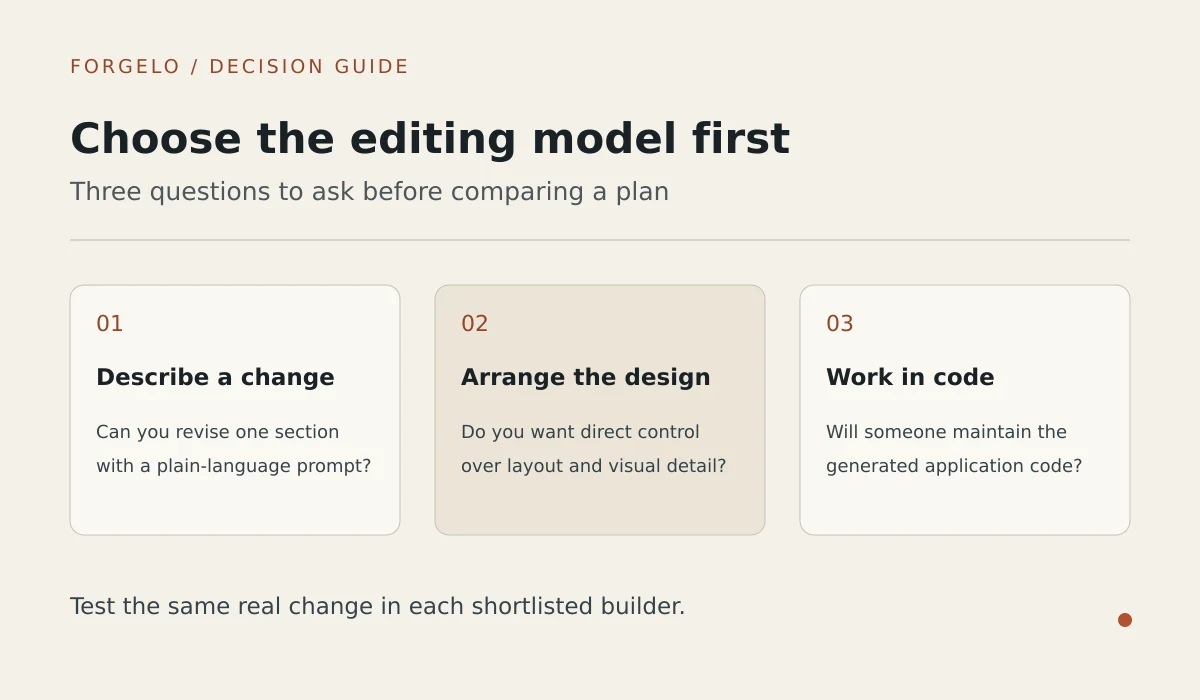
Choose Framer when design control matters most and you are comfortable shaping a site on a visual canvas. Choose Squarespace when you prefer polished templates and guided setup for a portfolio, studio, or hospitality business. Both approaches ask you to make design choices rather than relying entirely on a prompt-generated site.
Pick Framer if design control is the point. It behaves like a design tool (think Figma that publishes), its AI features accelerate layout work, and the results can look genuinely custom. The learning curve is real, and copy, SEO, and structure remain mostly your job.
Pick Squarespace if you want the most polished template aesthetic with guided setup. Its Blueprint AI walks you through choices and produces tasteful results, especially for portfolios, studios, and hospitality. It is less "type a prompt, get a site" and more "answer questions, get a well-dressed template."
For a closer view of the visual-canvas workflow, read the Framer review. If code-level customization is part of the brief, compare it with the Bolt review rather than treating both products as interchangeable no-code editors.
Which website projects suit Durable, Hostinger Website Builder, or 10Web?
Durable fits a sole trader who needs a simple web presence quickly and accepts limited design depth. Hostinger Website Builder fits budget-conscious owners who want AI generation bundled with hosting. Choose 10Web when you need a real WordPress site, Elementor editing, and access to the WordPress plugin ecosystem.
Durable is the speed play: it famously generates a one-page site in under a minute, with copy and images included. For a sole trader who needs any web presence today, it works. Depth is the limit; multi-page structures and finer control run out quickly.
Hostinger Website Builder bundles AI generation with cheap hosting, which makes it one of the lowest total-cost options. Generation quality is serviceable rather than impressive, and you edit with a standard drag-and-drop editor afterwards.
10Web is the WordPress answer: AI generates a site that is real WordPress under the hood, editable with Elementor. Choose it when you specifically need the WordPress ecosystem (plugins, ownership, migration paths) but want AI to skip the blank-page phase.
WordPress users should also examine the 10Web workflow and limitations before comparing a managed landing-page builder with a plugin-based setup. Check which editing and maintenance responsibilities remain with your team.
What should a business test before paying for an AI website builder?
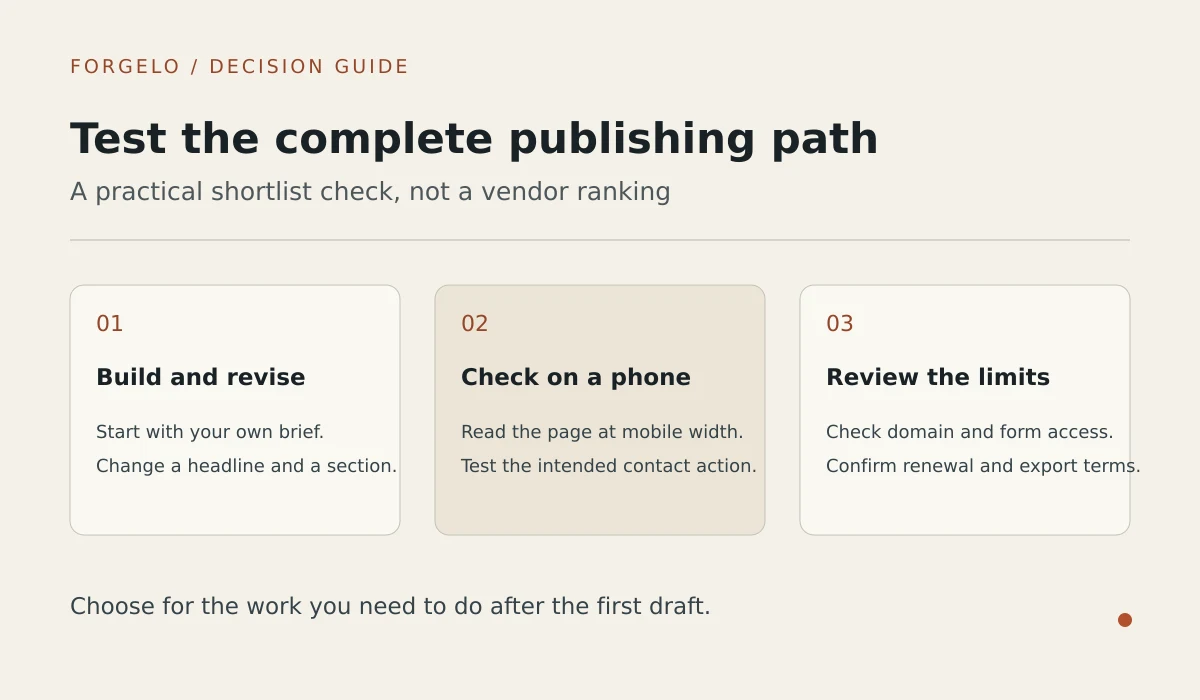
Before paying for an AI website builder, generate a draft for your actual business, make a specific section edit, inspect the published page source, check the free-plan restrictions, and send a test lead. These checks reveal whether the builder produces relevant content, supports practical changes, covers SEO basics, and delivers inquiries usefully.
Run any builder you are considering through this five-minute test before paying (our complete AI website builder guide covers each check in more depth):
- Generate a real site for your actual business, not the demo prompt. Judge the copy: is it about your business or generic filler?
- Try to change one specific section. If a small change forces you into a full page editor or a regeneration lottery, editing will hurt forever.
- View the published page source. Look for a real
<title>, meta description, one<h1>, and structured data. Missing basics here mean invisible on Google later. - Check what "free" means. Free draft, free preview, or free publishing? Where does the paywall actually sit?
- Send yourself a test lead. If the contact form drops into an email inbox nobody checks, leads will die there. Forms that route to WhatsApp or SMS get answered.
What limitations should small businesses check in Forgelo?
Forgelo has no manual design canvas, built-in online store, or app marketplace. Its Free plan limits AI use and keeps platform branding, while HTML export is restricted to Agency. Choose another builder if your project depends on precise visual positioning, ecommerce checkout, or extensive third-party plugins.
- No manual design canvas or code editor. You change the site by describing edits in plain language. If you want to drag an element 4 pixels to the left, Wix or Framer will feel better.
- No built-in online store. Forgelo has no product catalog, cart, or checkout today. For real eCommerce, a dedicated store builder is the safer pick.
- Tight free plan. Free allows 1 site and 5 AI generations and edits per day, and shows a Made with Forgelo badge. A custom domain starts on Starter ($9 per month). See Forgelo pricing.
- Export is limited. Downloading your site as HTML is only available on the Agency plan. On other plans your site stays hosted by Forgelo.
- Small ecosystem. There is no app marketplace, and white label for agencies is on the roadmap, not shipped.
- Younger product. Forgelo does not yet have the years of third-party reviews that Wix, Squarespace, or Durable have, so test it with your real business before you commit.
When can AI website builders replace hiring a web designer?
AI website builders can replace a hired designer for standard small-business sites that present services, pricing, contact details, and proof of work. A designer or developer remains the better choice for custom web applications, unusual ecommerce logic, strict brand systems, or projects that need input from many stakeholders.
Yes, for the standard small-business website. Service pages, an about page, pricing, contact, and a few proof points are exactly what AI builders generate well, often with cleaner technical SEO than a rushed freelance build. Hire a designer or developer for custom web apps, unusual e-commerce logic, strict brand systems, or many-stakeholder projects.
For a deeper comparison of the approaches, see our guide on AI website builders vs hiring a web designer.
How should a small business start comparing AI website builders?
Shortlist two AI website builders, generate the same business brief in both, and keep the draft needing fewer fixes. You can test Forgelo free on a subdomain before paying. Start with building a website with AI for the process or Forgelo vs Wix for a direct comparison.