TL;DR: An easy website builder for non-techies turns one sentence about your business into a complete, publishable site, then lets you change any part by describing the change in plain language. Expect a first draft in minutes, roughly half an hour of editing, and a live page on a free subdomain the same day. The tool is not the hard part. Deciding what your business says about itself is.
The word "easy" is doing a lot of unchecked work in this category. Almost every website builder claims it, and most of them mean the same narrow thing: the first draft is easy. That is the wrong thing to measure. Below you will find a four-part test for whether a builder stays easy on the hundredth change as well as the first, an honest cost picture read on both billing toggles, and a twenty-minute first step you can take today.
If you have never built a website, the intimidating part is rarely the software. It is the feeling that you are about to make a series of decisions you are not qualified to make, spend money on something that might look amateur, and get it wrong in a way that is expensive to undo. An AI website builder for beginners exists to remove exactly those three problems: it makes the structural decisions for you, it lets you start without paying, and it makes every mistake reversible by simply saying what you want changed.
This guide is written for the person with genuinely zero technical background. Not "I know a bit of Canva" beginner. Actual first time. We will cover what the tool does on your behalf, how long it really takes, the three fears that stop most people, how to choose between the main options, and the smallest possible first step you can take today. We build one of these tools, so we will also be clear about when ours is the wrong choice.
What does an AI website builder actually do if you have no tech skills?
It does three jobs you were probably dreading, and hands the fourth one back to you.
It decides the structure. A beginner's biggest hidden problem is not knowing what pages a website should have or in what order the sections go. Should pricing come before testimonials? Do you need an about page? An AI builder answers that by generating a complete site laid out the way sites in your industry are normally laid out. You start from a working shape instead of a blank page, which removes the single most paralyzing part of the job.
It writes the first draft of the words. Not the final words, and you should not publish them as they are, but a starting draft is enormously easier to fix than an empty text box. Reacting to something is a beginner skill. Inventing it from nothing is not.
It handles everything technical, invisibly. Hosting, mobile layouts, image compression, page titles, meta descriptions, a sitemap, and a robots file are all produced without you knowing those words exist. This is the part that used to require either a developer or three weeks of tutorials. If any of those terms worry you, our plain-English website SEO basics primer explains them once and then you can forget them again.
What stays yours: your real photos, your actual prices, your genuine voice, and the phone number people will use. No tool can invent those, and they are the only parts that make the site feel like a real business.
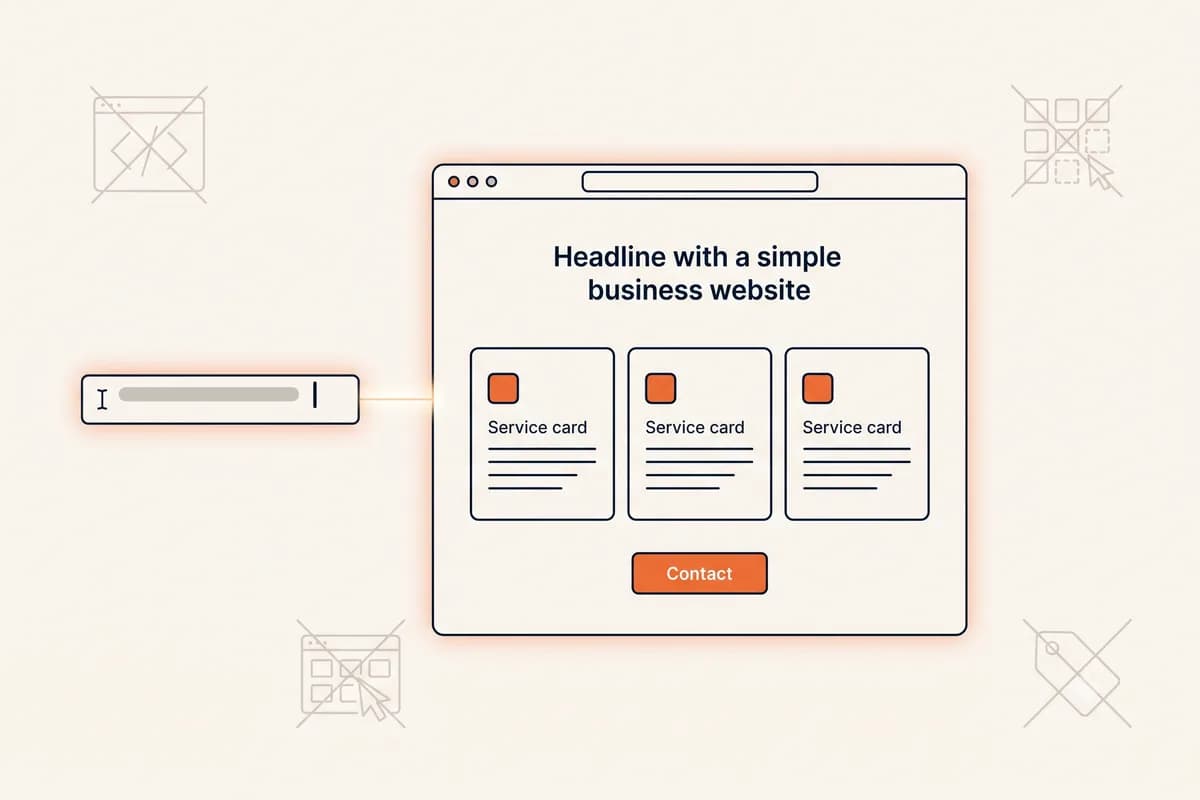
The mechanic that makes all of this usable for a beginner is editing by conversation. On Forgelo, once the site exists you change it by typing the change: "make the headline about wedding catering," "add a section listing our four packages," "shorten the about text." The section rebuilds. You are never asked to drag a box, align a column, or choose a font size. If you want to see that loop in more detail before trying it, what prompt to website means walks through it, and editing a website by prompt covers the refining stage specifically.
How fast can a beginner really go from prompt to published?
Here is an honest timeline, because the marketing numbers around this category have got silly.
A few minutes for the first draft. You write one or two sentences about your business, and generation runs in the background. A complete site, several sections deep with layout, copy, and placeholder images, typically comes back in a few minutes. Anyone promising a finished site immediately is either counting a single hero block or counting nothing at all.
Twenty to forty minutes of editing. This is where the real work sits, and it is not technical work. It is replacing "Quality service you can trust" with "We fix boiler leaks across north Leeds, usually same day." It is uploading four photos from your phone. It is putting in your actual opening hours.
Publishing takes one click. On a free plan you publish to a subdomain immediately, which means you can send the link to a friend or a customer the same afternoon and get real reactions before spending anything.
So the useful comparison is not a stopwatch. It is that the traditional route, briefing a freelancer, waiting for a first draft, requesting revisions, and waiting again, takes weeks of calendar time, and most of that time is spent waiting for someone else. Compressing that into one sitting is the actual speed advantage, and it matters most to beginners, because it means you find out whether the idea works before your enthusiasm runs out.
One realistic warning: the timeline above assumes you have your business details to hand. If you stop halfway to hunt for your logo, write your service list from scratch, and find photos, an afternoon becomes a week. Ten minutes of gathering first is the highest-leverage thing a beginner can do. Our step-by-step guide on how to build a website with AI lays out that full working sequence if you want the whole process mapped before you start.
The three fears that stop beginners, and honest answers
Almost nobody says these out loud, so let us just say them.
"What if I do it wrong?"
You cannot really. This is the difference that beginners underestimate most. There is no file on your computer to corrupt, no code to delete, and no server to break. Your generated site is private until you decide to publish it, so nothing exists publicly while you experiment. After publishing, every section can be changed by describing the change, and the change applies to that section rather than rebuilding your whole site from scratch.
Compare that with the old failure mode, where a beginner touches a WordPress theme file, the site goes white, and there is nobody to ask. That category of disaster is simply not available to you here. The worst realistic outcome is a section you do not like, which you fix by typing a sentence.
"What if it costs more than I think?"
This fear is well earned, because website pricing has historically been deliberately murky. The honest structure on Forgelo, visible on the pricing page, is this: the free plan publishes one real website on a Forgelo subdomain with five AI generations and edits per day, built-in SEO, and a small "Made with Forgelo" badge. The allowance is daily rather than monthly, and editing by prompt draws from the same pool. Paid plans start at Starter on $9 per month, which raises that to thirty generations and edits a day across three websites and lets you connect one custom domain. The usual reason to move up is wanting your own domain name, more than one site, or the badge gone. A custom domain is bought separately from a registrar, and typically costs about as much as a couple of coffees per year.
There is one trap worth learning before you compare any two builders, because it catches non-techies more than anyone. Nearly every pricing page in this category loads with the annual billing toggle already switched on, so the first number you see is not the number you pay if you want to stay flexible. Checked on 31 July 2026, Framer Basic shows $10 per month annually and $15 month to month, and Durable Launch shows $22 against $25. Wix Light advertises $17 per month but bills the year in full at purchase, so the real first transaction is roughly $204. None of that is hidden exactly, it just sits behind a toggle and a footnote. Find the toggle, switch it to monthly, and read the small print underneath before you decide anything. Our DIY website builder guide sets out the same plans side by side in a full table if you want the comparison in one place.
The number worth holding in your head is zero. You can find out whether you can do this, and whether a website helps your business at all, before any card details are involved. If you want the full picture of what websites cost across every route, from doing it yourself to hiring an agency, how much does a website cost breaks the numbers down.
"What if it just looks bad?"
Generated sites look bad for one predictable reason: the defaults were left in. The stock photo of a smiling stranger, the testimonial from "Jane D., Customer," the headline that would fit any business in the category. Visitors read that instantly as unfinished.
Three fixes carry almost all of the weight, and none of them require design skill. Use your own photos, even slightly imperfect phone ones, because real beats polished-but-fake every time. Rewrite the headline and the about paragraph in the way you would actually explain your business to someone at a bus stop. And pick a single accent color that matches your brand instead of accepting the default. Do those three things and a generated site stops looking generated.
The uncomfortable truth underneath this is that your photos and your words determine how professional the site looks far more than your choice of builder does. A beginner with three good photos and specific copy will beat an expert with stock imagery and vague claims.
What makes a website builder easy, and what only looks easy?
Every builder in this category advertises itself as an easy website builder, so the word has stopped carrying information. It is worth replacing it with something you can actually test. Ease is not how quickly the first draft appears. It is how much you have to learn before you can change your mind.
Here is the four-part test. Run it on any tool you shortlist, in this order, and you will know within twenty minutes whether it is easy for someone like you.
One: can you change one small thing without learning anything new? Generate a site, then try to rewrite a single headline. This is the question that separates builders more sharply than any other. If altering one line drops you into a full visual editor with panels, breakpoints, and a layer tree, the tool is easy to start and hard to own. If the only alternative on offer is regenerating the whole page, you lose the sections you liked in order to fix the one you did not. A genuinely easy website builder for non-techies lets you name the change in plain words and rebuilds just that part.
Two: does the free plan publish, or only preview? "Free" is used three different ways in this category, and only one of them is useful to a beginner. A free draft lets you generate but not see it online. A free preview gives you a temporary link that expires or stays hidden from search. A free publish puts a real, indexable page on a real subdomain that you can send to a paying customer today. Before you invest an afternoon, find out which one you are being offered, because only the third lets you test the idea at zero risk.
Three: does it hand you the technical basics without asking you to understand them? A published page needs a title tag, a meta description, one H1, compressed images, a mobile layout, and a sitemap. You should never have to learn what those are. The test is simple: publish a page, then view it on your phone and check that the browser tab shows a real title rather than "Untitled" or your domain name. If the builder made you configure that by hand, it is not easy, it is just unfinished.
Four: can you undo? Reversibility is the quiet foundation of ease. If mistakes are cheap, you experiment, and experimenting is how beginners learn quickly. If mistakes feel permanent, you freeze, and a frozen project never ships. Check whether your work is private until you choose to publish, and whether a change you dislike can be reversed by describing what you want instead.
What only looks easy. Three things read as beginner-friendly and are not. A long onboarding quiz feels helpful but front-loads a dozen decisions before you have seen anything, which is exactly backwards for someone who does not yet know what they want. A gallery of hundreds of templates looks generous but converts your first task into a comparison exercise with no right answer. And any promise of a finished website in a few minutes is measuring the wrong thing: a real multi-section site takes a few minutes to generate properly, and the honest number is the one to trust. Forgelo's own generation runs in the background and lands around four and a half minutes in production measurement, which we would rather state plainly than round down for a headline.
The pattern underneath all four tests is the same. Easy at the start is common and nearly worthless. Easy at the point where you change your mind is rare, and it is the only kind that survives contact with a real business whose prices, services, and photos keep changing.
Which AI website builder should a beginner choose?
Most "best builder" lists rank by affiliate payout. Here is a beginner-relevant way to choose instead, based on what each tool asks of you after the first draft appears, because the first draft is never the final site.
| If you are... | The style that fits | Why |
|---|---|---|
| A first-timer who wants the fewest decisions | Prompt-first builder (Forgelo) | You describe changes in words; there is no canvas to learn |
| Someone who enjoys arranging things visually | Drag-and-drop builder (Wix, Squarespace) | Full manual control, at the cost of a learning curve |
| Needing dozens of third-party integrations | App-ecosystem builder (Wix, 10Web) | Large marketplaces of bookings, memberships, and store add-ons |
| Only ever needing one simple page | One-page generator (Durable) | Fastest possible single-page presence, limited depth |
| Design-led and willing to learn a tool | Design-first builder (Framer) | Genuinely custom results, real learning curve |
The four questions actually worth asking before you commit, whichever tool you try:
- Can I change one specific thing easily? Generate a site, then try to alter one section. If a small change forces you through a full page editor or a start-over regeneration, that friction will follow you forever.
- Where does the paywall sit? "Free" can mean free draft, free preview, or free publishing. Only the third one lets you test with real people at no cost.
- Does the published page have the basics? A real page title, a meta description, one H1, and a sitemap. You do not need to understand them, you just need them to exist.
- Where do enquiries land? A form that drops into an unread inbox kills leads. On Forgelo's paid plans, lead forms route straight to WhatsApp, which for most small businesses is where replies actually happen.
When Forgelo is not the right pick, plainly. If your site depends on a large plugin ecosystem, or on a booking, membership, or restaurant-ordering system you want off the shelf, Wix or a WordPress route serves you better. If you want to own exportable code and hand it to a developer later, a code-generation tool like v0 or Bolt is a better fit. If you specifically want to arrange every element yourself on a visual canvas, you will find our prompt-based approach limiting rather than freeing. And if you want the largest gallery of ready-made template designs to browse, the older platforms have simply had more years to build one. For a wider head-to-head, our honest best AI website builder comparison covers seven tools including the cases where you should not choose ours. If you are still weighing up whether to use AI at all versus a template or a drag-and-drop editor, making a website without coding compares those three routes directly.
What is the smallest first step you can take today?
The mistake beginners make is treating this as a project. Treat it as a twenty-minute experiment instead, and the barrier disappears.
Step one, write one sentence. Not a brief, not a plan. One sentence in this shape: what you do, who for, where, and the feeling you want. "Family dental clinic in Manchester offering cleanings, whitening and braces, calm and reassuring tone." That sentence is your entire input. Vague sentences produce vague sites, so be specific about the actual services and the actual town.
Step two, generate and then leave it alone for a minute. Look at the whole draft before you touch anything. Beginners tend to fix the first thing they see and lose the plot. Read it top to bottom first.
Step three, change exactly one section. Pick the headline. Type what you want it to say instead. Watch it rebuild. This single moment is what converts abstract nervousness into "oh, that is all it is."
Step four, put in one real thing. Your real phone number, or one real photo. One. The site immediately stops feeling like a demo.
Step five, publish to the free subdomain and send it to one person. Not your whole customer list. One friend. Their reaction is worth more than another hour of tinkering, and publishing something imperfect today beats perfecting something invisible for a month.
That is the entire first session. If you want a sense of what is possible for your industry before you write the sentence, the templates gallery gives you a feel for the range, and the features page lists what gets handled for you automatically versus what stays your job.
When is an AI website builder the wrong tool for you?
Being honest about the limits is more useful than pretending there are none.
When it is not really a website. If what you need has user accounts, a database of records, custom business logic, or calculations specific to your operation, that is a web application. Hire a developer. Trying to force it out of a website builder wastes months.
When the store is complex. A handful of products is fine. Variant-heavy inventory, tiered wholesale pricing, or unusual tax and shipping rules belong on a dedicated commerce platform.
When a brand team owns the design. If you must match an existing corporate design system to the pixel, with defined component behavior and strict typography rules, a designer working in a design tool will get closer than a prompt will.
When somebody else will maintain it in code. If the plan is to hand the project to a developer who wants a repository, start where they will finish. Our published sites are hosted and managed for you, which is the point for a beginner and the wrong shape for that handover.
If you read that list and none of it describes you, you are in the ordinary majority: a service business, a freelancer, a local shop, a clinic, a studio. A clear, fast, findable page with a working contact route is what brings you customers, and you can build that yourself, today, without knowing a single technical term. For a broader look at the whole category and how it works underneath, our main AI website builder guide is the deeper read.
Getting started
The honest summary for a total beginner: the software will not be your obstacle. Your obstacle will be gathering your own details and deciding what your business says about itself, and no tool solves that for you. What a good AI website builder does is remove every other obstacle at once, so the only work left is the work only you can do.
Start with the sentence. Generate the draft. Change one section so you feel how reversible everything is. Add one real detail. Publish free to a subdomain and show one person. If it goes nowhere, you have lost twenty minutes and nothing else. If it works, you connect a domain and you are a business with a website, which two hours earlier felt like a much bigger thing than it turned out to be. You can start free on Forgelo and publish your first site without paying anything.
If you want to widen the lens before you start, the no code website builder guide covers the whole category and the four kinds of tool inside it, and DIY website builder is the right read if you are weighing up doing it entirely yourself.
Where these numbers come from
Every price above was read from the company's own pricing page on 31 July 2026 with both billing toggles checked rather than only the default annual one, because the default is what makes the comparison misleading. Prices in this category vary by country, so the figures here are the United States rendering. Forgelo's plan limits match the values enforced in the product, where the AI allowance is a rolling daily quota rather than a monthly one, and prompt edits count against the same quota.
- Forgelo plans and daily AI allowance: forgelo.com/pricing
- Framer Basic, annual and monthly: framer.com/pricing
- Durable Launch, annual and monthly: durable.com/pricing
- Wix Light and its paid-in-full annual term: wix.com/plans
The four and a half minute generation figure is Forgelo's own production measurement rather than a published third-party benchmark, and we quote it as a typical time rather than a guarantee.