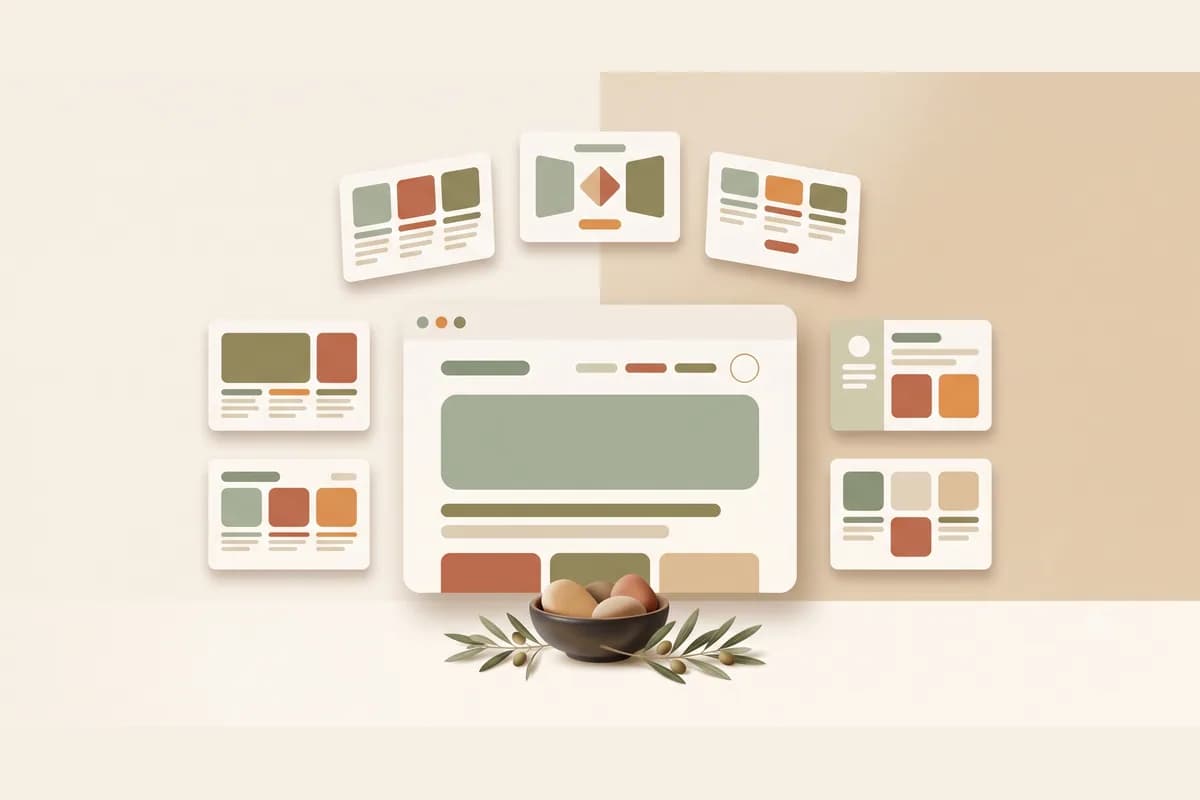
Finding the right website building app can be surprisingly stressful. Some run smoothly on your phone, some only feel right on a laptop, some are drag-and-drop, and now some let you type a single sentence and have AI assemble the whole page. For a small business owner, the real question isn't which app is the most powerful. It's which one gets your website live fastest without forcing you to learn to code first.
The good news is there are more options, and cheaper ones, than there were five years ago. The less good news is that all those options can freeze people into comparing forever and never actually shipping anything. This guide breaks down ten website building apps worth trying, from free to AI-powered, with honest strengths and when each one makes sense.
Types of website building apps so you don't pick wrong
Before the list, know the categories. Website building apps are not all the same, and choosing the wrong category means twice the work for no reason.
- Drag-and-drop builders. You drag elements onto a visual canvas. Flexible, but it takes taste and time to arrange. Examples: Wix, Squarespace.
- CMS (content management system). A do-everything engine for large sites and blogs. Powerful but with a learning curve. Example: WordPress.
- Design-first tools. Focused on modern visuals and smooth animation, often used by designers. Examples: Webflow, Framer.
- Online store platforms. Built specifically for selling with a catalog and checkout. Example: Shopify.
- AI website builders. You describe your business and AI assembles the copy and layout. The fastest path to live. Example: Forgelo.
Tip: Don't pick a tool because it has the most features. Pick the one whose features best match what you need right now. Features you never use just become buttons that confuse you.
10 website building apps worth trying
Here are ten website building apps that are genuinely popular and used, not just big names on a shelf. I've ordered them from the lightest lift for beginners to the most technical.
- Forgelo. An AI website builder. You describe your business in one sentence and a publish-ready website appears in a few minutes. Want to change something? Just type the change, no dragging elements around. Lead forms route straight to your WhatsApp, basic SEO is built in, and you can publish to a free subdomain or your own custom domain.
- Wix. The best-known drag-and-drop builder. Beginner friendly, loads of templates, and a free plan with a subdomain. Flexible, though switching templates after you've committed to one is a chore.
- WordPress. The CMS giant that runs a huge chunk of the internet. The most customizable option thanks to thousands of themes and plugins. The trade-off is you manage hosting, security, and updates yourself.
- Squarespace. Design-first with clean, elegant templates. Great for portfolios, studios, and brands that care about aesthetics. Less flexible for unusual needs.
- Google Sites. Free, simple, and wired into your Google account. Good for internal pages, documentation, or event sites. Not for a brand that needs to look seriously professional.
- Canva. Most people know Canva for design, but its website feature is decent for a single simple page. Comfortable if you already live in the editor. Limited for a site that grows.
- Webflow. Powerful in the hands of a designer who understands layout. The output can be very clean and custom. The learning curve is steep, so it's not for the in-a-hurry crowd.
- Framer. A modern design-first tool with smooth animation and a pleasant editor. Rising fast for landing pages and startup sites. It rewards a bit of design sense.
- Shopify. The gold standard for a real online store. Product, inventory, and payment management are mature. If you aren't genuinely selling at scale yet, it can be overkill.
- Carrd. A featherweight app for one-page sites. Cheap, fast, and perfect for a digital business card or a link-in-bio page. Clearly not for a multi-page site.
Here's the same thing in a table for easier comparison.
| App | Type | Best for | Pricing model | Comfortable on phone? |
|---|---|---|---|---|
| Forgelo | AI builder | Fast launch, small business, chat leads | Low subscription + free subdomain | Yes |
| Wix | Drag-and-drop | Beginners who like arranging | Free / subscription | Okay |
| WordPress | CMS | Large sites, blogs, deep customization | Hosting + domain separate | Poor |
| Squarespace | Design-first | Portfolios, studios, aesthetic brands | Subscription | Okay |
| Google Sites | Free and simple | Internal pages, events | Free | Yes |
| Canva | Design-first | A single simple page | Free / Pro | Yes |
| Webflow | Design-first pro | Designers, custom sites | Subscription | Poor |
| Framer | Design-first | Landing pages, startups | Free / subscription | Okay |
| Shopify | Online store | Selling large catalogs | Subscription | Okay |
| Carrd | One-page | Digital cards, link-in-bio | Free / cheap | Yes |
Notice that not one of them wins in every column. The fastest isn't always the most flexible, and the most flexible isn't always the easiest. Whether an app fits depends on what you actually need.
What these apps actually cost, checked on their official pages
Pricing pages change often, so instead of quoting from memory we opened the official pricing pages of two popular picks, plus our own, on 23 October 2026. The figures below are what each page displayed that day. Treat them as a snapshot and confirm on the page itself before you pay, because promos, currency, and billing period all move the number.
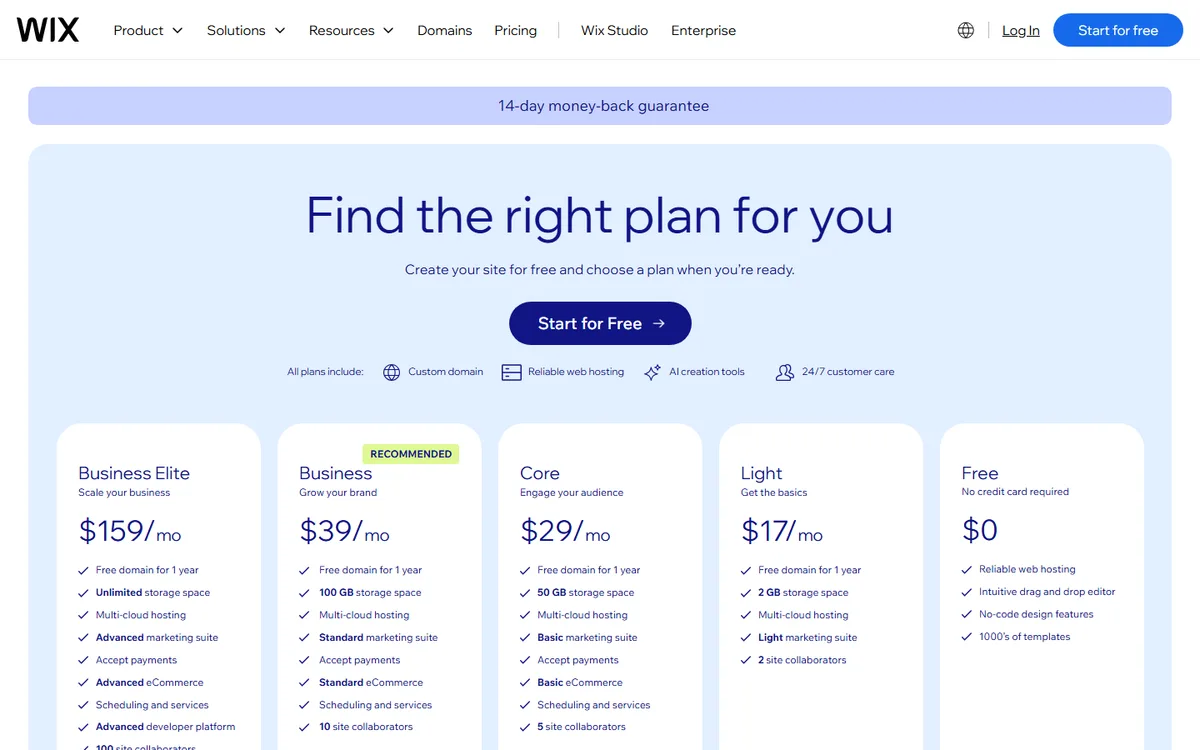
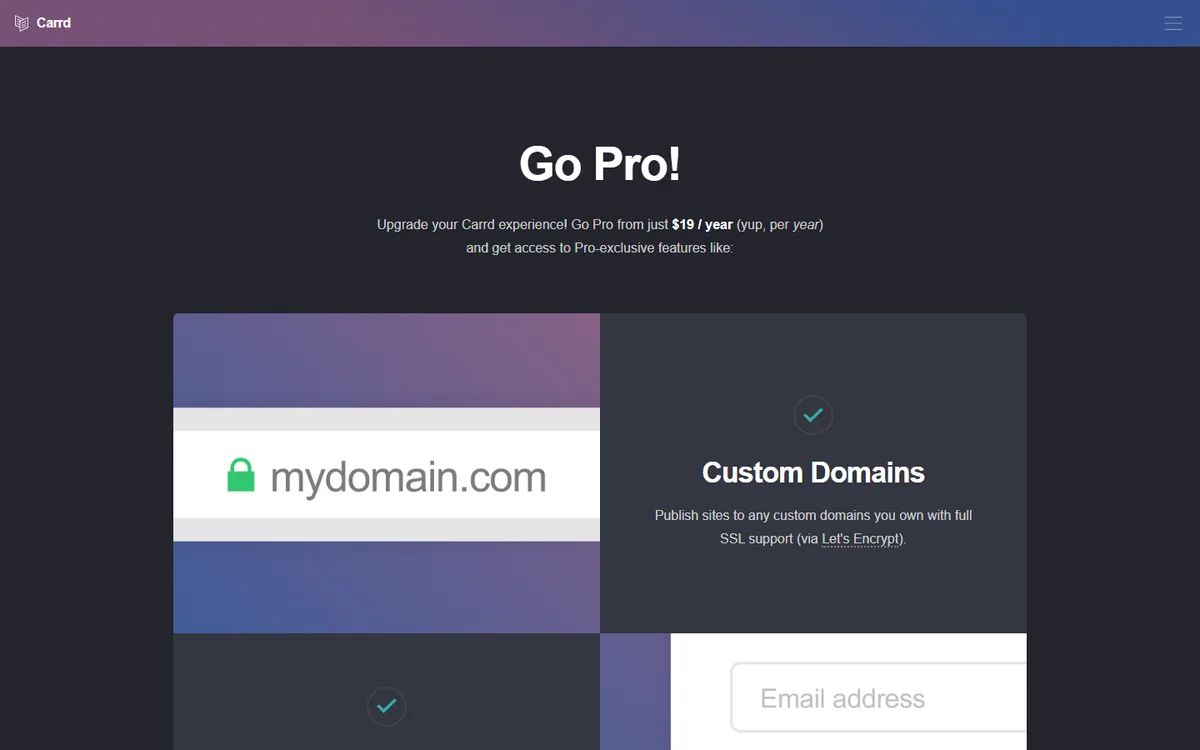
Table: prices displayed on official pricing pages on 23 Oct 2026 (sources: Wix plans, Carrd Pro, Forgelo pricing).
| App and plan | Displayed price | What that tier includes |
|---|---|---|
| Wix Free | $0 | Hosting, drag-and-drop editor, templates |
| Wix Light | $17/month, billed yearly | Free domain for 1 year, 2 GB storage |
| Wix Core | $29/month, billed yearly | 50 GB storage, accept payments, basic eCommerce |
| Wix Business | $39/month, billed yearly | 100 GB storage, standard eCommerce |
| Carrd Pro Lite | $9/year | 3 sites, no Carrd branding, no custom domain |
| Carrd Pro Standard | $19/year | 10 sites, custom domain, forms |
| Carrd Pro Plus | $49/year | 25 sites, advanced forms, redirects |
| Forgelo Free | $0 | 1 website, 5 AI generations and edits per day, Forgelo subdomain |
| Forgelo Starter | $9/month | 3 websites, 30 AI generations per day, 1 custom domain, WhatsApp lead forms |
| Forgelo Pro | $19/month | 10 websites, 100 AI generations per day, custom domains |
Two things stand out. First, the billing period changes everything. The Wix monthly figure assumes you pay a full year upfront, while Carrd is priced per year by design, which is why it looks so cheap next to everyone else. Second, the cheapest paid tier is not always the one with a custom domain. Carrd Pro Lite at $9 a year leaves custom domains out, so a business that wants its own address needs Pro Standard. Read the feature line, not just the price.
Also budget for year two. Free domains bundled with a plan usually cover the first year only, and renewal runs at the normal rate. If you compare apps on the launch price alone, the second invoice is where the surprise shows up.
Free website apps vs paid ones
The first temptation is always a free website app, and that's fair. For learning, testing, or just checking whether your idea makes sense, a free tier is plenty. Google Sites, Carrd, and Wix's free plan can get you live without spending a cent.
But there's something you should know about "free." You usually get a subdomain like yourbusiness.wixsite.com instead of yourbusiness.com. There's often a platform badge stuck on the site, and some important features stay locked until you upgrade. For a hobby that's fine. For a business taking money from customers, a badge-laden address can quietly undercut how serious you look.
Note: A custom domain like yourbusiness.com is usually far cheaper than people expect, often around ten to fifteen dollars a year. It's a small investment that instantly raises credibility. If your business is already taking orders, a real domain is almost always worth it.
If you're curious how far you can get on a shoestring, our guide on making a website without coding walks the path from zero to live without touching a single line of code.
Should you build on a phone or a laptop?
This one comes up a lot, especially since many small business owners reach for their phone far more often than a laptop. The honest answer: both work, but they suit different jobs.
Initial setup, especially arranging several pages at once, is more comfortable on a laptop because of the wider screen and the full view. You don't want to lay out a complex page while squinting at a six-inch screen. But for routine updates like changing prices, adding a new menu item, or refreshing your hours before a holiday, a phone is more than enough.
AI-based apps have an edge here because the editor runs in the browser and you change anything just by typing. Want to update a promo from your phone while waiting in line? You can. If your phone is your main device, it's worth understanding which apps feel best in the hand before you commit, and how AI generates a site is covered in our walkthrough on how to build a website with AI.
How to choose the right website building app
Once you know the options, choosing the right website building app really comes down to a handful of questions. Answer them honestly and the choice usually narrows itself.
- How fast do you need to be live? If it's this week, lean toward an AI builder or drag-and-drop, not a CMS that needs setup.
- How often will you update it? If it's often, pick something you can edit yourself without paying per change.
- What's the site's main job? Capturing leads through chat is a different need from selling a catalog of hundreds of products.
- What's your budget, including the next year? Look at total cost, not just the launch price. Hosting, domain, and edit fees often slip through the cracks.
- Do you want to touch the site yourself or not? If not, you may need a service more than an app.
From app to live site: a simple six-step plan
Knowing the options is half the job. The other half is a short, repeatable process that gets you from "I picked an app" to "customers can visit it." Here is the order that wastes the least time.
- Write one sentence about your business. Who you serve, what you sell, and where. For example: "A home bakery in Austin selling custom birthday cakes, ordered by WhatsApp."
- Gather the basics before you open any app. Three to five real photos, a service or price list, your contact number, and opening hours. Missing material is the most common reason sites stall halfway.
- Pick one app and commit for a week. Choose by category from the list above, then stop comparing. Trialing five tools at once mostly produces five half-built sites.
- Build the first version in one sitting. With an AI builder that starts with your sentence. With drag-and-drop, start from the template closest to your type of business rather than a blank canvas.
- Check everything on your phone. Tap every button, make sure the contact button opens the right number, and confirm the text is readable without zooming. Most of your visitors will arrive on a phone.
- Publish, share, then upgrade. Go live on the free subdomain, send the link to three customers you trust, fix what they stumble on, and connect your own domain once the site earns it.
For most small businesses, the winning combination is simple: a clean site that explains what you do, shows up on Google, and routes prospects to a way to contact you. If that's the goal, an app that burns your time on technical busywork is actively working against you. You can try Forgelo to see how fast a business idea turns into a site that's ready to take inquiries.
The thing that matters more than the app
Here's the part few people admit: which app you pick matters far less than you think. Too many owners spend weeks comparing features, reading reviews, and watching tutorials, but never actually publish anything. A perfect website that only exists in your head loses badly to an ordinary one that's live and visitable.
Every app on this list can produce a decent site. What separates the end results isn't the logo. It's whether your message is clear, your site loads fast, and prospects know the next step. A good app just removes friction so you reach that point sooner. The rest is on you.
So if you're stuck in choice paralysis, pick one, ship something real this week, then improve as you go. You can always switch later, and you'll understand your needs far better after having a real site than after reading twenty comparisons. If you want another reference on the DIY route, our roundup of the best AI website builder options covers it separately.
The bottom line
The best website building app isn't the one with the most features. It's the one that gets your business live fastest at a sensible cost. If you want full control and enjoy arranging things yourself, drag-and-drop like Wix or Squarespace fits. If your site is large and needs deep customization, WordPress has its place. If you're selling a serious catalog, Shopify wins. And if you want to be live as fast as possible without the fuss, an AI builder turns a single sentence into a site you can actually use.
Whatever you choose, don't let the choosing become a reason to stall. A website that's live today beats a perfect one that never gets finished. Start with whatever suits how you work, ship something real, and level up as your business grows.