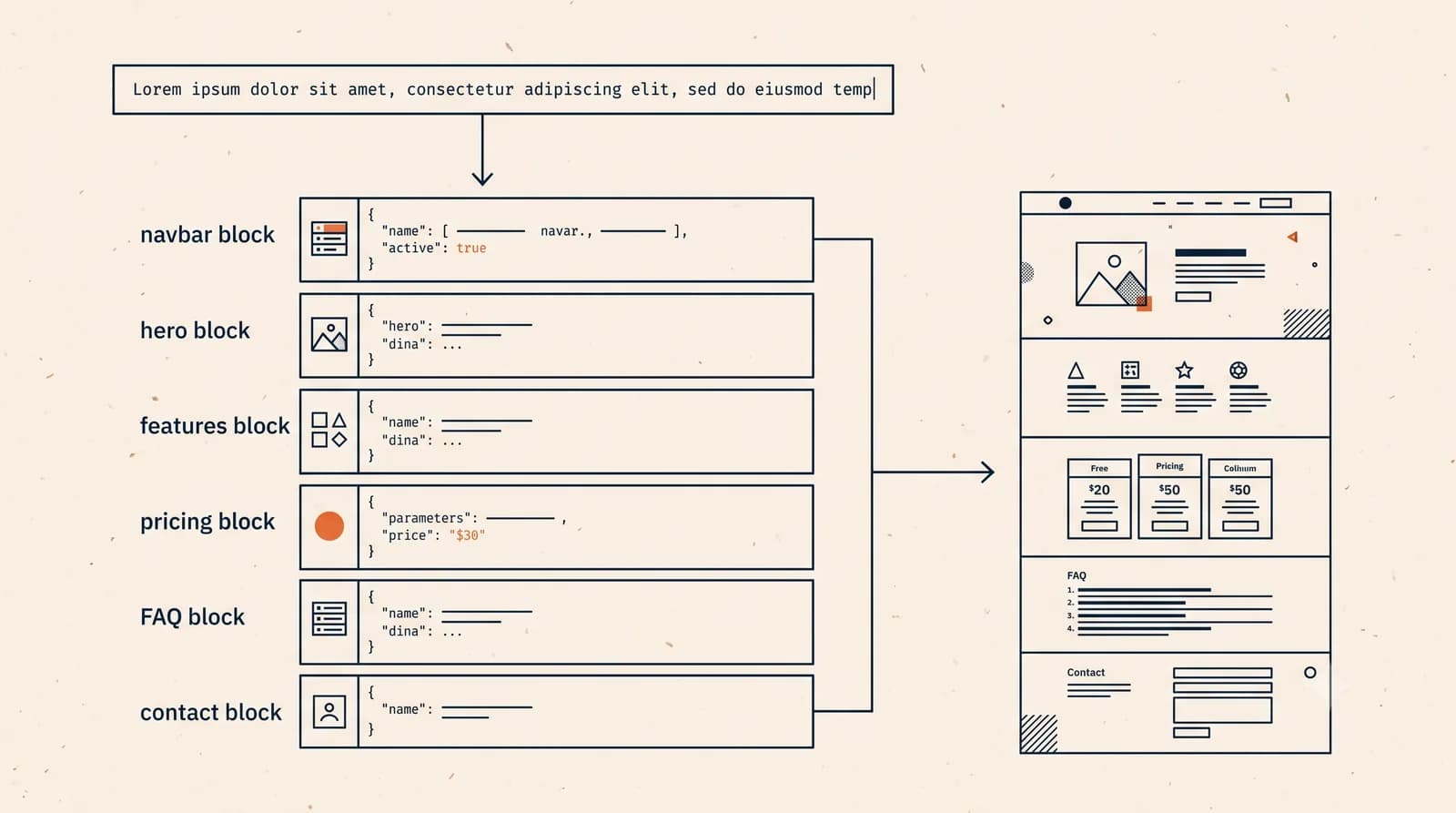
AI prompts to build a website work on a simple idea: you write a few sentences about your business, and the AI turns them into a complete site with copy, layout, and design. The hard part is not the technology. It is staring at that empty text box wondering what to type. This guide fixes that the most practical way possible: 20 ready-made prompts. Copy one, swap in your business name and details, and you're done.
Every example below follows a pattern that produces a site worth publishing, not just a throwaway experiment. On Forgelo, a prompt like these generates a finished website in a few minutes, and anything that isn't quite right gets fixed by typing the change. No code, no fiddly drag-and-drop editor.
Why your prompt decides what you get
An AI website builder works from the description you give it. A vague description produces a vague website: generic headlines, copy that could belong to any business, and pages that never answer a customer's real questions. A clear description produces a site that feels like it was actually built for you.
The good news is that "clear" does not mean "long". Here is an honest opinion you rarely hear: prompt engineering for websites is overrated. You do not need a 300-word prompt with nested instructions and style references. You need three things: what your business is, who your customers are, and what you want visitors to do. Everything else can be refined after the site exists. We walk through what happens behind the scenes in our guide to how AI generates a website.
Tip: Write your prompt the way you would explain your business to a friend who offered to help. Not like a formal brief. Natural sentences produce natural-sounding website copy.
The anatomy of a good website prompt
Before the list, learn the frame so you can confidently modify any example. A good prompt has four parts:
- Business type and name. "A website for a home bakery called Rosie's Cakes."
- Target customer and location. "Serving birthday and wedding orders in Austin."
- The action you want. "Visitors should order through WhatsApp."
- Tone or style (optional). "Warm and homemade feel."
The difference shows clearly in a table:
| Element | Vague prompt | Specific prompt |
|---|---|---|
| Business | "A website for my food business" | "A website for home bakery Rosie's Cakes" |
| Customer | Not mentioned | "Birthday and wedding orders in Austin" |
| Action | Not mentioned | "Order via WhatsApp, 3 days ahead" |
| Style | "Something nice" | "Warm, homemade, cream tones" |
| Result | A generic page | A site that feels like yours |
Four parts, four sentences. That's it. Now the examples.
20 AI prompts to build a website, ready to copy
Replace the bracketed parts with your own details. Each one works as-is.
Local and home services
"Build a website for an appliance repair service called [business name] in [city]. Our main customers are households and small offices. Show a list of services, our coverage area, and a WhatsApp booking button. Keep it professional and trustworthy."
"A website for [business name], a laundry and dry cleaning service in [area]. Show pricing, free pickup and delivery, and turnaround times. Visitors should message us on WhatsApp to schedule a pickup."
"Create a website for a gardening and lawn care business called [business name]. We serve homes and offices in [city]. Include a gallery of past work, monthly maintenance packages, and a contact form. Natural style with green tones."
"A website for [business name], a family and graduation photography service in [city]. Show a portfolio, three pricing packages, and how to book. Most clients find us on Instagram, so link our account. Warm and personal feel."
"Build a website for a moving company called [business name] serving [city] and nearby areas. Explain the process from survey to delivery, show a price range, and add a get-a-quote button that goes to WhatsApp."
Food and drink
"A website for a home catering business called [business name] in [city]. We serve lunch boxes for offices and family events. Show signature menus, minimum order size, and a WhatsApp order button. Warm, home-cooked feel."
"Create a website for a coffee shop called [business name] in [area]. Show the menu, opening hours, location with directions, and photos of the space. We want people to visit in person or order takeaway via WhatsApp."
"A website for [business name], a frozen food business. Main products are dumplings and pastries, sold to households and resellers. Show a product catalog with retail and reseller pricing, plus how to order on WhatsApp."
"Build a website for a custom birthday cake business called [business name] in [city]. Show a cake gallery, price ranges by size, a 3-day advance order policy, and a design consultation button on WhatsApp. Cheerful and colorful."
Shops and products
"A website for a plant shop called [business name] in [city]. Show featured collections, short care tips, and how to order. Buyers can pick up in store or request delivery. Orders go through WhatsApp."
"Create a website for a clothing brand called [business name]. Show the latest collection, a size guide, and the story behind the brand. Most sales happen on marketplaces, so point visitors to our store links plus WhatsApp for questions."
"A website for a custom furniture workshop called [business name] in [city]. Show a portfolio, available wood types, production timelines, and a quote request form that lands in WhatsApp."
Professional and B2B
"Build a website for a tax consultant called [business name]. Our clients are small businesses in [city]. Explain monthly and annual filing services, show a fee range, and add a free 15-minute consultation button on WhatsApp. Clean and reassuring."
"A website for [business name], an interior design studio focused on apartments and small homes in [city]. Show before-and-after projects, a four-step process, and a consultation form. Minimal, modern style."
"Create a website for a language school called [business name] in [city]. Main programs are kids' classes and test preparation. Show schedules, fees per level, teacher profiles, and enrollment via WhatsApp."
"A website for a digital marketing agency called [business name]. Core services are social media management and ads for small businesses. Show service packages, qualitative results we've achieved, and a book-a-meeting button. Professional but not stiff."
Creative, community, and personal
"Build a portfolio website for [name], a freelance graphic designer. Show selected work, a services list with rate ranges, client testimonials, and contact via email plus WhatsApp. Clean style so the work stands out."
"A website for a running club called [club name] in [city]. Explain weekly training schedules, how to join, and photos from past events. New member signup goes through WhatsApp. Energetic and beginner-friendly."
"Create a digital wedding invitation website for [couple's names]. Show the date and venue, our short story, a photo gallery, and an RSVP form. Elegant style in [theme color]."
"A website for a nonprofit called [organization name] working on [cause] in [city]. Explain the main programs, how to donate, and how to volunteer. Include a WhatsApp contact for questions. Sincere and transparent tone."
Note: Most examples mention WhatsApp because for a huge share of small businesses worldwide, that is where deals actually close. On Forgelo, the lead form connects directly to your WhatsApp, so enquiries from your website arrive in the app you already check every day.
After generation: edit with prompts too
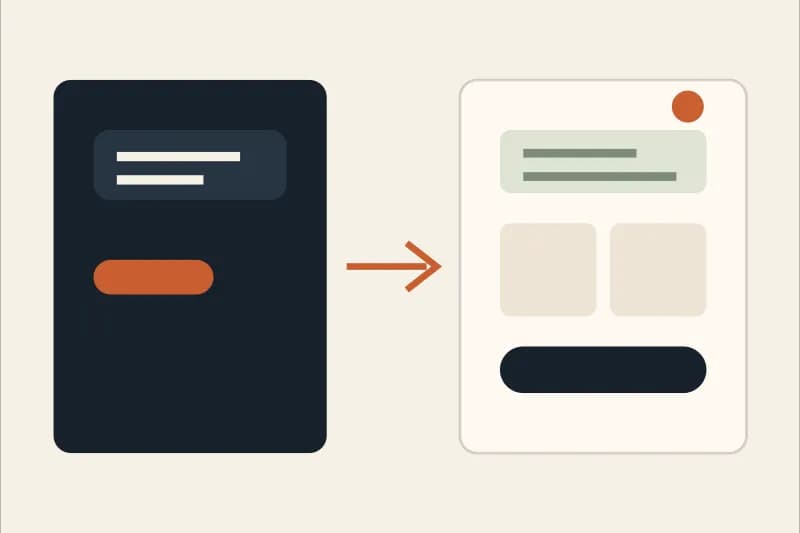
This is the part most people skip, and it matters more than the first prompt. Your opening prompt is only a first draft. Good websites come from the small edits afterwards, and this is where editing by prompt changes the game.
Instead of hunting through settings menus, you type what you want changed:
- "Make the headline shorter and lead with the benefit."
- "Add an FAQ section with five common customer questions."
- "Move testimonials above the pricing section."
- "Change the primary color to dark green."
Each change lands in seconds. No per-revision fees, no waiting on someone else's calendar. If you have tried to make a website without coding before and still found the editor confusing, this type-what-you-want approach feels like a different world.
Tip: Keep a running list of edits in your notes, then feed them in one at a time. Small sequential changes are far easier to judge than one giant prompt that alters five things at once.
Common prompt mistakes to avoid
From the patterns we see, a few traps consistently produce disappointing results:
- Too vague. "Build me a nice website for my business" gives the AI nothing to work with. Name your business type and customer at minimum.
- Overloading the first prompt. Ten style instructions, six colors, and four references at once produce a muddled result. Start simple, refine with edits.
- Forgetting the action. A website without a clear call to action is just a brochure. Always say what visitors should do: message you, fill a form, or visit in person.
- Copying a competitor wholesale. A prompt that mimics another business produces a site that feels like a knockoff. Use the same frame, fill it with your own story.
- Stopping at the first prompt. A first result that is 80 percent right is a win. The rest is editing work, not a reason to give up.
Next step: from prompt to published site
You now have 20 prompts ready to go. From here the process is short: pick the example closest to your business, swap the details, paste it into Forgelo, and your site generates in a few minutes. Basic SEO is handled automatically, and you can publish to a free subdomain right away or connect your own domain.
If you want the bigger picture of the whole process first, our step-by-step guide to how to build a website with AI covers it from blank page to launch. And if you're ready to try it now, Forgelo plans start at $9 per month with unlimited edits included; full details are on the pricing page.
The best website is not the one with the cleverest prompt. It is the one that actually goes live, explains your business clearly, and makes it easy for customers to reach you. Copy a prompt above and start today.