A free wedding invitation website has become a practical choice for modern couples. Printing invitations for hundreds of guests costs serious money, while a single link can reach every guest through WhatsApp without printing costs. The good news is you do not need to code and you do not always need to pay. The part nobody tells you: "free" almost always comes with strings attached, and you should know what they are before you send that link to your entire extended family.
This guide walks through 5 easy ways to build a wedding invitation website, from genuinely zero-cost routes to a cheap paid option that removes the usual compromises. At the end you will find wording templates you can copy, from formal to casual.
Why invitation websites beat printed cards
Before the how, a quick honest look at the why. It is not only about saving money.
Printed invitations have one fatal flaw: once printed, they are frozen. A typo in the venue name, a changed ceremony time, a last-minute location switch because of weather, and there is nothing you can do. A website can be updated five minutes before the event and every guest automatically sees the latest version.
A website also carries things paper never could: a countdown to the big day, a photo gallery, a map link guests can tap to navigate, an RSVP button, and registry or gift details. Out-of-town guests stop asking "where exactly is the venue?" because everything lives on one page.
Note: Printed cards are not dead. For parents, grandparents, and guests of honor, a physical invitation still signals respect in many cultures. The most common setup today is a hybrid: print 30 to 50 cards for the inner circle, send the website link to everyone else.
5 easy ways to build a free wedding invitation website
Here are the five routes couples actually use, ordered roughly from least effort to most flexible. None of them is best for everyone, so pay attention to the "best for" column.
| Route | Cost | Effort | Result | Best for |
|---|---|---|---|---|
| 1. Invitation platform (free tier) | $0 | Low | Standard look, watermarked | Couples in a hurry who are not picky |
| 2. Google Sites | $0 | Medium | Plain but clean | Truly free with no watermark |
| 3. Canva | $0 | Medium | Pretty, long web address | Design-minded couples |
| 4. Free HTML template + free hosting | $0 | High | Fully yours | Technical folks (or a techie friend) |
| 5. AI website builder | From $9/mo | Very low | Polished, no watermark, editable anytime | A serious result without the work |
Route 1: Invitation platforms with a free tier
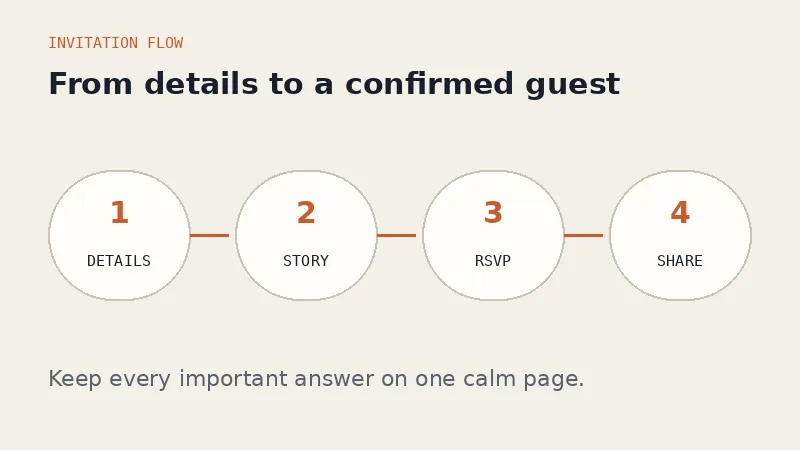
Dozens of digital invitation services offer a free plan. The flow is always the same: sign up, pick a template, fill in your names and event details, get a link. Done in about half an hour.
The free-tier compromises are also always the same: a watermark or provider credit at the bottom, the smallest template selection, capped RSVP and gallery features, and sometimes a guest limit. Removing those limits means upgrading to a paid plan.
Route 2: Google Sites
The most overlooked option, even though it is completely free, watermark-free, and comes straight from Google. You can build a page with photos, text, a map link, and an embedded Google Form for RSVPs. Everything is drag and drop.
The honest weakness is aesthetics. Google Sites templates are limited and the result tends to look like an office intranet page rather than a romantic invitation. With careful photo and color choices you can make it presentable, but it takes patience.
Route 3: Canva
Canva has genuinely beautiful invitation templates, and any Canva design can be published as a website in a few clicks. If you enjoy playing with design, this route is fun.
The catches: the free-plan web address is long and includes Canva's name, animation options are limited, and interactive features like RSVP have to be improvised with links to a Google Form or WhatsApp. The result feels more like a gorgeous online poster than a full invitation website.
Route 4: Free HTML template + free hosting
The internet is full of free downloadable wedding invitation HTML templates, which you can host at no cost on services like GitHub Pages or Netlify. The result can be excellent and it is entirely yours.
Let's be realistic though: this route only makes sense if you or your partner can read basic HTML. Changing names, dates, and photos means editing code, and one missing bracket can break the layout. If you are not technical, the first two hours will feel like learning a foreign language. Our guide on how to make a website without coding explains why the code route is not for everyone.
Route 5: AI website builder
The newest route works differently from all the others. You do not pick a template and fill in forms. You describe the event in one sentence, something like "create a wedding invitation website for Emma and Daniel, ceremony on February 14, 2027 in Portland, sage green and elegant", and the AI assembles the whole page for you.
With Forgelo, the first draft is generated from your description while you focus on the event details. Want changes? Just type them: "change the palette to dusty blue", "add a countdown section", "move the gallery lower". There is no editor to learn. You can publish on a free subdomain, and the built-in form sends every submission straight to your WhatsApp, so RSVPs arrive in the app you already check all day. If you are curious about the mechanics, we covered the whole flow in how to build a website with AI.
This is the only non-free route on the list, with plans starting at $9 per month. But because it is a monthly subscription, many couples simply keep it active for the one or two months around the wedding. Compare that with printing hundreds of cards and the math still lands firmly in your favor.

Wedding invitation wording templates
The thing that stalls most couples is not the tech, it is the words. Copy and adapt these.
Formal (for family and guests of honor)
"Together with their families, [Name] and [Name] request the honor of your presence at their wedding on [date] at [time], [venue], [city]. Your presence and blessing would mean the world to us."
Warm and personal
"After all these years, we are finally making it official. We would love for you to join us as we celebrate our wedding: [Name] and [Name], [date], at [venue]. Your presence is the best gift we could ask for."
Casual (for friends and coworkers)
"Hey! Big news: we are getting married. Come celebrate with us on [date] at [venue]. Dress comfortably, bring your dancing shoes, and RSVP through the link so we can save you a seat."
WhatsApp intro message when sending the link
"Dear [Guest Name], with great joy we would like to invite you to our wedding. All the details, including the venue map and RSVP, are in this link: [link]. We truly hope you can join us. Warm regards, [Name] and [Name]."
Tip: Always include the guest's name in the WhatsApp intro and send it in a personal chat, not as a bare link in a group. An unnamed link reads like a mass broadcast, and older relatives especially notice the difference.
Details couples forget on free invitation websites
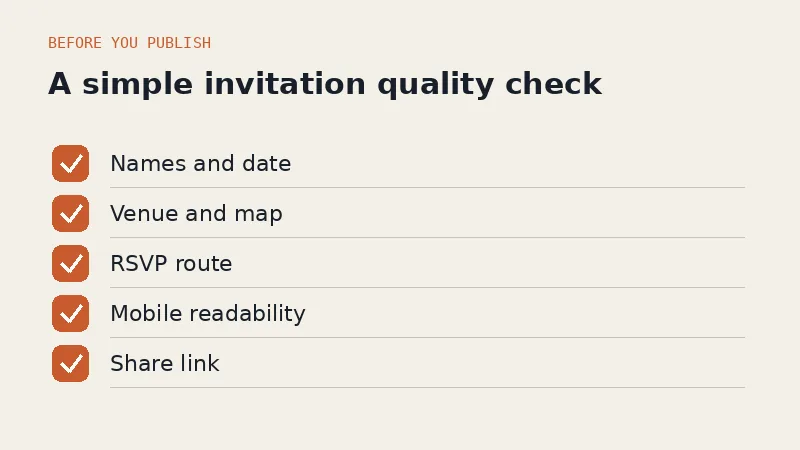
After seeing plenty of invitation sites go live, the same mistakes keep repeating. Run through this list before you share your link:
- A map link pointing to the wrong pin. Test it from someone else's phone. Many venues share similar names within one city.
- Ambiguous times. Write "4:00 PM (local time)" or include the time zone if guests are traveling.
- RSVPs nobody checks. A form is useless if responses land in an inbox you never open. Ideally confirmations arrive on WhatsApp, the channel you actually read. We wrote about that pattern in turning visitors into WhatsApp leads.
- Huge photos that slow the page down. Guests open invitations on phones with patchy signal. If it takes 10 seconds to load, they give up.
- Skipping the test run. Send the link to two or three close friends first, ask them to open it on their phones, then share widely.
An honest opinion: free is often the most expensive choice
Here is the take free-tier providers will not volunteer: for a once-in-a-lifetime moment, free can be the most expensive option in terms of experience.
A provider watermark at the bottom of your invitation is free advertising for them on your wedding day. A long, awkward web address weakens the first impression. Limited templates mean your invitation looks identical to the ones your three friends sent this year. And when something breaks the week before the wedding, free plans sit at the back of the support queue.
That does not mean you should spend big. The sensible middle for most couples sits between the extremes: not a compromise-laden free tier, and not a premium invitation agency either. Building it yourself with an AI builder, for the price of one dinner out, for a month or two, gets you a watermark-free result you fully control.
Tip: Whichever route you choose, protect one thing: the ability to edit your own site anytime. Wedding plans change more often than anyone expects. A route that lets you revise everything in five minutes is always worth more than one that makes you wait on someone else.
How to start today
If you want the zero-dollar route, start with Google Sites: create a page, add the event details, paste the map link, embed a Google Form for RSVPs. One afternoon and you are live, plain but clean.
If you want a professional-looking result without learning any tool, take the AI route. Describe your event in one sentence on Forgelo, watch the draft appear in a few minutes, then polish it by typing plain-language edits. Plans start at $9 per month on our pricing page, and after the wedding the same account can build your next project, like a website for your small business.
Most important of all: do not let the invitation linger on your to-do list until the frantic final weeks. A site that goes live early gives guests time to plan, and gives you one big task already done.