You can make a website for free without coding today. The fastest route is an AI website builder: explain your business in one sentence, receive a complete site in a few minutes, and edit any section by typing a request. Other free options include drag and drop builders, content management systems, and simple store pages. The important differences are launch speed and how easily you can maintain the result.
This guide compares those choices honestly and provides a practical route to a credible, fast website that remains easy to change.
Can you really make a website for free without coding
Yes. Building a website once meant hiring a developer or learning HTML, CSS, servers, and hosting. Modern platforms handle those technical layers. You provide the goal and content, while the platform produces a page that browsers can display.
The word "free" does need context. Most providers use a subdomain on free plans, display a small badge, and reserve advanced features for paid tiers. That is enough for testing an offer, validating an idea, or establishing an immediate online presence. A good platform lets you upgrade without starting again.
Decide what success means before choosing a tool
A free website can succeed without being large. Define one measurable outcome for the first month, such as ten menu downloads, three qualified enquiries, five booking requests, or a reliable page to share after introductions. This prevents you from choosing features because they sound impressive rather than because the project needs them.
Write the visitor's likely questions in order. A home tutor's prospects may ask which ages are supported, where lessons happen, what a session costs, and how to arrange a trial. That sequence can become the page structure. If the builder can present those answers clearly and connect the final action, it is capable enough for the first version.
Avoid planning for every possible future scenario. Select a tool that handles today's job and has a reasonable upgrade path. Paying nothing at launch is useful only when the site can continue without unnecessary rebuilding after it attracts attention.
Five ways to make a free website without coding
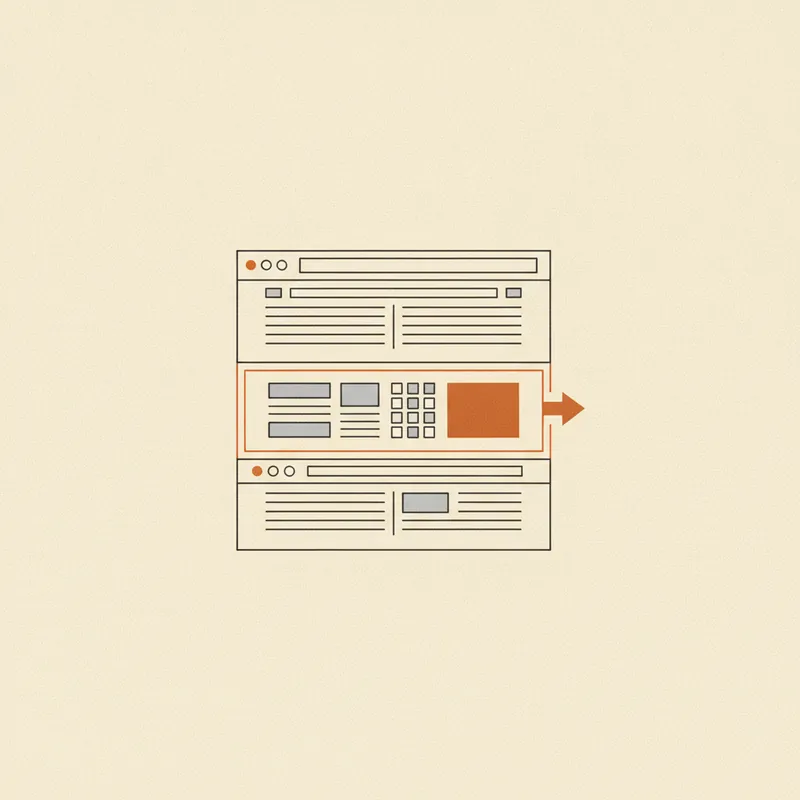
Each option trades speed, ease, and flexibility differently.
- AI website builder: Describe the business in one sentence, generate a complete site, then refine individual sections by typing. This is usually the quickest route and the easiest to revise.
- Drag and drop website builder: Place blocks manually on a visual canvas. It is flexible but requires time and many small design decisions.
- Free CMS: Combine themes and plugins for a blog or content site. It is powerful, but setup, security, and maintenance create a learning curve.
- Store platform or marketplace: Start with products and checkout. This suits commerce, though brand and layout control may be limited.
- Link page or simple profile: Publish contact details and links in minutes. It is useful temporarily but often too thin to be a serious business website.
For most small businesses, the first three are the realistic contenders. Read how to make a website without coding for a deeper comparison. If the alternative is hiring someone, our website development services guide explains when professional support is worth it.
Run a realistic trial of each serious option
Do not compare platforms only through feature lists. Build one section using your actual business name, a real photograph, a genuine paragraph, and the intended contact action. Long names and ordinary images reveal layout limitations that polished demonstration templates hide. Then make a small update and review the mobile result.
Time the complete task, including finding the setting, correcting mistakes, and publishing the change. A tool that saves twenty minutes during setup but adds friction to every weekly update may be the slower option over a year. The owner who will maintain the page should participate in this test, even if someone else creates the initial version.
Check the conditions that matter if the trial works. Confirm whether content remains when you upgrade, whether you can connect an existing domain, what branding appears, and which traffic or storage limits apply. These are ordinary product constraints, not reasons to avoid free plans, but knowing them prevents a rushed migration later.
The fastest way: from one sentence to a complete website
An AI website builder is usually the most efficient route when you need a credible result quickly. Forgelo is designed for people who are not developers.
- Describe the business in one sentence. For example, "a home catering company in Austin offering weekday lunches and event trays with orders through WhatsApp."
- Let Forgelo generate the complete site. in a few minutes, it creates a hero, service sections, proof, and clear calls to action rather than a nearly empty page.
- Refine each section with prompts. Select one section and ask for a sharper headline, a price table, or a different contact button. Only that section is rebuilt.
- Publish for free. Launch on a Forgelo subdomain without a credit card and share the link immediately.
The editing model is as important as initial generation. Other methods may require moving blocks or joining a developer's revision queue. With section level prompt editing, the website remains an ongoing conversation. You can improve one weak part without sacrificing everything that already works.
Replace generic output with business evidence
Treat the generated site as a structured draft. Check every claim and replace broad phrases with observable details. "Reliable delivery" becomes more useful as "Orders placed before noon are delivered within central Austin the next weekday," if that promise is accurate. "Experienced specialists" should become a relevant qualification, number of completed projects, or concise description of the method.
Use genuine images whenever they help a buyer evaluate the offer. A clear phone photograph of the real product, workspace, team, or completed job can build more trust than a perfect but unrelated stock image. Obtain permission for customer photographs and testimonials. If proof is not available, explain the process and policies honestly rather than manufacturing credibility.
Finally, remove sections that repeat the same claim. Free sites often feel unprofessional because they are padded, not because they use a subdomain. A compact page with an exact offer, useful proof, and a working next step is a more credible starting point.
What "free" actually means
Understanding common free plan limits prevents surprises.
The address is a subdomain. A free site may use an address such as yourbrand.forgelo.app instead of yourbrand.com. That is fine for testing. A custom domain is more memorable and credible once the business is ready.
A provider badge appears. Free sites often include a small footer badge. It normally disappears on a paid plan.
Some features are restricted. Custom domains, deeper analytics, or higher capacity may require payment. This makes the free tier a low risk trial: pay only after the product fits.
Upgrading should preserve the work you have already done. Your sections and content stay in place while the domain and feature access change.
Budget for the successful version
Free does not need to mean permanent. Estimate the cost of the site once it earns enough trust or leads to justify a custom domain. Include the domain renewal, the platform tier, any paid mailbox, and any transaction fee required by your sales process. Compare that future annual total across the final two options.
Also value your maintenance time. Two free platforms can have identical cash cost but very different operational cost if one requires an hour for a simple seasonal update. Choose the route you can keep accurate. An abandoned free page with old hours and broken links can cost more in lost confidence than a modest paid plan.
Make your free website do more than exist
A website does not attract customers merely because it is online. Three qualities separate a passive free page from a useful business asset.
A sound SEO foundation. Free sites can appear in Google when they have descriptive titles, useful meta descriptions, logical headings, fast pages, structured data, and a sitemap. Forgelo handles the technical baseline, while you add specific, helpful content. Learn the essentials in website SEO basics.
An easy contact path. Visitors should understand what to do next. Send them to a relevant form, booking page, checkout, phone number, or messaging channel. Use one specific action rather than several vague buttons.
Simple self service editing. Offers, prices, and proof change. A website you can update by selecting a section and typing the change will stay accurate. A site that requires specialist help for every revision tends to become stale. See how to build a website for business for a more complete conversion focused structure.
Complete a public launch check
Preview modes do not prove that the public experience works. Open the published link in a private browser window, use a phone, and tap every important action. Submit the contact form and confirm that the message reaches the correct inbox. Check telephone, email, map, booking, marketplace, and social links. Read the business name, address, prices, and opening hours against your source information.
Ask one person unfamiliar with the build to find a service and complete the intended action without instructions. Note the first place they hesitate. Fix blocked tasks before changing decorative details. If they cannot explain the offer after viewing the first screen, revise the headline and supporting sentence rather than adding more content below.
After launch, set a monthly reminder to review details and a quarterly reminder to test forms. Customer questions are useful evidence for improvement. If several people ask whether delivery reaches a certain area, answer that on the page. This gradual approach keeps the website useful without turning maintenance into another large project.
Start making your free website today
The best way to resolve uncertainty is to produce a real draft. Describe your business in one sentence and review the generated website. If it fits, refine its sections and connect a custom domain later. If it does not, you have spent nothing.
Keep the first launch intentionally small. Publish the accurate sections, share the link with a limited audience, and observe whether visitors understand the offer and complete the main action. Correct confusion with focused edits. You can add pages after real behavior proves they are needed, which is safer than guessing at a large structure before anyone visits.
Still comparing methods? Read build a website for free: five options compared. When you are ready, create a free website with Forgelo and turn one clear sentence into a site you can publish today.