
If you have looked into the Squarespace AI website builder, you have probably seen the name Blueprint AI. It is the flow that turns a description of your business into a personalized starting site, and Squarespace now surrounds it with an AI assistant, an image generator, and AI-built custom sections under the label Design Intelligence. Together they promise a polished website without staring at a blank canvas. This review is an honest look at what that promise delivers in 2026, where it runs out of road, and how it compares to a builder like Forgelo that takes a simpler route.
Short version first, so you can skim. Squarespace is one of the most design-respected platforms on the web, and its AI does a genuinely good job of handing you a handsome starting point. It is a strong pick if design polish matters to you, if you sell products or need built-in scheduling, and you do not mind a short learning curve. It is a weaker pick if you want the simplest possible editing loop, a lower monthly bill for a basic lead site, or customer inquiries sent to WhatsApp instead of an inbox. Let us walk both sides fairly. Everything below was checked against Squarespace's live pages on 23 October 2026.
What the Squarespace AI website builder actually is
Squarespace's own product page describes the flow in four steps: describe what you are building, preview a personalized website, make it yours, then publish and get discovered. Under the hood that breaks into a few separate pieces.
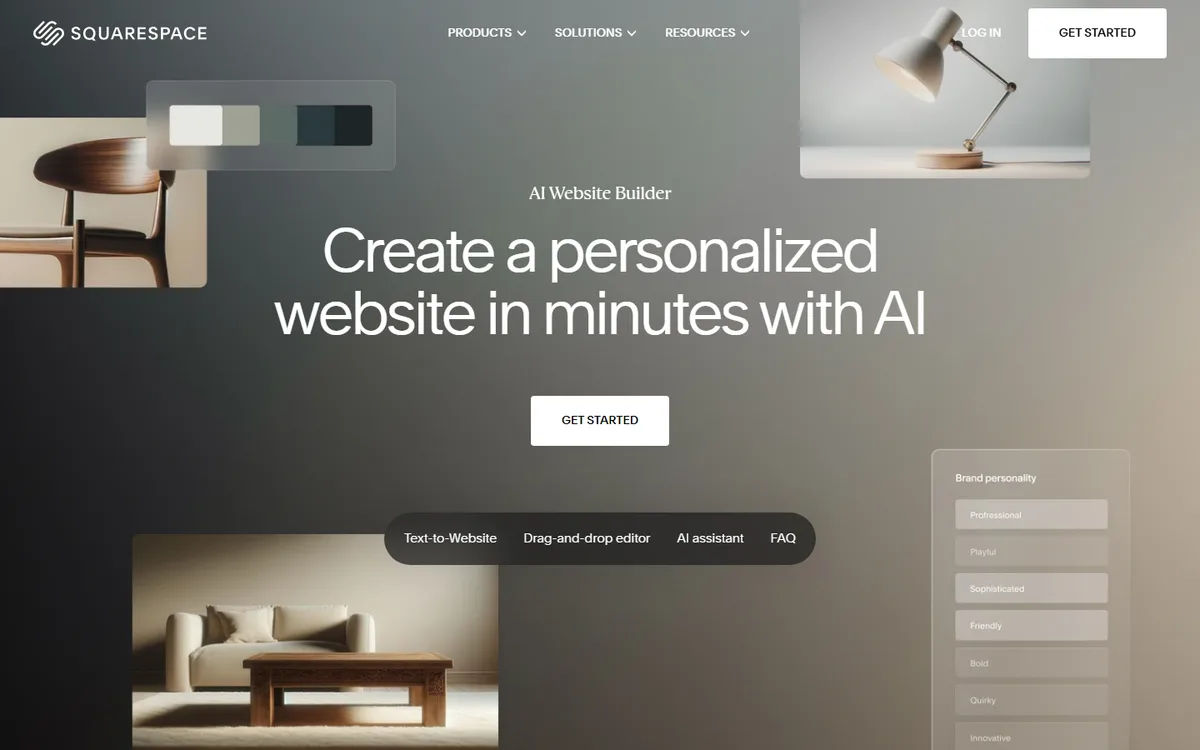
Blueprint AI is the generator. You describe your business, project, or idea in your own words, and it creates a multi-page starting site with relevant pages, copy, imagery, colors, and fonts. Squarespace's page notes that Blueprint AI was named one of TIME's Best Inventions of 2025.
The AI assistant lives inside the editor. Squarespace says you can ask it questions, request a change, or have it complete supported tasks in context.
AI custom sections and images. You can describe a section that does not exist yet, such as a pricing display or a service comparison, and Squarespace generates one to match your site. There is also text-to-image generation and photo editing.
Here is the framing for the rest of this review. Squarespace itself says AI "does not replace the editor." The generator gives you a strong first draft, the assistant helps along the way, and the drag-and-drop editor remains the main tool for detailed work. Judge it as a design platform with a capable AI layer, not as a hands-free generator, and it makes a lot of sense.
What the Squarespace AI website builder does well
Credit where it is due. Several things here are genuinely strong.
Design pedigree. This is the headline strength. Squarespace leans on more than 20 years of design work, and its templates are polished, cohesive, and responsive out of the box. For a business whose brand leans on looking sharp, a wedding photographer, a boutique fitness studio, a specialty coffee roaster, that baseline quality is hard to argue with. The AI-generated starting point inherits that polish.
Real commerce and scheduling. If you sell products or book appointments, Squarespace has grown-up tools for it. Its pages list online stores, scheduling, invoicing, payments, and email marketing in one platform, not as bolted-on afterthoughts. For a product business, that depth matters.
AI that keeps you in control. The combination of generation, an in-context assistant, and a full editor means you can move between asking and doing. Squarespace answers "do I have to use AI for every change?" with a clear no, which is the right design for people who like hands-on control.
An honest preview. You can build and see a real site during a 14-day free trial before you commit to a paid plan. Plenty of tools hide the product behind a checkout, so this is worth a nod.
Tip: Whatever builder you evaluate, judge it on the edits, not the first draft. Generate a site, then try five specific changes you would actually make: reword the headline, add a service, change the prices, move a section, swap a photo. The first draft sells the tool. The editing experience is what you live with for the next two years.

Where the Squarespace AI website builder falls short
Now the other side, stated plainly but fairly.
The AI is a starting point, not a finisher. People hear "AI website builder" and expect to describe a business and receive a done site. With Squarespace you receive a strong head start, then do real review and design work yourself. Squarespace's own FAQ calls the generated site "a starting point."
The editor has a learning curve. The drag-and-drop editor is capable, and capability comes with complexity. Aligning blocks, managing sections, and tuning separate desktop and mobile layouts takes some learning. Owners who just want to change a sentence sometimes find themselves fighting the layout tools instead.
Generated copy needs a human pass. AI writes clean, grammatical text, but it reads like a competent template because functionally it is one. Expect to rewrite the parts that matter: your headline, your offer, your prices, your proof. This is true of every AI writing tool, and pretending otherwise would be dishonest.
No WhatsApp lead routing on offer. Squarespace's builder, Design Intelligence, and pricing pages do not mention sending form inquiries to WhatsApp. If your business runs on WhatsApp, as a huge share of service businesses outside North America do, you are left checking a separate inbox. We dig into why that routing matters in our guide on how to turn visitors into WhatsApp leads.
The entry price is higher than it looks for a simple site. A basic lead-generation site still needs a paid plan to publish, and the cheapest US plan costs about twice as much as an entry plan on simpler builders such as Forgelo. The numbers are below.
None of these are dealbreakers for the right user. They are boundaries. The trouble starts only when your needs sit outside them.
Squarespace pricing in October 2026
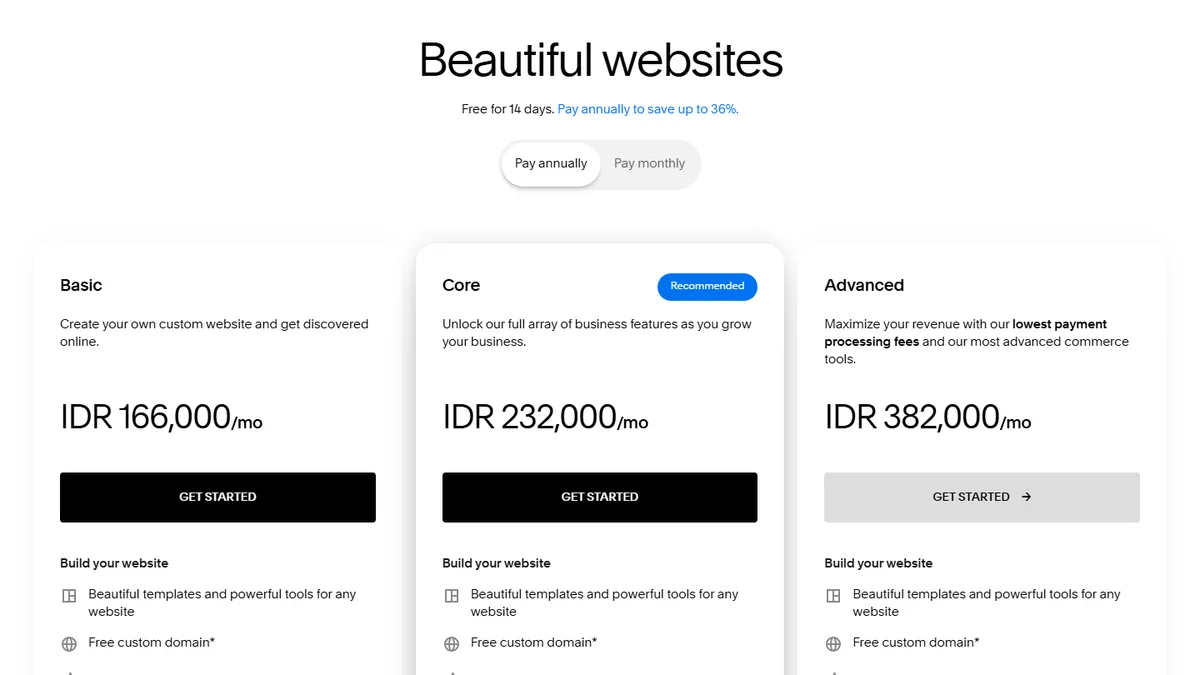
Squarespace shows different plans and prices depending on where you visit from, so we checked two views. The Indonesian view comes from the live pricing page on 23 October 2026. The US view comes from the Wayback Machine capture of the same page dated 21 October 2026, since we could not load the US version directly.
| Plan | US, billed annually | US, billed monthly | Indonesia view, billed annually | Indonesia view, billed monthly | Online store fee |
|---|---|---|---|---|---|
| Basic | $19/mo | $25/mo | IDR 166,000/mo | IDR 232,500/mo | 2% |
| Core | $29/mo | $39/mo | IDR 232,000/mo | IDR 332,100/mo | 0% |
| Plus | $49/mo | $65/mo | Not offered | Not offered | 0% |
| Advanced | $99/mo | $139/mo | IDR 382,000/mo | IDR 531,400/mo | 0% |
Every plan includes a free custom domain for the first year on annual billing and what Squarespace calls built-in AI tools. Basic allows up to two contributors; Core and above allow unlimited contributors and add advanced analytics plus custom CSS and JavaScript.
Beyond the sticker price, ask three questions of any AI builder. First, what does the fee actually include: hosting, a custom domain, commerce, support? Second, what happens at renewal, since the free domain only covers the first year? Third, and most important, what does an edit cost you in time? A subscription where every small change eats twenty frustrated minutes is more expensive than it looks on the invoice.
For a clear reference point, Forgelo's pricing is free to start, then $9, $19, or $39 per month, with publishing to a free subdomain or your own custom domain on paid plans, SEO basics included, and edits done by prompt on every tier within a daily AI quota.
Note: Reviews in this category age quickly. Features ship monthly, prices shift, and a limitation from last year may be fixed today. Treat every review, including this one, as a snapshot, and spend thirty minutes testing the product yourself before you decide.
Squarespace AI vs Forgelo: an honest side-by-side
Here is how the two compare on the things that decide day-to-day satisfaction.
| Factor | Squarespace AI | Forgelo |
|---|---|---|
| First draft | Blueprint AI builds a multi-page starting site from your description | Generated from a one-sentence description, ready in a few minutes |
| Editing model | Drag-and-drop editor first, AI assistant for supported changes | Edit by prompt as the main loop: type the change you want |
| Lead capture | Forms; no WhatsApp routing mentioned on its pages | Lead form inquiries delivered straight to your WhatsApp (Starter and up) |
| Standout strengths | Design polish, commerce, scheduling, invoicing, AI images | Built-in SEO, simple pricing, Agency plan (white label on the roadmap) |
| Publishing | Paid plan required to publish; free domain for year one on annual plans | Free subdomain, or custom domain on paid plans |
| Entry price (US) | $19/mo annual, $25/mo monthly (Basic) | $9/mo (Starter) |
| Best fit | Design-led or product businesses willing to learn the editor | Owners who edit often and answer customers on WhatsApp |
The honest read: these tools aim at different owners, and the gap has narrowed. Squarespace now lets you request changes in conversation too, so "edit by prompt" alone is no longer a unique selling point. What still separates them is emphasis and cost. Squarespace bets you want a beautiful, capable platform and will invest time to master it. Forgelo bets you want a smaller, cheaper tool where typing "add a pricing section with three packages" is the whole workflow, and where inquiries arrive in WhatsApp.
Here is the contrarian take. Almost every comparison in this category obsesses over template beauty. For a small business chasing customers, that is the wrong scoreboard. A gorgeous template you struggle to change is worth less than a plain site you can adjust in a few minutes and that delivers a lead to your phone. Evaluate on edit friction and where leads land, not on the design gallery. If you are still weighing options, our list of Squarespace alternatives and our roundup of the best AI website builder options lay out the trade-offs.
How to test the Squarespace AI website builder in 30 minutes
You do not need a weekend to know whether Squarespace fits. This short test gives you a real answer.
- Start the free trial and write a specific prompt. Include what you sell, who buys it, the city you serve, and the one action visitors should take. Vague prompts produce vague sites on every builder.
- Read the generated copy line by line. Mark every sentence that is generic or wrong. If you are rewriting most of the page, the time savings shrink.
- Make the five real edits from the tip above. Do two by hand in the editor and three through the AI assistant, and note which felt faster.
- Check the mobile layout. Squarespace lets you adjust mobile separately. Open the preview on your phone and see how much fixing it needs.
- Submit a test inquiry. Fill in your own contact form and see where the message lands and how quickly you would notice it.
- Price the plan you would actually need. Write down the monthly cost of the plan that covers your features, both annual and monthly billing.
Run the same six steps on any alternative you are considering, including Forgelo. The comparison will be fair because the test is the same.
Who should pick Squarespace, and who should look elsewhere
Choose Squarespace if most of these describe you:
- Design polish is central to your brand and you want templates that look premium out of the box.
- You sell products, send invoices, or take bookings and want those tools built in.
- You plan to blog or show a portfolio and like having it all in one place.
- You are comfortable spending a few evenings learning a capable editor.
Look at an alternative like Forgelo if these sound more like you:
- You want to launch in minutes, not master a design tool over a weekend.
- You edit often and would rather describe a change than hunt through layout menus.
- Your customers message you on WhatsApp, so a lead form that feeds WhatsApp directly removes a whole step.
- You want a lower monthly cost for a simple lead site, or you are an agency that wants simple, published pricing, with full white label on the roadmap.
If you are still deciding whether an AI builder is even the right approach, our walkthrough on how to build a website with AI shows the full flow from description to published site. And if you want to see how AI builders differ from one another rather than from Squarespace, the Forgelo vs Wix comparison breaks that down.
The takeaway
Squarespace earned its reputation honestly. Few platforms match its design polish, and its commerce, scheduling, and content tools are genuinely deep. The Squarespace AI website builder, Blueprint AI plus the assistant and Design Intelligence tools, gives you a handsome starting point, and for a design-led or product business that head start has real value.
But a strong first draft is the beginning of a website's life, not the whole of it. If you want a cheaper, simpler tool, keep editing by typing what you want, and have every inquiry land in your WhatsApp, the friction points show up right where reviews rarely look: on the tenth edit, on the monthly bill, and on the lead that went to an inbox you forgot to check. That is the gap Forgelo was built for.
The good news is that testing this costs you one afternoon. Run the 30-minute test in both, make five real edits in each, and send yourself a test inquiry. The right answer for your business will be obvious by dinner.