A WhatsApp form on your website, or a form WhatsApp setup as many builders label it, is the shortest path from "someone found my business" to "someone is talking to me". A visitor fills in two or three fields, taps one button, and a conversation opens in the app they already check dozens of times a day. No email lost to spam, no enquiry you discover three days too late. In markets where WhatsApp dominates daily life, from Brazil to India to Indonesia to Spain, this is not a nice-to-have. It is the main event.
This guide covers how to set it up properly: when to use a button versus a form, three installation routes from free to effortless, the form questions that filter serious buyers, and the quiet mistakes that make leads abandon the chat.
Why a WhatsApp form beats an email contact form
Think about the last time you filled in a contact form on a website and genuinely waited for the email reply. Most of your customers do not operate that way either. Email gets opened occasionally, often just for receipts and password resets. WhatsApp gets opened constantly.
The difference works in both directions:
- For the visitor: a form that ends in a chat feels light. They know the answer will arrive somewhere they will definitely see it, and they can keep asking follow-ups without the formal ritual of email.
- For you: leads arrive as chats, not tickets. You can reply from your phone between jobs, send product photos, share a price list, and close the deal inside the same conversation.
Speed is the other factor. Leads cool off fast. An enquiry answered in five minutes and an enquiry answered tomorrow morning have very different futures. Because the WhatsApp notification hits your phone the second the form is sent, you get the chance to reply while the prospect is still on your site and still excited.
One concrete example. A plumber in Madrid who swapped his email contact form for a WhatsApp form did not change his traffic at all. What changed was how many visitors turned into conversations. Same form, same fields, but the destination was a chat he actually reads instead of an inbox he checks twice a week.
Note: A WhatsApp form does not replace the phone number or email address on your site. Keep both for corporate clients and people who genuinely prefer formal channels. WhatsApp is the primary lane, not the only lane.
WhatsApp button vs WhatsApp form: which one do you need
These two get lumped together, but they behave very differently.
A WhatsApp button is the floating icon that opens a chat to your number when clicked. Sometimes it carries a short template message, sometimes it opens completely blank.
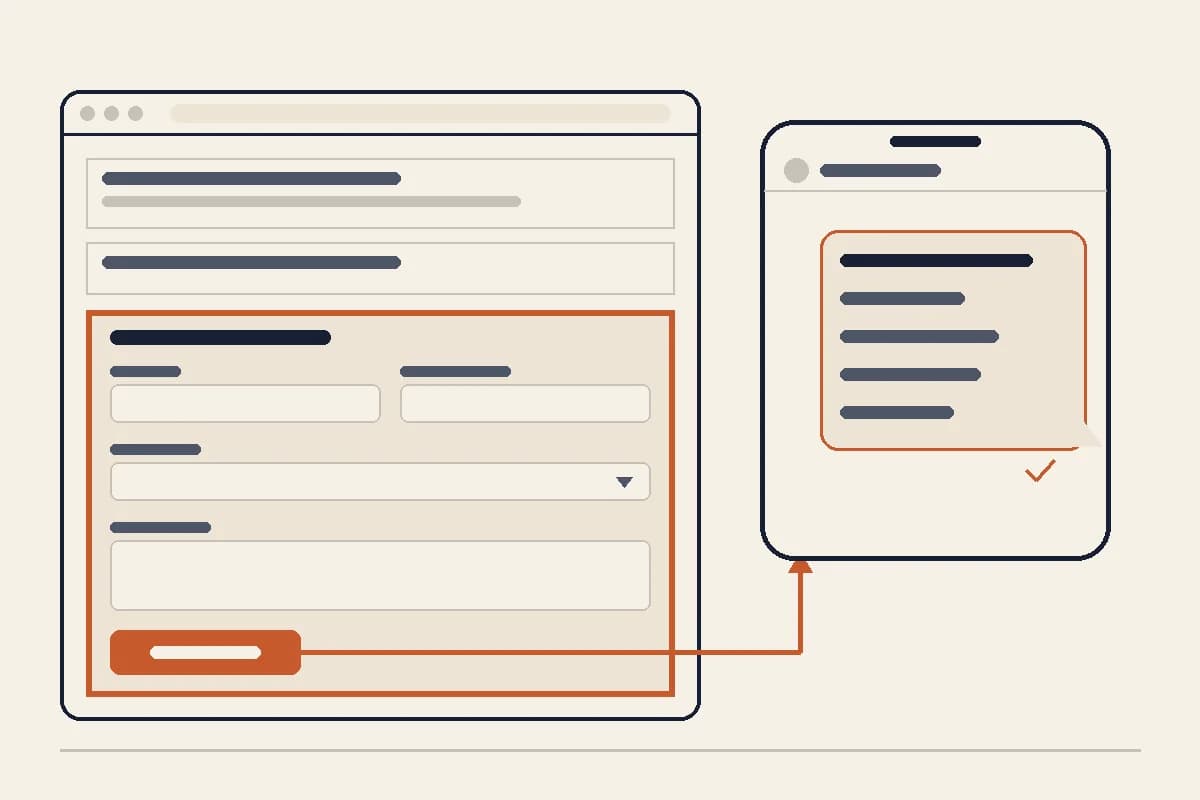
A WhatsApp form is a short form on your site: name, what they need, maybe a location or budget. On submit, the answers are assembled into a tidy WhatsApp message and the chat opens with full context.
Now for the part nobody likes to admit: the floating WhatsApp button on every page is overrated. It sounds convenient, and it is certainly easy to install. But a naked button with no context invites chats that consist entirely of "hi" or "how much?" with no details attached. You ask what they need, they never reply, the conversation dies. If you get dozens of those a week, that is not lead generation, that is unpaid admin.
A form with two to four questions works the opposite way. There is a little effort upfront, so the people who complete it tend to mean it. And because their first message already contains their requirements, your first reply can be a quote or a booking slot instead of a round of twenty questions.
A practical rule of thumb:
| Situation | Better fit |
|---|---|
| Cheap product, fast decision (food, retail) | Button with a template message |
| Services with variable pricing (repairs, tailoring, design) | Form with 2-4 questions |
| You need details upfront (location, date, size) | Form, clearly |
| Blog and article pages | A small button is enough |
| Service and pricing pages | Form as the main call to action |
Ideally you run both: the form as the main route on service pages, the button as a shortcut everywhere else.

Three ways to add a WhatsApp web form to your website
A WhatsApp web form is just a form on your website whose submissions open a WhatsApp conversation instead of landing in an inbox. Here are the three ways to build one, from most manual to most effortless.
1. A wa.me link with a template message (free, manual)
WhatsApp supports the link format https://wa.me/<number>?text=<message>, which opens a chat with the message pre-filled. You can build a simple "fake form" out of it: a few choice buttons, each carrying a different template, such as "Ask about weekly meal plans" or "Ask about event catering".
The upside is that it is free and works on any website. The downside is rigidity: visitors do not actually enter their own details, and you need a little HTML comfort to make it look decent.
2. A form plugin or widget (for WordPress and similar platforms)
If your site runs on WordPress, plenty of form plugins can forward submissions to WhatsApp. You arrange the fields, define the message format, done. This is the sensible route if your site already exists and you want to change nothing except adding the form.
Two cautions: pick a lightweight plugin so it does not drag your page speed down, and test on a real phone rather than a desktop preview. Some widgets render badly on small screens, and small screens are where most of your visitors live.
3. An AI website builder with a built-in WhatsApp lead form (most effortless)
If you do not have a website yet, or your old one is overdue for retirement, the shortest route is a builder whose lead form was designed to end in WhatsApp from day one. With Forgelo, you describe your business in one sentence and a complete website is generated in a few minutes, including a lead form that forwards every submission straight to your WhatsApp number. Want different questions? Just type the change, something like "add an event date field to the form", and the form updates.
A quick comparison of all three:
| Factor | wa.me link | Plugin/widget | AI builder |
|---|---|---|---|
| Cost | Free | Free to paid | From $9/month |
| Needs an existing site | Yes | Yes | No |
| Submissions arrive as tidy messages | Limited | Yes | Yes |
| Change the form without technical work | No | Partly | Yes, just type it |
| Setup time | 30-60 minutes | 1-2 hours | Under a minute |
If you are still weighing which route makes sense for your business, our piece on building a website with AI walks through the process in detail, and our honest breakdown of small business website costs helps you run the numbers.
Form questions that filter serious leads
A good form is short but meaningful. Every field needs a reason to exist. A structure that works for most service and custom-product businesses:
- Name. So your reply can be personal from the first sentence.
- Main need, as a set of choices rather than a free text box. For a home bakery in Mumbai: "Birthday cake / Gift hampers / Bulk snack boxes / Something else". Choices make life easier for the visitor and keep your data tidy.
- One price-determining detail. Event date for a caterer, home size for a cleaning service, guest count for a wedding planner. Just one, the one that matters most.
- Optional: budget range. Sensitive, but a powerful filter. If in doubt, make it optional.
Beyond five fields, completion rates fall off a cliff. Below two, you are back to context-free "hi" chats.
Tip: Write your submit button in outcome language, not process language. "Chat With Us Now" or "Get a Quote on WhatsApp" outperforms "Submit" or "Send". People press buttons when they know what they will get.
For schedule-based businesses like salons, clinics, and consultants, a WhatsApp form doubles as lightweight booking: the requested date arrives in the chat and you confirm availability manually. It is simple, but for early booking volume it is more than enough, and it spares you a separate booking software subscription before you genuinely need one.
Mistakes that make leads abandon the chat
Patterns we see over and over on small business sites:
- A wrongly formatted number. The wa.me link needs the full country code with no leading zero. One wrong digit and every click is wasted.
- A form buried at the bottom. If visitors have to scroll three screens to find how to reach you, most never will. Keep the form or button visible from the first screen on service pages.
- No response expectation. One small line like "We reply during business hours, Mon-Sat 9am-5pm" removes doubt and prevents disappointment.
- A heavy widget that slows the site. Slow loading kills more leads than an ugly form ever will. Check your page speed after installing anything.
- Answering every chat with a canned template. People choose WhatsApp because they want a human. Your first reply can be quick and short, but it has to connect with what they wrote in the form.
Tip: Save quick replies in WhatsApp Business for the questions that repeat, but always personalise the first sentence or two using the form data. "Hi Maria, for the 50-guest snack boxes on the 20th..." lands completely differently from a generic template.
The fastest route: a website and a WhatsApp form in one step
If you are reading this without a website at all, here is the good news: you do not have to run two separate projects. Building a site for weeks first and only then thinking about the form is the old sequence.
With Forgelo, it collapses into one step. Describe your business in a sentence, something like "home catering in São Paulo, specialising in office lunch boxes and family events". A few minutes later you have a complete website: homepage, service descriptions, and a lead form where every submission lands directly in your WhatsApp. Baseline SEO is already handled, and you can publish immediately to a free subdomain or connect your own domain.
After launch, adjustments need zero technical skill. Just type the change: "swap the form questions to event type, portion count, and date", or "move the form to the top of the page". Agencies managing multiple small business clients can run all of this from one dashboard on the Agency plan.
Plans start at $9 per month, with $19 and $39 tiers for bigger needs. The details are on our pricing page.
Start simple, measure, then refine
A WhatsApp form on your website is not a big project. Version one can be modest: three questions, one button, a correctly formatted number. What matters is that the lane opens today, not next month.
After two weeks, look at the patterns. Which question keeps appearing in chats that the form should have answered? Add the field. Which field keeps getting skipped? Cut it. Good forms come from iteration, not from long planning meetings.
And if the foundation is missing, start there. You can even make a website without coding on a free subdomain first, before committing to a domain of your own. A simple website that goes live today with a working WhatsApp form will always beat the perfect website that never ships.