Website creation for small business used to mean one of two headaches: wrestling with clunky software over a lost weekend, or handing an agency a big chunk of cash and waiting a month to see anything. In 2026, neither is your only option. You can describe your business in a single sentence and have a real, publishable site in a few minutes. This playbook walks through every path, what to prepare before you start, what a small business site actually needs, the launch itself, and the first month after it goes live.
Let's be honest up front: your customers don't care how your site was built. They care that it loads fast, tells them what you do, and makes it easy to reach you. Everything below is aimed at that outcome, not at winning a design award.
Why website creation for small business is different in 2026
For years, small business owners were stuck between two bad trades. Do it yourself and spend evenings fighting a builder, or pay a pro and give up control plus a lot of money. The middle ground was thin.
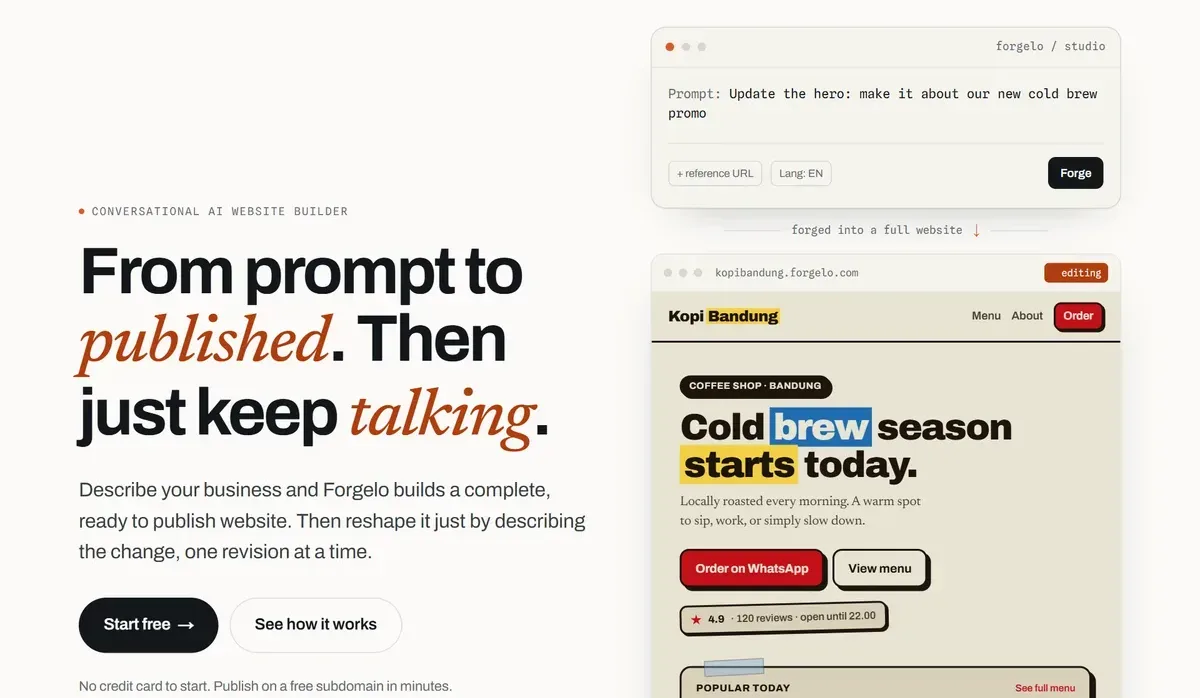
AI changed the shape of that trade. Website creation for small business now starts with a description instead of a blank canvas. You tell the tool what you sell, who you serve, and what you want visitors to do. It writes the copy, structures the pages, and hands you a finished site. Your job shifts from building to editing, and editing happens by typing plain requests.
The practical result is that the barrier to a professional site basically disappeared. A bakery owner, a plumber, a bookkeeper, a yoga instructor: all of them can now launch in an afternoon without hiring anyone. That doesn't make designers obsolete for every job, but it does mean most small businesses no longer need one just to get online.
Tip: Don't confuse "launched" with "finished." Get a real page live first, then improve it while it's already earning attention. A site that exists today beats a perfect site that ships next quarter.
The four ways to build a small business website
There isn't one right path, there's the one that fits your budget, timeline, and appetite for doing it yourself. Here's how the main options compare.
| Path | Typical cost | Time to live | Who makes changes | Best for |
|---|---|---|---|---|
| DIY drag-and-drop builder | Low monthly fee | A weekend or more | You, by dragging elements | Owners who enjoy tinkering |
| AI website builder | Low monthly subscription | Minutes to an hour | You, by typing changes | Speed, budget, control |
| Freelance web designer | One-time build fee plus edits | Two to four weeks | The designer, for a fee | A custom look on a mid budget |
| Agency | The highest upfront fee | A month or more | The agency, on retainer | Complex, revenue-critical sites |
None of these is universally best. A creative studio that lives on visual identity may be right to hire a designer. A new consultant who needs to be found on Google by Friday is far better served by an AI builder. Match the tool to the job.
Prepare these before you start building
The slowest part of website creation is rarely the software. It's waiting on your own details. Spend thirty minutes gathering the items below and every route, from AI builder to agency, gets faster and cheaper.
- One sentence about the business. What you sell, who you serve, and where. "Mobile dog grooming in north Austin for busy owners" is perfect.
- Your contact routes. The phone number, WhatsApp number, email, and address you actually want customers to use.
- Three to six real photos. Your work, your space, your team. Phone photos in good daylight beat stock images.
- Proof. Two or three short customer reviews, years in business, certifications, or notable clients.
- Prices or starting prices. Even a "from" figure saves a back-and-forth with every lead.
- Opening hours and service area. These are the details people search for most and update least.
Keep everything in one note on your phone. When the builder asks for a description, paste the sentence. When it drafts a services section, check it against your price list. Our guide to website copywriting helps if writing the words is the part you dread.
What every small business website actually needs
Strip away the noise and a site that wins work has just a handful of parts. Miss these and no amount of polish saves you. Nail them and a simple site converts.
- A headline that says what you do. A visitor should understand your business in five seconds, not five paragraphs.
- Proof you can be trusted. Reviews, past work, a real photo, a location, a phone number. Small signals, big effect.
- An obvious way to get in touch. One clear call to action, repeated, that goes somewhere you check often.
- Speed on a phone. Most of your visitors are on mobile. A slow, heavy page loses them before they read a word.
- A reason Google can find you. Clear structure, sensible page titles, and text that matches what people search for.
If you want the full checklist with examples, our guide to small business website essentials breaks each piece down. The point here is that this list is short on purpose. Most sites fail by adding too much, not too little.
Website creation for small business, step by step
Here's the fast route from nothing to live, the way it works with a tool like Forgelo.
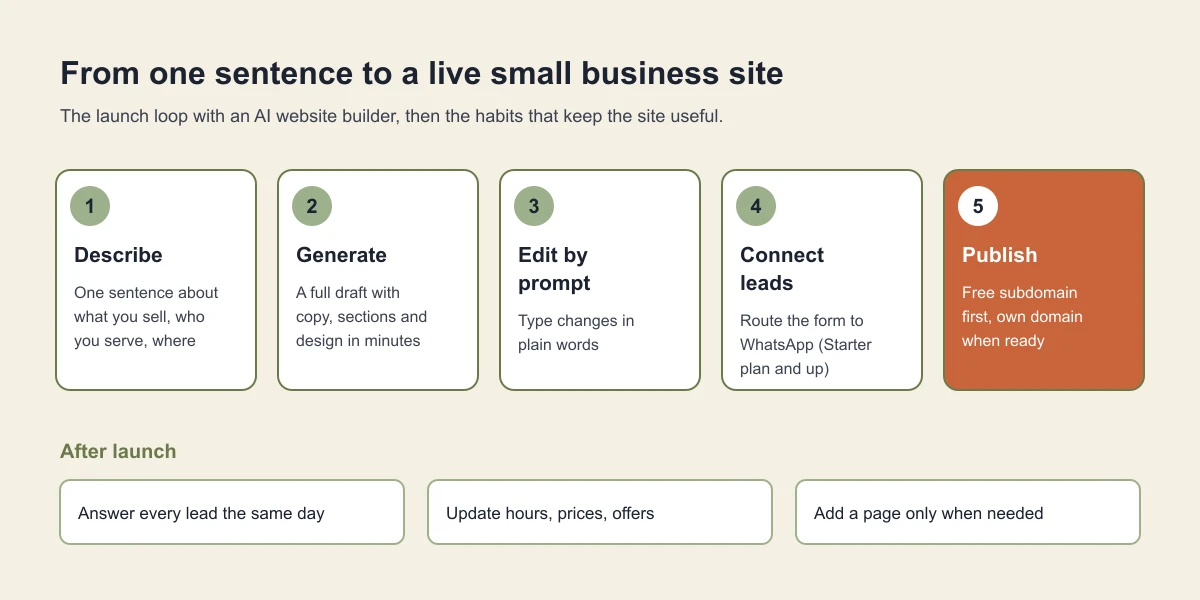
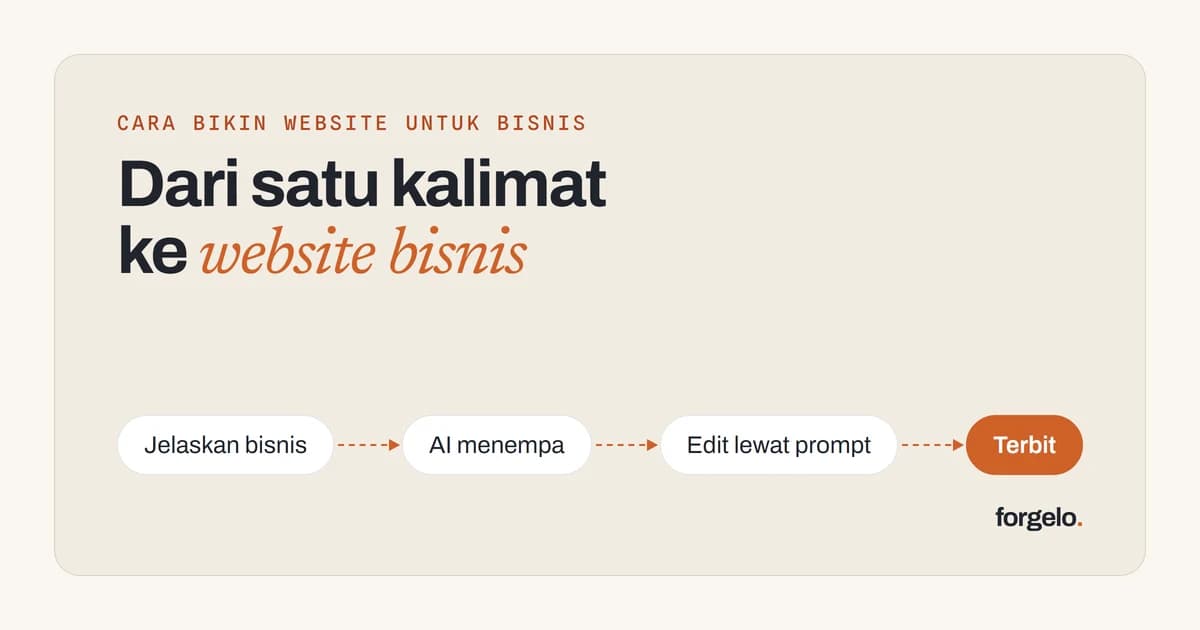
- Describe your business in a sentence. Something like "a home bakery in Austin selling custom cakes for weddings and birthdays." That single line is enough to start.
- Let the AI generate the site. In a few minutes you get a complete, publishable page: copy written, sections laid out, design picked, ready to view.
- Edit by prompt. Change anything by typing what you want. "Make the headline warmer." "Add a gallery of my best cakes." "Move the order button to the top." No code, no menus to hunt through.
- Connect your lead form to WhatsApp. On the Starter plan and up, the moment someone asks about a wedding cake, the message lands in your chat, not an inbox you forget to open.
- Publish. Go live free on a subdomain, or connect a custom domain like yourbakery.com when you're ready. SEO basics come built in, so you're not bolting them on later.
That's the whole loop. The reason it matters isn't just launch day, it's every change after. New service? Update it in a minute. Holiday hours? Same. You're never waiting on someone else's calendar to keep your own site current.
Note: The edit-by-prompt part is the real unlock. Traditional builders make launching easy but updating a chore, which is why so many small business sites go stale. If changes are effortless, your site actually stays accurate.
A ten-minute check before you publish
Before you press publish, open the site on your own phone and walk through it like a stranger would. This catches most of the mistakes that cost leads.
- Tap every button. Each call, WhatsApp, and form button should reach you. Send yourself a test enquiry.
- Read the headline out loud. If a friend could not repeat what you do after hearing it once, shorten it.
- Check the numbers. Phone, prices, hours, and address should match your Google Business Profile exactly.
- Look at the page title. It should name the service and the town, not just the business name.
- Scroll to the bottom. The footer should repeat how to reach you, so nobody has to scroll back up.
Our go-live checklist has the longer version, including the technical items that matter once you add more pages.
How much should website creation cost?
Owners tend to compare sticker prices and stop there. Look at the total over the first year instead, because that's where the real difference lives.
A custom build has a headline price plus a tail of costs: hosting, a maintenance plan or per-change fees, and the hours you spend briefing and reviewing. None of that is unfair, it's just real, and it stacks up over the life of the site.
An AI builder is predictable by design. You pay a monthly subscription, and edits come out of a daily allowance instead of separate invoices. Forgelo's paid plans run at $9, $19, and $39 a month, with 30, 100, or 300 AI generations and edits per day, and a free plan with 5 a day if you just want to try. A custom domain is purchased separately from a registrar. The full build-versus-subscribe math is in our guide on how much a website costs, or you can compare the pricing directly.
Here's a fair rule of thumb. If your budget is tight and you want certainty, a subscription wins almost every time. If you have money to spend and value a fully bespoke result more than the savings, a designer can be money well spent. Most small businesses, especially early on, land firmly in the first group.
The mistake most small businesses make
Here's the contrarian take: most small business owners build too much, not too little.
They see competitors with ten-page sites and assume they need the same. So they plan an About page, a Services page, a Blog, a Team page, a Portfolio, an FAQ, and then they stall because writing all that is exhausting, and the site never launches. Six months later there's still nothing live.
A single focused page that loads fast, explains your offer, and routes people to your phone will out-earn a sprawling site that's half-finished and slow. The plumber who has one clean page ranking for "emergency plumber [your city]" beats the one with a beautiful, empty ten-page site that Google never indexes. Start small, launch, and grow the site when you have proof of what customers actually want.
Add pages when you have a reason, not because a checklist told you to. Your first version should be embarrassingly simple. That's a feature.
Getting found and turning visitors into customers
A site nobody sees and a site nobody contacts are the same problem wearing different clothes. Two things fix it.
First, be findable. That means clear page titles, real text about what you do and where you do it, and a structure search engines can read. You don't need to master SEO, but you do need the basics baked in from day one rather than patched on later. Our primer on how to get a website to show up on Google covers the essentials.
Second, make contact effortless. This is where a surprising number of sites leak money. The form is buried, or it emails an address nobody checks, or it asks for ten fields when it should ask for two. Fix it by putting one clear call to action high on the page and sending submissions somewhere you live. Our guide on how to turn visitors into WhatsApp leads covers the details.
Speed of reply beats polish. A fast, friendly answer within minutes closes more business than any hero image ever will.
Your first 30 days after launch
Launching is the start of the useful part. A small routine in the first month turns a new page into a steady source of enquiries.
Week one: share it everywhere you already are. Put the link in your Google Business Profile, your Instagram bio, your WhatsApp Business profile, and your email signature. Existing customers are the fastest first visitors.
Week two: answer the questions people actually ask. Note every question that arrives by chat or phone. If three people ask about delivery areas, that belongs on the page. Type the change and publish it the same day.
Week three: add one piece of proof. A new review, a before-and-after photo, or a short case like "fixed a leaking boiler in Hyde Park in two hours." Fresh, specific proof builds trust faster than redesigns.
Week four: decide on one addition. Look at what customers asked for most and add only that, maybe a pricing section, a menu, or a second page for your busiest service. Resist the urge to add five things at once.
The bottom line
Website creation for small business is no longer a project you dread. It's a task you finish this week. Gather your details first, pick the path that fits your budget and how hands-on you want to be, keep the first version simple, and make it stupidly easy for people to reach you.
The worst outcome isn't an imperfect site. It's no site, or one still stuck in a designer's queue while customers go to whoever showed up first online. Describe your business, generate a page, connect it to your WhatsApp, and put something real in front of the people already searching for what you sell. You can always upgrade once the business tells you what it needs.