A good website builder for artists does three jobs: it shows your work large and fast, it tells people who you are in a few lines, and it makes it easy for a collector, client, or fan to get in touch. Everything else, from fancy animations to dozens of plugins, is optional. Most artists lose sales not because their site is plain, but because the work is buried, the bio is vague, and there is no obvious way to ask about a piece.
This guide is for painters, illustrators, photographers, musicians, ceramicists, and other independent artists who want a site of their own. It covers what an artist website needs, how the main types of builders compare, what it costs, and how to launch a gallery, bio, and commission form in an afternoon. If you mostly want a free place to host a portfolio first, our guide to a free portfolio website is a good companion.
What an artist website actually needs to do
An artist website is not a brochure for a company. It is closer to a small, well-lit gallery with a front desk. Visitors arrive from a post, a fair, a referral, or a search for your name, and they decide in seconds whether to stay.
That means the site has to answer four questions quickly. What kind of work do you make? Is it the kind of work I want? Who are you? How do I buy, commission, book, or follow you? If a visitor has to dig through menus to find any of those answers, many will leave and go back to the app they came from.
Three practical goals follow from that:
- Show the work first. One strong piece or a short reel above the fold, then a curated gallery.
- Keep the words short. A two or three sentence bio and a clear line about what you offer.
- Make the next step obvious. A commission enquiry, a booking request, a listen link, or a mailing list signup, depending on what you sell.
A website builder for artists should make those three things easy rather than fight you on them. That is the lens for every comparison below.
Do artists still need a website if they have social media?
Social platforms are excellent for reach, and you should keep using them. But a feed is a rented space. The platform decides how big your images are, which posts people see, and whether your account stays up. A website is the one place you fully control.
It also does things a profile cannot. Buyers and curators can find it when they search your name. You decide the order of the work, so the best pieces lead instead of the most recent. You can explain commissions, prices, or editions in plain language. And when someone is ready to ask about a piece, there is a proper form instead of a message that gets lost in a busy inbox.
The healthiest setup for most artists is simple: social media to be discovered, and a website to turn interest into an enquiry, a booking, or a sale. Link the site in every profile so both work together.
The sections every artist website should include
Most solo artists do not need a large site. A focused one-page layout with the right sections usually works better than ten thin pages, because visitors scroll once from top to bottom and see everything in order.
| Section | Visitor question it answers | What to put there |
|---|---|---|
| Hero | What kind of work is this? | Your name, your medium, and one signature piece or image |
| Gallery | Is this work for me? | Twelve to twenty curated pieces from one body of work |
| About or statement | Who made it? | Two or three short paragraphs, a real photo, where you are based |
| Commissions or how to buy | Can I own or hire this? | What you take on, typical lead time, how pricing works |
| Proof | Can I trust this artist? | Collector quotes, exhibitions, press, clients |
| Contact | How do I start? | A short enquiry form and your preferred channel |
Musicians swap the gallery for listen links and add tour dates. Photographers lean on booking and packages. Illustrators often add a client list. The structure stays the same: work first, a short story, and one clear action.
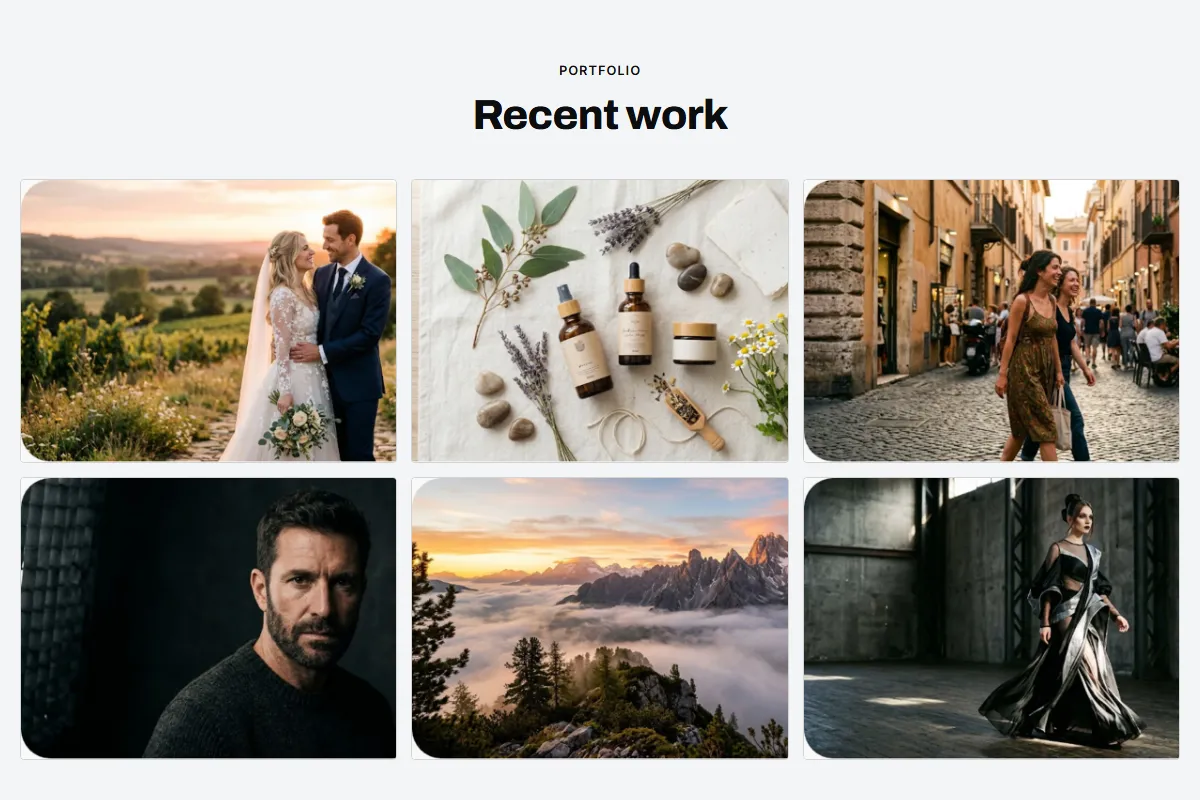
Types of website builders for artists, compared
There are four common routes to an artist website. None is right for everyone, so match the tool to the work you sell and the time you want to spend on it.
| Builder type | How you build | Strength for artists | Watch out for |
|---|---|---|---|
| Portfolio-focused platform | Upload images into gallery layouts | Fine control over galleries and image display | Can take time to set up, and often a separate fee for selling |
| General drag-and-drop builder | Place and style every block yourself | Flexible layouts and many add-ons | Hours of design decisions, easy to end up cluttered |
| Commerce builder | Set up products, cart, and checkout | Best when you sell many prints or products online | More setup and admin than a showcase site needs |
| AI website builder | Describe your practice and review a draft | A complete first version in minutes, edits by typing | Check what it does and does not include, such as a cart |
If your income comes mostly from originals, commissions, bookings, or gigs, every sale tends to involve a conversation. In that case, a fast showcase site with a good enquiry form often beats a full store. If you sell dozens of prints a month, a commerce setup earns its extra admin.
Many artists also start with a link-in-bio page. That is fine for pointing followers to a few places, but it rarely shows the work well. A proper one-page site is the natural next step, and our review of the Carrd one page website explains the trade-offs of that format.
Start from a template made for your kind of work
You do not need to design a layout from scratch. A template built for creative work already puts the gallery, bio, and contact form in the right places, so your job is to swap in your images and words.
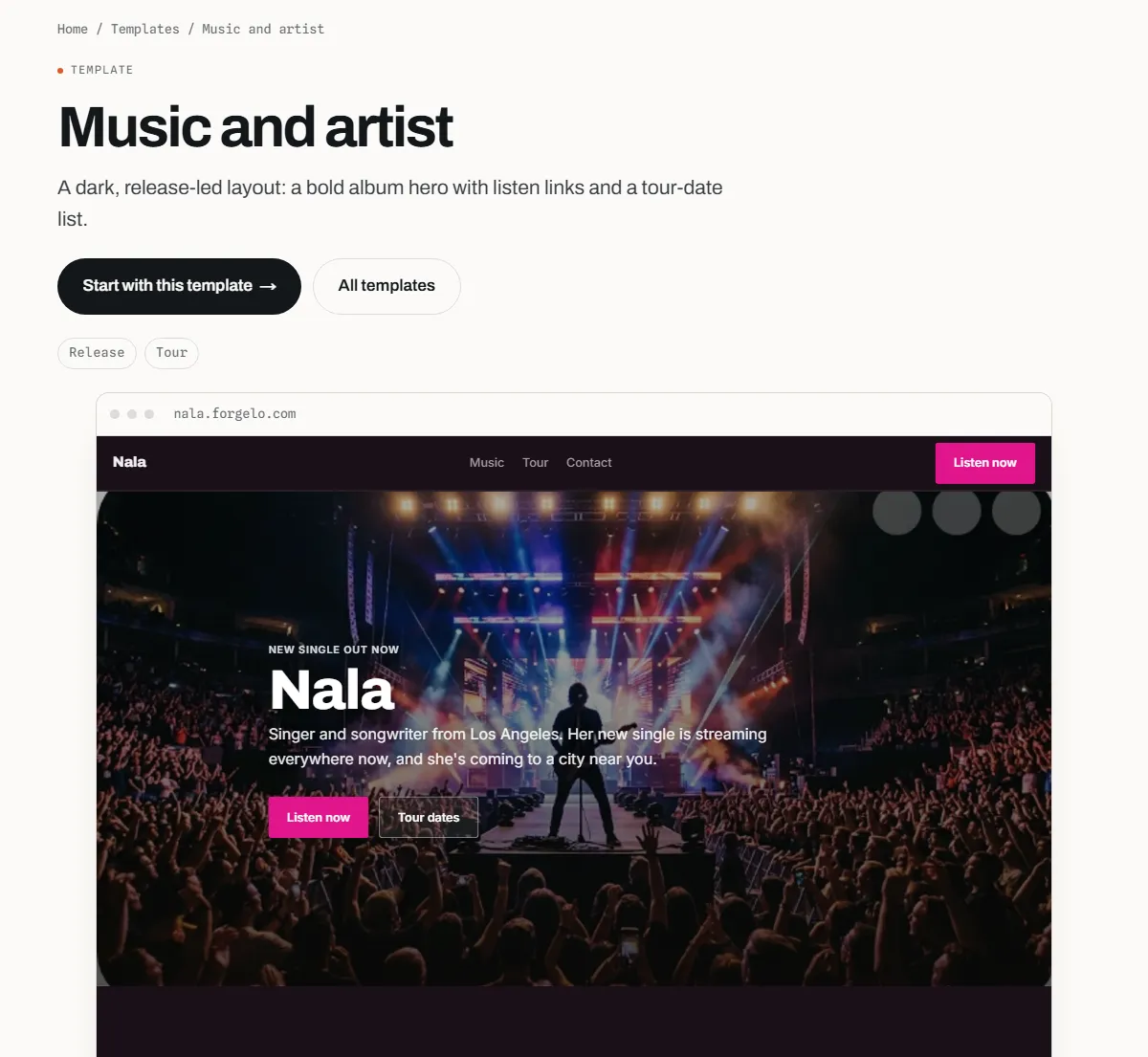
Forgelo's Music and artist template is described on its page as a dark, release-led layout with a bold album hero, listen links, and a tour-date list. It suits singers, bands, DJs, and producers who need fans to stream a release and find the next show.
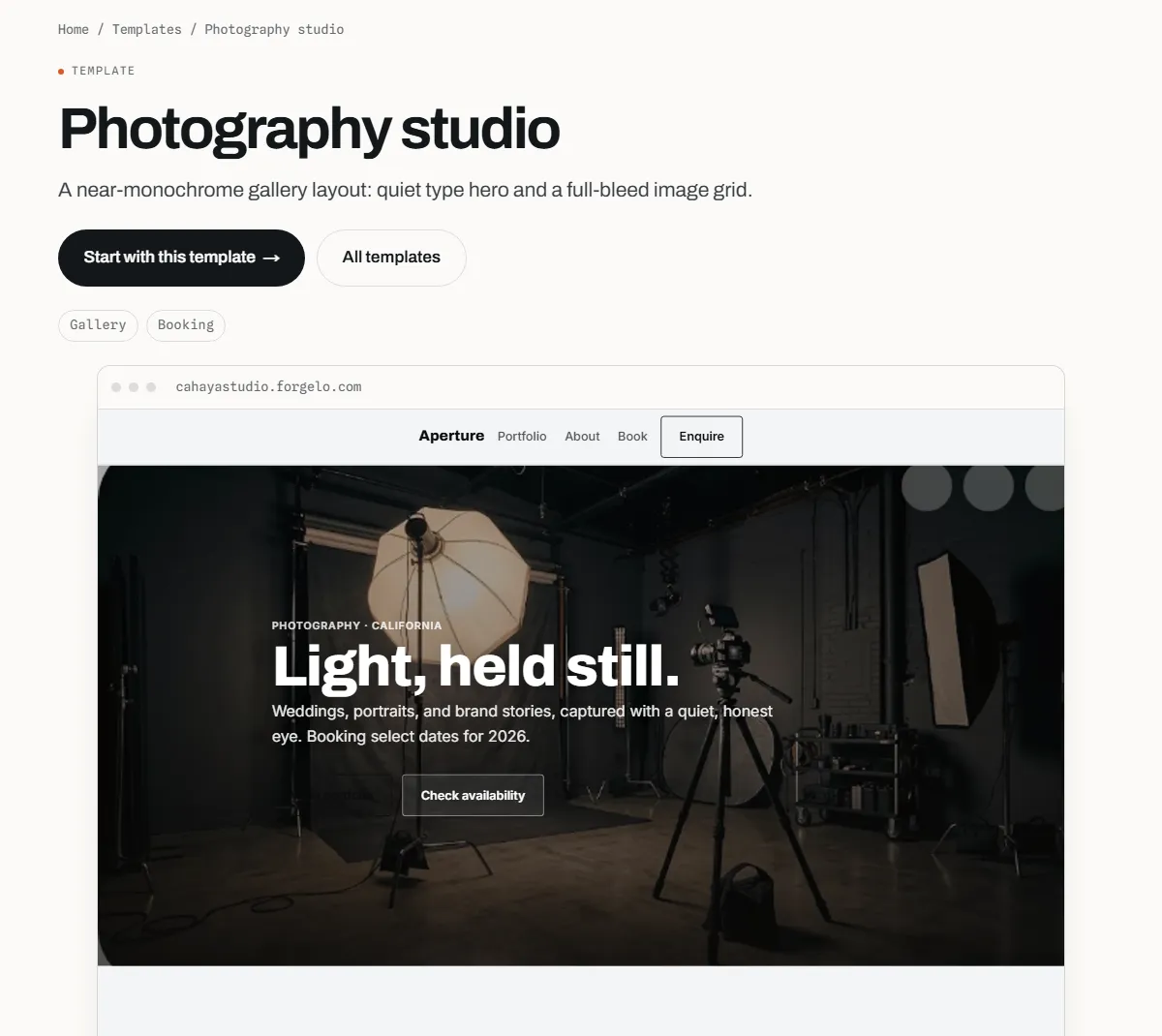
For visual artists, the Photography studio template is a near-monochrome gallery layout with a quiet type hero and a full-bleed image grid. The calm, neutral frame works for painting, ceramics, and print work too, because it keeps attention on the images rather than the interface. Our page on websites for photographers covers the booking side of that layout in more detail.
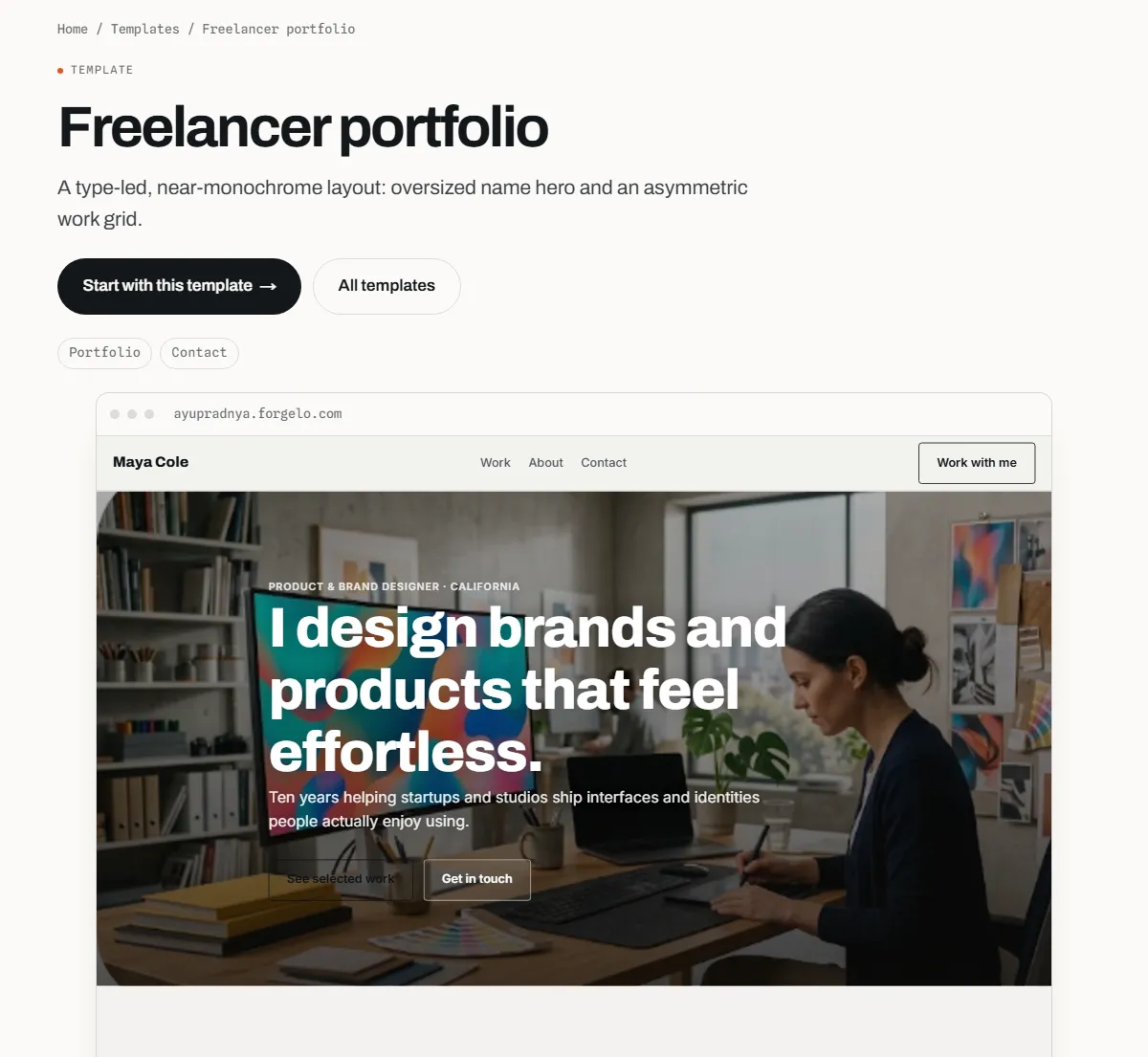
Illustrators and designers who take client work can start from the Freelancer portfolio template, a type-led, near-monochrome layout with an oversized name hero and an asymmetric work grid. It puts your name and services up front, which helps when you sell your time rather than finished pieces.
How to build an artist website step by step
With an AI website builder like Forgelo, the build is short. The slow part is choosing the work and writing a few honest lines about it, so do that before you start.
- Pick your best twelve to twenty pieces. Choose one coherent body of work. Export them at a good size, with consistent cropping where possible.
- Write a one-sentence brief. Include your medium, style, location, and goal, for example: "Oil painter in Lisbon making large coastal landscapes, selling originals and taking commissions."
- Start from a template or a prompt. Apply the closest template, as the start from a template guide shows, or generate a fresh draft from your brief. A typical generation takes around three to four minutes.
- Edit by typing. Ask for changes such as "replace the gallery with my twelve paintings in this order" or "make the bio warmer and shorter". The edit your site with prompts guide has tips for precise instructions.
- Set up the enquiry path. Make sure the contact form asks for what you need, such as size, budget, or deadline for commissions.
- Publish and share. Your site goes live on a free subdomain in one click. Later you can connect a custom domain with your name.
If you want to see the full AI route from brief to live site, read how to build a website with AI.
Present your work so it sells
The way you present pieces matters as much as the builder. A few habits make a large difference.
Curate hard. Show the work you want to be known for, not everything you have made. A tight selection signals confidence and makes your style easy to recognise. Move older or off-style pieces out of the main gallery.
Use clean, consistent images. Photograph flat work straight on, in even light, without frames or busy backgrounds unless context helps. For 3D work, one wide shot and one detail shot per piece is often enough.
Add short captions. Title, medium, size, and year help buyers and curators. For available work, add "available" or "sold" so people do not have to ask.
Lead with your strongest piece. The first image sets expectations for the rest of the scroll. Put the piece that best represents your current direction in the hero.
Turn visitors into commissions, bookings, and sales
A beautiful gallery with no clear next step is a museum, not a business. Decide what you want a serious visitor to do, and repeat that one action near the top and at the bottom of the page.
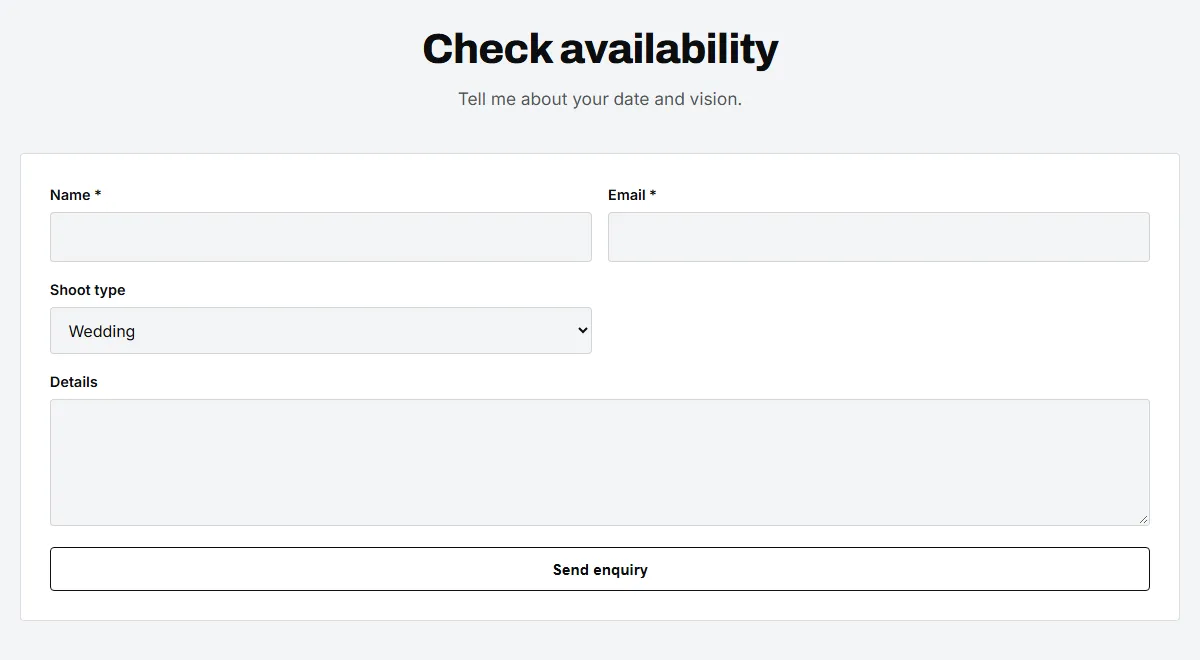
For commissions, use a short enquiry form. Ask for name, email, the kind of piece, and a few details such as size, budget range, or deadline. Explain underneath what happens next, for example how quickly you reply and whether there is a deposit.
If your buyers prefer chat, sending enquiries straight to WhatsApp can speed up replies. On Forgelo, the WhatsApp lead forms feature does this (the pricing page lists it from the Starter plan up), and you set the number by including it in a prompt.
For musicians, the action is usually streaming or tickets, so the listen links and tour dates belong near the top. For artists who sell prints in volume, link to the shop you already use, and keep the website as the curated showcase that sends buyers there.
What a website for an artist costs
The cost has three parts: the builder, a domain, and your time.
| Route | Typical cost shape | Good for |
|---|---|---|
| Free plan on a builder | $0, on the builder's subdomain, often with its badge | Testing, students, a first portfolio |
| Paid builder plan | Monthly or yearly subscription | Working artists who want their own domain and no badge |
| Custom domain | Yearly fee to a domain registrar | Anyone who wants yourname.com |
| Designer or agency | Project fee plus hosting and paid edits | Established artists with a set brand and budget |
On Forgelo, the Free plan is $0 and publishes one website on a Forgelo subdomain with a Made with Forgelo badge. Starter is $9 per month for three websites, one custom domain, WhatsApp lead forms, and no badge. Pro is $19 per month and Business is $39 per month for more websites and higher daily AI action limits, as listed on the pricing page. A domain is bought separately from a registrar.
Your time is the hidden cost. Curating the work and writing the bio take longer than the build itself. For a broader look at budgets across routes, see how much a website costs.
Get found by collectors, curators, and fans
Most people who look for an artist already know a name. They saw your work at a fair, in a feed, or on a friend's wall, and they search for it later. Make sure that search lands on you.
- Use your name in the page title and headline, plus your medium and city, for example "Ana Ribeiro, oil painter in Lisbon".
- Write alt text for every image that describes the piece, which helps search engines and screen readers alike.
- Keep one URL you share everywhere, ideally your own domain, so links from press and profiles build up in one place.
- Add a short statement in plain words. Search engines read text, not paintings.
Forgelo sites ship with page titles, meta descriptions, structured data, a sitemap, and mobile-friendly layouts, as the built-in SEO features article explains. For the basics of titles and structure, our guide to website SEO basics goes further.
Mistakes artists make with their websites
Showing everything. A gallery of two hundred mixed images hides your best work. Curate to one direction.
Tiny or slow images. Thumbnails that cannot be enlarged, or huge files that load slowly on a phone, both cost attention. Export at a sensible size.
A vague bio. "Passionate about creativity" says nothing. Say what you make, how, and where.
No way to buy or ask. If prices, availability, or commissions are not mentioned anywhere, many buyers assume you are not selling.
Letting it go stale. An old exhibition listed as "upcoming" makes visitors wonder if you are still active. Update the gallery and news every few months.
Bottom line
The right website builder for artists is the one that gets out of the way of your work. Lead with your strongest piece, curate a tight gallery, write a short and specific bio, and give serious visitors one clear way to commission, book, or buy. Start from a template made for creative work, add your images and words, and you can publish the same day. If you want to try the AI route, you can start with the Photography studio template and edit it by typing.