A church website builder lets a congregation publish a clear, welcoming site without hiring a developer or learning code. For many people, the church website is the first contact they have with a community: they check service times, find the address, and decide whether they would feel comfortable walking in. Members use the same site to look up events, ministry contacts, and ways to help.
This guide covers what a church site needs, how to choose a builder, how to present service times, events, giving, and volunteering, what it costs, and how to launch in an afternoon. It is written for congregations of any tradition and size, where the website is usually maintained by a volunteer or a busy staff member. If you are new to building sites, our guide to an AI website builder for beginners is a gentle starting point.
Why a church needs its own website
Many congregations already have a social media page, and it is useful for quick announcements. But posts move down the feed, the layout belongs to the platform, and visitors who are not logged in may see very little. A website is a stable home where the essentials are always one tap away. Our comparison of a website vs social media explains why the two work best together.
A church website serves several audiences at once:
- First-time visitors want service times, the address, parking, and what to expect.
- Members want the events calendar, ministry contacts, and announcements.
- Volunteers want to know where help is needed and who to talk to.
- The wider community wants to know about public programs, such as food drives, classes, or counselling.
A good site answers each of these without making anyone dig. It works around the clock, including for people who are not ready to ask in person yet.
What to look for in a church website builder
Most church websites are kept up by volunteers, so the deciding factor is usually how easy weekly updates are. Picture the person who will change next Sunday's announcement and ask whether they can do it alone in ten minutes.
| Feature | Why it matters for a church | What to check |
|---|---|---|
| Easy editing | Volunteers and staff change over time | Can a non-designer update text, photos, and sections safely? |
| Schedule or events section | Service times and events change often | A clear timeline or list that is quick to edit |
| Mobile-friendly pages | Many visitors check on a phone, often on the way | Responsive layouts by default |
| Contact and enquiry path | Visitors have questions before they come | A short form or chat button, sent somewhere someone checks |
| Built-in SEO basics | People search for churches near them | Titles, descriptions, sitemap, and schema handled for you |
| Custom domain | Trust on bulletins, signs, and social profiles | Plan level needed and how DNS setup is explained |
| Version history | Mistakes happen | A quick way to restore the previous version |
| Predictable cost | Budgets are approved by a council or board | A clear monthly price and a free way to start |
Specialist church platforms bundle extra tools, such as member directories or check-in systems. General website builders are usually simpler and cheaper. If your main need is a clear public site that volunteers can update, a general builder is often enough, and your existing tools for giving or member management can stay as they are.
Start from the closest template
Forgelo does not have a dedicated church template at the moment, and it is better to say so plainly. What it does have are layouts whose structure fits a congregation well, so you start with the right sections in place and rewrite the content.
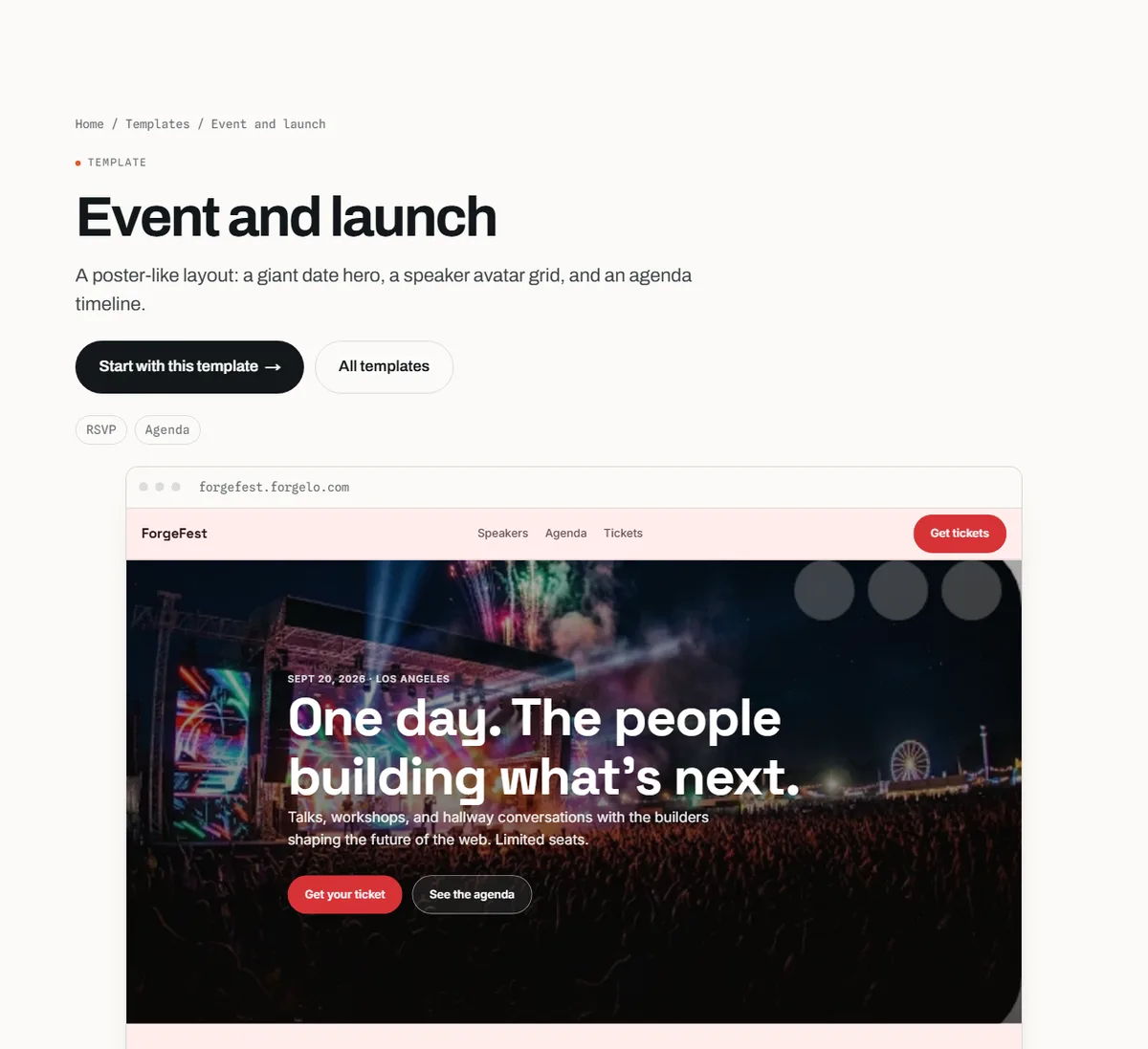
Two templates are useful starting points:
- Event and launch: described on its page as a poster-like layout with a giant date hero, a speaker avatar grid, and an agenda timeline. The timeline can become your weekly schedule, and the speaker grid can introduce your pastoral team or ministry leaders.
- Nonprofit and charity: described as a warm, mission-led layout with a donate hero, impact stats, and program cards. It suits congregations that want to lead with community service and outreach.
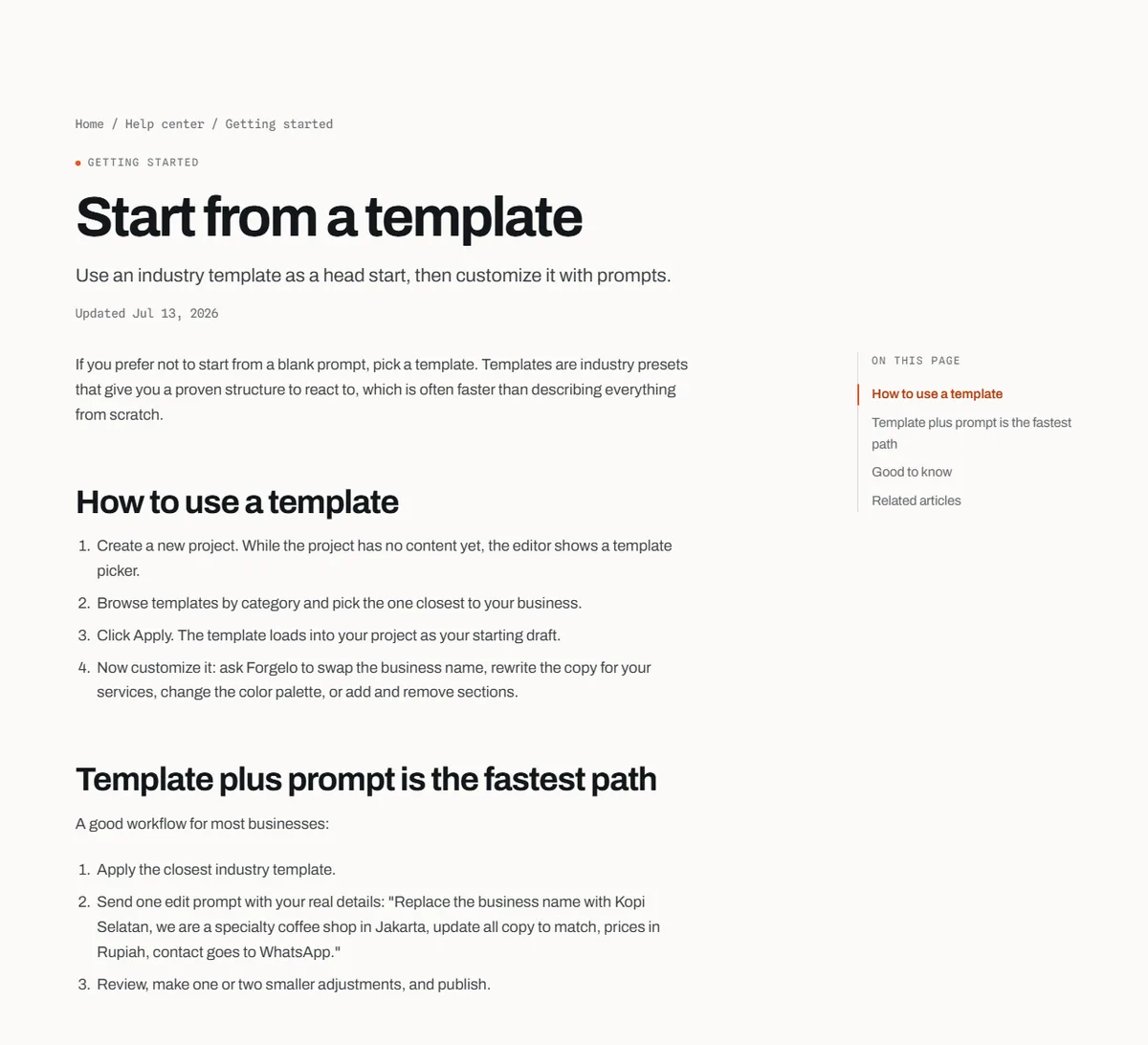
The start from a template guide explains how to apply a template and then customise it with a prompt such as "replace the event name with Grace Community Church, turn the agenda into Sunday service times, and rewrite all copy as a warm welcome for first-time visitors".
The pages a church website needs
Most congregations need five or six pages. On a small site, these can be sections on one page with a menu that jumps to each.
| Page | Question it answers | What to include | Next step |
|---|---|---|---|
| Home | When and where do you meet? | Service times, address, a welcome line, one photo of your community | Plan a visit |
| Plan your visit | What will it be like? | Parking, accessibility, what to wear, what happens for children, how long services last | Contact or come |
| About | Who are you? | Short history, beliefs in plain words, leadership team with photos | Meet the team |
| Events and ministries | What happens during the week? | Regular groups, upcoming events, contacts for each ministry | Join or RSVP |
| Give | How can I support the church? | Purpose of giving, link to the giving platform, other ways to give | Give |
| Contact | How do I reach someone? | A short form or chat button, office hours, address and map link | Send a message |
If you stream or record services, add a "Watch" or "Listen" section that links to wherever you publish them. Keep beliefs and doctrine in clear, welcoming language. Visitors from other backgrounds read these pages too, and a respectful tone helps everyone understand who you are.
Put service times and location first
The most common reason people visit a church website is to confirm when and where to come. Make that information impossible to miss.
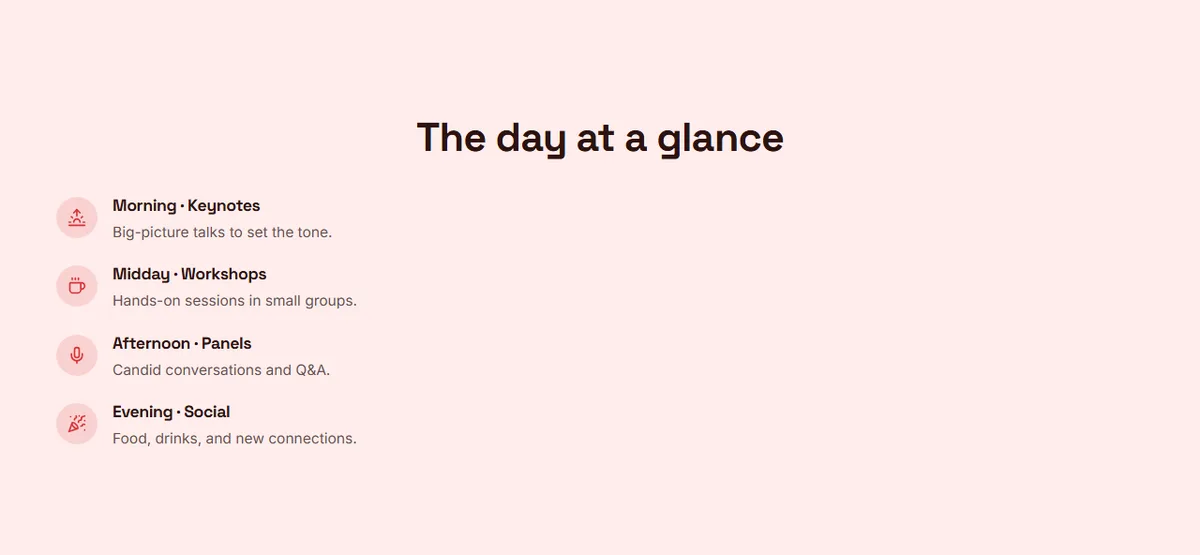
A few practical rules:
- Show the day and the time together, such as "Sundays, 8:00 and 10:30", directly on the home page.
- Write the full address and link it to a map, so visitors can tap it for directions on their phone.
- Mention languages if you hold services in more than one.
- Flag changes clearly during holidays or special seasons, then remove the notice when it no longer applies.
- Keep times identical on the website, your map listing, and your social profiles. Conflicting times are one of the fastest ways to lose a first-time visitor.
A short "Plan your visit" section answers the quiet questions newcomers rarely ask out loud: where to park, whether there is a step-free entrance, what happens with children, and roughly how long the service lasts.
Events, ministries, and volunteers
A church is busy all week, and the website should show it. List regular groups with the day, time, place, and a contact person, then add one-off events as they come up.
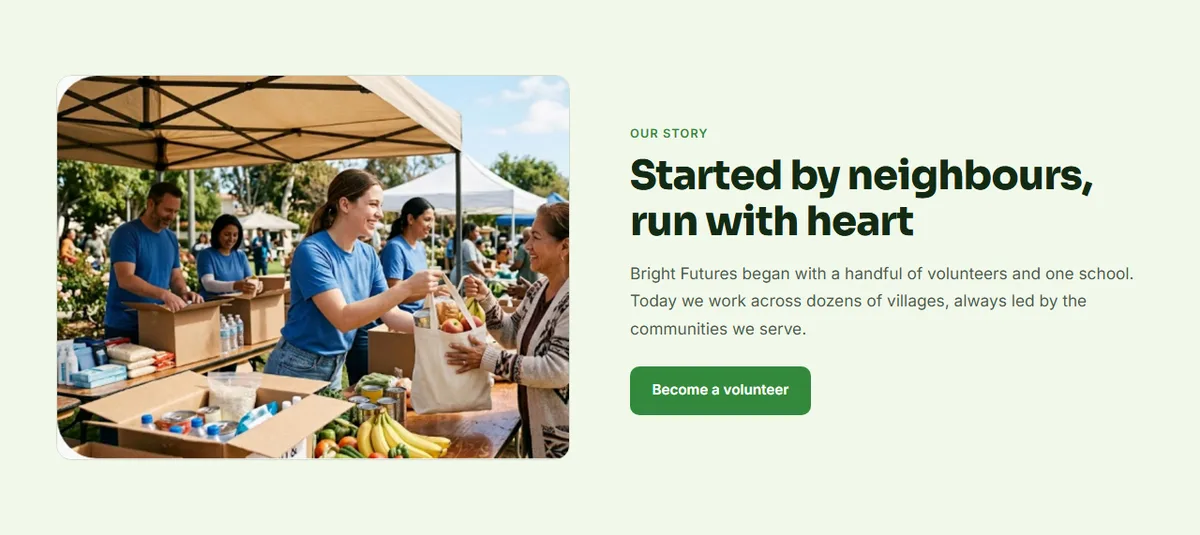
For volunteers, be specific. "We need help" is easy to ignore. "Two people to welcome visitors at the door on the first Sunday of each month" is easy to say yes to. Give each role a short description, the time commitment, and one way to sign up.
Many congregations coordinate by chat, so a contact button or form that opens WhatsApp can get faster replies than an email inbox nobody checks. The WhatsApp lead forms guide explains how to set the number by including it in a prompt, and reminds you to replace the placeholder number before publishing. WhatsApp lead forms are listed from the Starter plan on the pricing page.
Online giving, explained clearly
Giving pages need clarity and trust more than design. Explain what giving supports, for example ministry, building upkeep, and community programs, and list the ways people can give.
It is worth being exact about what a website builder does. Forgelo builds and hosts the site; it is not a payment processor and does not handle donations. The usual setup is to keep the giving platform or bank details your church already uses, and point the Give button to that page. Add a short line about how givers receive a receipt and who to contact with questions.
Keep the tone invitational. A short explanation of why the church asks, and how funds are accounted for, respects both regular givers and visitors who are just looking.
How to build a church website without code
There are three common routes. The best one depends on budget, how often content changes, and who will maintain it.
| Option | Upfront effort | Ongoing cost | Best for |
|---|---|---|---|
| Designer or agency | Low for you, but weeks of briefs and reviews | Project fee plus hosting and paid edits | Large congregations with budget and a fixed brand |
| Specialist church platform | Setup of the site plus extra modules | Monthly subscription, often higher | Churches that want member tools in the same system |
| AI website builder | Describe the church, then review the draft | Monthly plan, often with a free tier | Small and mid-size congregations run by volunteers |
With an AI builder like Forgelo, the process is short:
- Start from the Event and launch or Nonprofit and charity template, or describe your church in one sentence, for example "Community church in Surabaya with Sunday services at 8:00 and 10:30, a youth group, and a weekly food pantry".
- Review the draft and check every fact: times, address, names, and contact details.
- Edit by typing. Ask for changes such as "add a Plan your visit section with parking and children's ministry information". The guide to editing with prompts has examples.
- Link the Give button to your giving platform and set the WhatsApp number for enquiries.
- Publish, as described in the publish your site guide, then connect your own domain when you are ready.
If a volunteer makes a change that goes wrong, version history lets you restore an earlier version of the site.
What a church website costs
The real cost has three parts: building, running, and volunteer time.
A designer or agency charges a project fee, and later updates often cost extra. A website builder replaces that with a monthly plan. On Forgelo, the Free plan is $0 and publishes one site on a Forgelo subdomain with a small badge, Starter is $9 per month with one custom domain and no badge, Pro is $19 per month, and Business is $39 per month, as listed on the pricing page. The domain name is bought separately from a registrar. For a wider view of budgets, see how much a website costs.
Volunteer time is the hidden cost. The slow part is usually gathering accurate information from each ministry and collecting photos with permission. Do that first, and the build itself can fit into an afternoon.
Help new people find your church
People often search with a place name: "church near me", "English service in Bali", "youth group Bandung". A few basics help your site appear:
- Use your city or neighbourhood in page titles and in the welcome text.
- Keep name, address, and times consistent across the website and your map listing.
- Give each regular ministry or event its own section with a clear title.
- Update the site often, so search engines and visitors see an active community.
- Make sure it works well on phones, since that is where most quick checks happen. Our guide to a mobile friendly website explains what to test.
Forgelo sites include page titles, meta descriptions, schema, a sitemap, and robots.txt, so the technical groundwork is covered. Our website SEO basics guide covers the rest.
Common mistakes on church websites
Hiding service times. If times are buried on an inner page, many visitors give up. Put them on the home page.
Out-of-date events. An Easter banner in July suggests nobody looks after the site. Remove past events every week.
Insider language. Terms that members use every day can confuse newcomers. Explain programs in plain words.
Photos without permission. Ask before publishing photos of members, and take extra care with children.
No clear owner. When everyone can update the site, nobody does. Name one owner and one backup.
Bottom line
A church website builder should help a small team keep the essentials clear and current: when and where you meet, what a first visit is like, what happens during the week, and how people can connect, serve, and give. Forgelo has no dedicated church template today, but the Event and launch and Nonprofit and charity layouts give you a solid structure to rewrite by typing. If you want to try it, you can start with the Event and launch template and adapt it for your congregation.