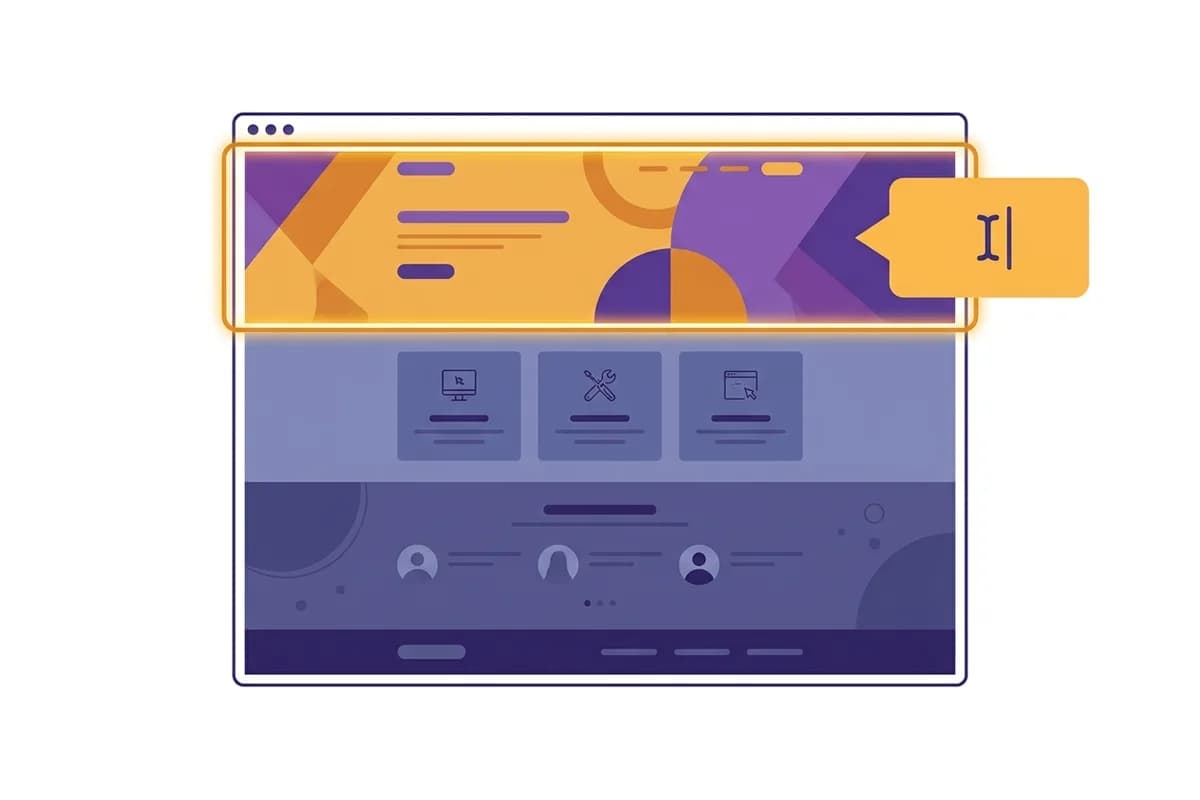
Editing a website with AI means you change your site by typing what you want, and the AI rebuilds that part for you. No code to open, no elements to drag around a canvas, no revisions to wait days for. You say "make the headline shorter" or "add a pricing section with three plans", and that section changes. The best version of this approach touches only the section you point at, so the rest of the page you already like stays intact.
This guide is about the site you already have. It covers what editing a website with AI means, how it works step by step, how to keep a live website up to date yourself without the hassle, real instructions you can copy, and how it compares with the older ways of doing things. We are also honest about the limits, because editing by prompt is not the answer to every situation. If you want the craft of writing the instructions themselves, our guide to editing a website by prompt goes deep on prompt wording and review. For the broader context of this category, start with the AI website builder guide.
What editing a website with AI means
Editing a website with AI is a way of changing a site's content or design by describing the change in plain language, not through technical menus or lines of code. You do not need to know terms like heading, section, or CSS. You only need to know the result you want, then write it down as if you were explaining it to an assistant.
The difference from the old way is who does the technical work. In a traditional editor, you drag blocks, adjust spacing, and rearrange columns yourself every time something needs to change. In a drag-and-drop editor, that job is still in your hands, just with a mouse instead of code. With AI, you hand that work to the machine. You explain the intent, and the AI turns it into a change on the page.
In our experience building Forgelo, this shift sounds small but changes who is able to run their own website. Business owners who let their site go stale because they could not figure out how to edit it can now update it themselves, because the first task is no longer learning a design tool. It is simply explaining what should be different.
How to edit a website with AI in four steps
Editing a website with AI is easiest to understand as four simple steps: pick a section, describe the change, let the AI rebuild it, then review and publish. The loop repeats every time you want to refine something.
First, decide which section you want to change. It could be the hero at the top, the list of services, the pricing section, the testimonials, or the call-to-action button. Naming the section clearly helps the AI know exactly where the change should happen. Second, write the change in an ordinary sentence, for example "cut the opening paragraph down to two sentences" or "replace the background photo with a brighter shot of the shop".
Third, the AI rebuilds only that section. This is the core of the experience: with the approach we built into Forgelo, you change any section just by describing the change, and only that section is rebuilt, not the whole page. The other sections you already like are not touched. Fourth, you review the result. If it is right, publish. If not, type a follow-up change, and the loop repeats as fast as you can type.
This workflow feels different because editing stays a conversation even after the site is live. If you do not have a website at all yet, start with how to build a website for your business, and every refinement after that follows the four steps above. You can also see the full flow on the how Forgelo works page.

How to edit a website that is already built
A website that is finished and live is the one that most often needs editing, and this is where many people get stuck. Here is the order:
- Make sure you can log in. Find the sign-up email, or ask whoever built the site for an admin account. Without this, none of the following steps can happen.
- Find out what the site was built with. WordPress, a canvas-style site builder, static HTML, or an AI website builder. Each one is edited differently.
- Back up the current version. Export or save a copy of the page before changing anything, so you can always go back.
- Change one section first, not everything at once. Start with the most visible part, usually the hero or the services list.
- Review on a phone screen, then publish. Most visitors arrive on a phone, so that is what you should check first.
If the old site has become too much trouble to maintain, it is often faster to rebuild its content in a tool you can edit by typing than to keep wrestling with the old stack.
How to update your website yourself without the hassle
The least painful way to update your website yourself is to treat it as a small habit, not a big project. Instead of waiting until the site feels stale and then overhauling everything at once, change one section each time something changes in your business. With an editor that works section by section, a single change like a new price or a new service takes a few minutes and does not disturb the rest of the page.
The difference from "editing" is intent. Editing usually means fixing something that is wrong. Updating means keeping the site in line with your business as it is today: prices that have gone up, hours that change over the holidays, services you no longer sell, photos that still show your old location. The work is small, but putting it off has a big effect. Prospective buyers who find outdated information rarely correct you. They usually just leave.
What to update, and what triggers it
| What changes | Update trigger | Why it should not wait |
|---|---|---|
| Prices and packages | A price increase or reorganized packages | Old prices spark haggling and complaints early in the conversation |
| Opening hours and holidays | Before a long holiday or a schedule change | Customers who arrive when you are closed rarely try twice |
| Services or products | Something added or discontinued | You lose sales on things you actually offer |
| Photos and portfolio | A finished project worth showing | Recent work is the most convincing proof for a new client |
| Customer testimonials | A good review you are allowed to quote | New testimonials answer the doubts people are raising now |
| Phone, WhatsApp, and address | As soon as they change | Wrong contact details make the website as good as missing |
| Headline and opening text | Your main offer shifts | Visitors judge fit from the first few lines |
This table is not a mandatory schedule. The point is simple: the trigger for an update is an event in your business, not a date on the calendar. If you wait for "a proper time to deal with the website", that time almost never comes.
The portfolio row is usually the one visual workers touch most, because every finished project produces new material. If that is the core of what you sell, websites for photographers and creatives come with a gallery whose contents you can swap by prompt without rearranging the page layout.
A realistic update routine for a small business
- Update when it happens. As soon as something changes, write the change to the site. While it is fresh, the task is just one sentence.
- Check once a month. Open your site on your phone as if you were a prospective buyer. Read it top to bottom and note anything that is no longer true.
- Fix one section at a time. Do not pile ten changes into one big session. One section, one instruction, publish, move on to the next.
- Check the result on a small screen. Open it on your phone, not just your laptop, because that is where most people find your business.
If your site is built on a platform that can be changed by instruction, step three is the one that changes completely. You do not need to open an editor, hunt for the right block, and worry about breaking the layout. You just write "change the standard package price to $49 and add a note that the price includes two rounds of revisions", and the pricing section is rebuilt in the background while the rest of the page stays untouched. How that works is covered in more depth in editing a website section by section.
Why updating it yourself keeps getting postponed
The obstacle is rarely willpower. It is usually one of these three:
- You do not hold the access. Someone else built the site and never handed over the admin account. From what we have seen, this is the most common reason small business websites stay frozen for years. Take back the access first, before you even think about what to change.
- The tool is intimidating. You worry one wrong click will break a layout that looks good. That worry is reasonable in a canvas editor, and it is exactly why a section editor that touches only one block feels much safer for a business owner.
- Small changes do not feel worth it. Contacting an agency just to change one phone number feels excessive, so it gets postponed, then forgotten. Once the cost and effort per change approach zero, this kind of delay disappears on its own.
If your current site is stuck behind one of these three obstacles, rebuilding its content in a tool you can change yourself is often cheaper than continuing to pay someone for trivial edits. That route is covered from the beginning in building a website yourself.
How to edit someone else's website
This is a common question, and the honest answer needs to be split in two.
The legitimate case. You may edit someone else's website if you have permission: you are contracted to work on it, you hold an account the owner gave you, or you are part of the team that manages it. The workflow is exactly the same as above, with one difference: ask for access formally first, and never guess passwords. For clients, ask for a separate admin account in your own name, so there is a clear trail of changes and the access can be revoked at any time.
The illegitimate case. Getting into someone else's website without permission is not just unethical. It can be a criminal offense, for example in Indonesia under the Electronic Information and Transactions Law (UU ITE). It is also worth being clear about one thing: whatever you change through your browser's "inspect element" only changes on your own screen, disappears as soon as the page reloads, and never actually changes anyone's site.
So if your goal is to copy the look of a site you like, the right route is not to edit it, but to build your own version and then adjust it by typing.
Why section editing matters more than regenerating
The biggest difference between an AI editing tool that is pleasant to use and one that wears you out is not how clever the AI is. It is what happens when you ask for one small change. There are two models: regenerate the whole page, or edit only the section you point at. Both sound similar in marketing copy, but they feel very different in daily use.
Regenerating rebuilds the whole page from scratch every time you ask for a change. The problem is that sections you already like change too. You only wanted to shorten one headline, but the photos are different, the order has shifted, and you have to recheck the entire page. It feels like rolling the dice again and hoping for something better. After a few rounds, many people give up and leave the site as it is.
Section editing turns that around. You point at one section, the AI rebuilds only that section, and the rest of the page is untouched. Changes become predictable and safe. You can refine the site bit by bit without fear of breaking what already works. This is the model we hold onto most firmly at Forgelo, because safe refinement is what makes people actually look after their site instead of building it once and forgetting it. If you are comparing tools, test this directly: ask for one small change and see whether only that section changed.
Instructions you can type to edit your site
An effective editing instruction has two traits: it names the section it targets, and it describes the change specifically. The more clearly you say what changes and where, the more accurate the result. Here are examples you can copy for common needs.
For text and messaging: "change the headline to emphasize fast delivery", "cut the opening paragraph down to two sentences", or "rewrite the service description in a friendlier tone". For structure and layout: "add a pricing section with three plans", "move the contact form to the top of the page", or "remove the testimonials section and replace it with a list of frequently asked questions".
For visuals and buttons: "make the main button color more contrasting", "replace the hero background photo with a brighter shot of the shop", or "make the order button open WhatsApp directly". In markets like Indonesia, "add an order-by-WhatsApp button to every service section" is often one of the most useful changes, because WhatsApp is where many small businesses actually close their sales.
One habit that helps: ask for one change per instruction first, look at the result, then move on to the next change. This makes it easy to see what worked and easy to correct anything that missed. If you are just starting and want the full picture of building and then refining a site, the step by step guide to building a website with AI covers both in order.
AI editing vs manual editing vs hiring someone
Before deciding which way suits you best, it helps to see the three routes side by side: editing yourself with AI, editing manually in a regular builder, and asking someone else every time something changes. Each has its place.
| Factor | Edit with AI | Edit manually yourself | Hire someone |
|---|---|---|---|
| How you edit | Type the change, the AI does it | Drag and arrange it yourself | Send a brief, wait for the work |
| Speed of one change | Minutes | Minutes to hours | Hours to days |
| Technical skill needed | No | You need to learn the tool | No, but you hand it off |
| Day-to-day control | Fully in your hands | Full, but time-consuming | Depends on someone else's schedule |
| Cost of follow-up edits | Included in the subscription | Included, plus your time | Often billed per change |
| Best for | Quick, frequent changes you run yourself | People who like to fine-tune details | Large, complex changes |
No column wins automatically. If you need a major overhaul with complicated requirements, professional website design services are still worth paying for. If you want to run the site yourself without learning a design tool and without waiting on anyone, AI editing is usually the most efficient middle ground. What rarely gets said: manual editing often feels "free" even though it eats time that is actually expensive, while handing every change to someone else makes a site go stale quickly because small things never feel worth the bother.
Limits you should know about
Honestly, editing a website by prompt is not the solution to every situation, and hiding that would only hurt you. What you give up is unlimited control over every pixel. The AI works from layout patterns that are proven to be tidy and readable. That is an advantage for most businesses, but a limitation if you have a very specific, unusual design vision you want to control down to the smallest detail.
There are also functional limits. If the change you want is not just content or design but complex functionality, such as a member login system, an inventory integration, or a custom payment flow, that is developer territory, not the job of any website editor. Editing by prompt is very strong for pages that explain your business and point people toward contacting you, and that is exactly what most small businesses need. If you want a site without touching code at all, building a website without coding covers this approach further.
One last honest point: the quality of the edit still depends on how clear your instruction is. A vague instruction like "make it better" gives a result that guesses. An instruction that names the section and the specific change is almost always more accurate. The good news is that this skill comes quickly after a few tries, because you only need to explain what you know best, which is your own business.
Conclusion
Editing a website with AI turns looking after your site from a technical task into a conversation. You point at a section, explain the change, and the AI rebuilds only that section. What makes this truly useful is not just the speed, but the safety: because only the section you point at changes, you are free to refine your site little by little without fear of breaking what already works. That is why section editing matters more than a regenerate button.
If you want to try changing each section of a website just by typing, try Forgelo for free. You can describe your business, see a complete draft, then refine any section in plain language until the site truly feels like yours.