
A good website for coaches does one job: it turns a curious visitor into a booked call. Everything else, the colors, the photos, the clever headline, only matters if it helps that happen. Most coaching sites fail not because they look bad, but because a visitor cannot tell within a few seconds who the coach helps, what changes for the client, and what to do next.
This guide walks through the five pages that do the heavy lifting, what to write on each one, how much a coaching website costs, and how to build one quickly without code. It applies whether you are a life coach, a business coach, a career coach, a health coach, or a fitness coach who sells programs online. If you work alone and are still choosing tools, our guide to the best website builder for a one-person business is a useful companion.
Why coaches need their own website
Many coaches start with a social profile and a link in the bio. That works while clients come from people who already know you. It stops working when a stranger hears your name, searches for you, and finds nothing they can trust.
Coaching is an unusual purchase. The client is buying a change they cannot see before they pay for it, from a person they have often never met. That makes trust the whole game. A website is the one place where you control the whole story: who you help, how you work, what past clients say, and exactly how to start. A social feed shows your latest post. A website shows your best case.
A website also does things a profile cannot. It can rank in search for phrases like "career coach for engineers", it can hold a booking form that captures the details you need, and it keeps working while you are in a session. Our guide to small business website ideas shows how service businesses with appointments use the same pattern.
The bar is not high. You do not need a 30-page site. You need a short, clear site that answers the questions a nervous buyer asks before they book.
The five pages a coaching website needs
Most coaching websites only need five pages. Each one moves the visitor one step closer to a call, and the last one is where the conversation starts.
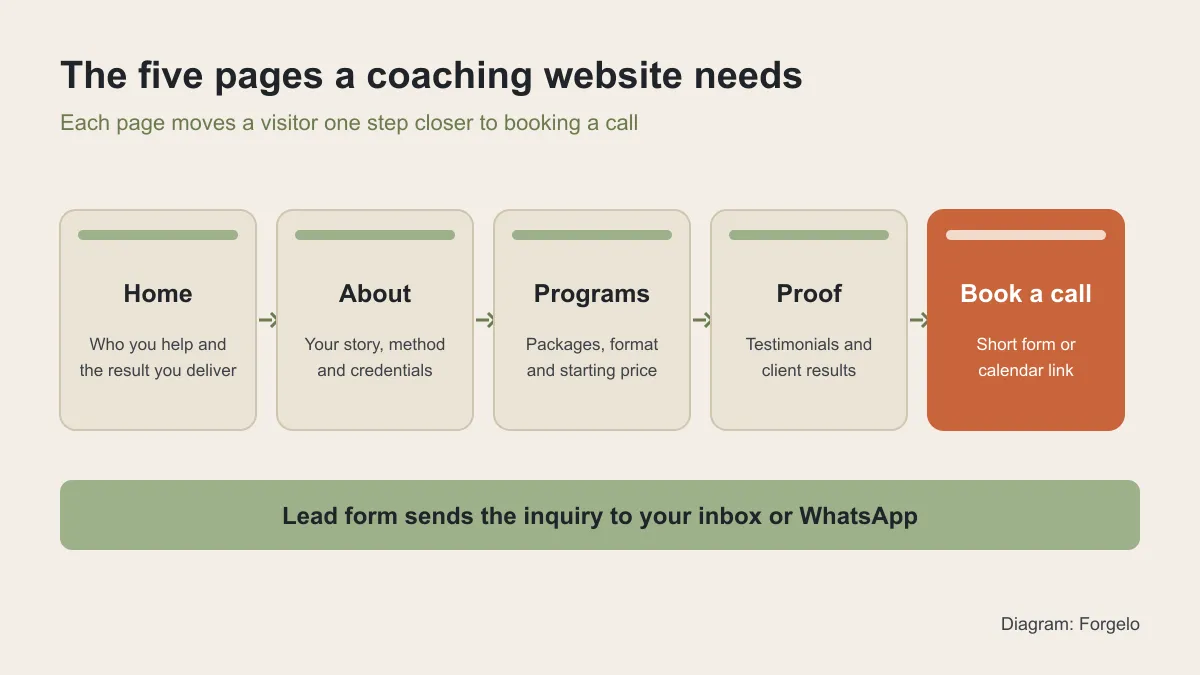
| Page | Main question it answers | What to include | Call to action |
|---|---|---|---|
| Home | Is this coach for someone like me? | Who you help, the result, a photo, one line of proof | Book a free call |
| About | Can I trust this person? | Your story, method, credentials, a real photo | See programs |
| Programs | What exactly do I get? | Formats, length, what is included, starting price | Book a call about this program |
| Proof | Does it actually work? | Testimonials with names and context, before and after results | Book a call |
| Book a call | How do I start? | A short form or calendar link, what happens on the call | Submit or pick a time |
You can merge pages on a very small site. A one-page site with these five sections stacked in order works well for a coach who is just starting. As you grow, split them into separate pages so each one can rank in search on its own.

What to write on your home page
The home page has one job: make the right visitor think "this is for me" in a few seconds. Put three things above the fold.
First, a headline that names the person and the result. "I help new managers lead their first team with confidence" beats "Unlock your potential" every time, because a visitor can tell instantly whether they are the person you mean. Second, a short supporting line that says how you work, such as "one-to-one coaching over video, in 8-week programs". Third, one clear button, usually "Book a free call".
Below that, add a real photo of you. Coaching is personal, and stock photos of handshakes make visitors suspicious. Then add one line of proof: a short testimonial, a number of clients coached, or a recognizable place you have worked. Close the page with a brief list of the problems you solve and a repeat of the same button.
A useful test: show your home page to a friend for five seconds, then hide it. If they cannot say who you help and what to do next, rewrite the headline before you touch anything else.
About, programs, and pricing pages
The about page is where visitors decide whether they trust you. Tell the short version of why you coach, describe your method in plain words, and list credentials that matter to your clients. If you hold a coaching certification, say which one. If your real authority comes from experience, such as 15 years as an engineering manager, lead with that. Our guide to making a personal website covers how to write an about section that sounds like a person, not a resume.
The programs page should remove guesswork. For each offer, write who it is for, the format (one-to-one, group, or self-paced), the length, what is included, and what a client should expect at the end. Keep it to two or three offers. Too many choices slow people down.
Pricing is the question coaches worry about most. Showing at least a starting price usually helps, because it filters out people who were never going to buy and gives the right people the confidence to book. If every package is custom, write "programs start from" and explain what changes the price.
If you advise businesses rather than coach individuals, the structure shifts toward engagements and case studies. Our guide to a website for consultants shows how to present services and proof for business buyers.
Testimonials and proof that actually persuade
Proof is what turns "this sounds good" into "I want this". The strongest testimonials are specific. "Working with Dana helped me negotiate a 20 percent raise in my first review" persuades far more than "Dana is amazing". When you ask past clients for a testimonial, ask three questions: what was the situation before, what changed, and what would you tell someone who is on the fence.
Use real names and, with permission, a photo or a job title. Anonymous quotes read like they were invented. Group testimonials by the type of client or problem, so a visitor can find someone like them.
Results can be numbers, but they do not have to be. A promotion, a launched business, a finished marathon, or simply "I stopped dreading Monday" all count. What matters is that the result is concrete. Never invent or exaggerate results. Visitors notice, and depending on where you work, misleading claims can create legal problems as well as trust problems.
Booking, lead forms, and the first call
The booking page is where your website earns its keep, so make starting easy. You have two common options. A calendar link lets people pick a time instantly and suits coaches with a predictable schedule. A short form lets you screen inquiries before you commit time and suits coaches with limited slots.
Keep forms short: name, contact detail, and one or two questions such as "what would you like help with?" Every extra field loses people. Then say clearly what happens next, for example "I reply within one working day to arrange a 20-minute call".
Send inquiries somewhere you actually check. If your clients prefer chat, a form that delivers straight to WhatsApp means you can reply in minutes instead of hours. On Forgelo, WhatsApp lead forms are included from the Starter plan up, and our guide to turning visitors into WhatsApp leads explains the setup. If you prefer email, our article on adding a contact form to an AI website walks through the options.
How to build a coaching website without code
You have three realistic ways to build a coaching website: hire a designer, use a drag-and-drop builder, or use an AI website builder. The right choice depends on your budget and how often you expect to change the site.
| Option | Upfront effort | Ongoing cost | Best for |
|---|---|---|---|
| Hire a designer | Low for you, weeks of back-and-forth | Project fee plus hosting and edits | Established coaches with a large budget and a fixed brand |
| Drag-and-drop builder | You place every block yourself | Monthly plan | Coaches who enjoy design and have time to learn an editor |
| AI website builder | Describe your practice, review the draft | Monthly plan, free tier on some tools | Coaches who want to launch fast and edit often |
With an AI builder such as Forgelo, you describe your coaching practice in a sentence, for example "a career coach who helps engineers move into management, with 8-week one-to-one programs and a free intro call". You get a complete first draft with pages, copy, and a booking section. Then you change any section by typing what you want, such as "make the headline about new managers" or "add three testimonials under the programs".
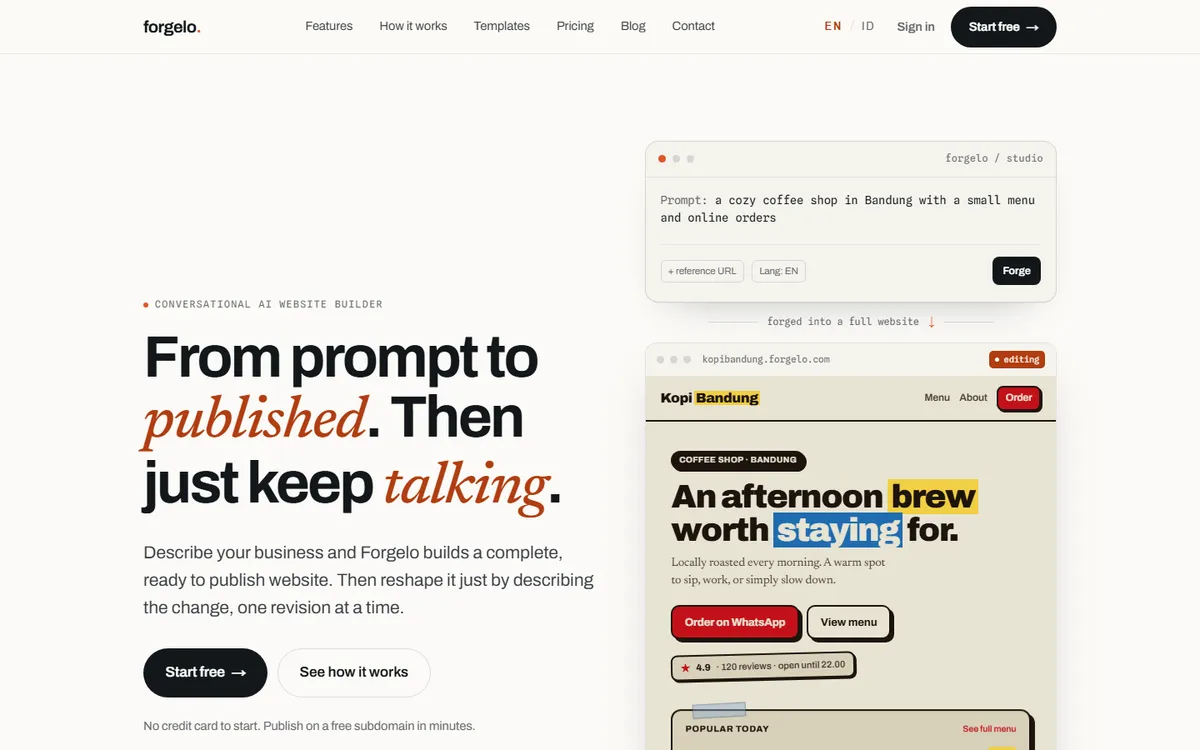
Editing by prompt matters more for coaches than for most businesses, because your offer changes. You launch a group program, raise prices, add a new testimonial, or run a seasonal workshop. If every change means opening a complex editor or emailing a designer, the site goes stale. Our guide to editing a website by prompt shows how that loop works in practice.
What a coaching website costs
Costs fall into three buckets: the build, the platform, and the domain. A designer charges a project fee, and edits after launch usually cost extra. A builder charges a monthly fee that includes hosting. Your domain name is a small yearly cost on top.
On Forgelo, the Free plan lets you publish one site on a Forgelo subdomain with 5 AI generations and edits per day. Starter costs $9 per month and adds 3 websites, a custom domain, WhatsApp lead forms, and removes the Forgelo badge. Pro costs $19 per month for 10 websites plus analytics and pixels, and Business costs $39 per month for 25 websites.
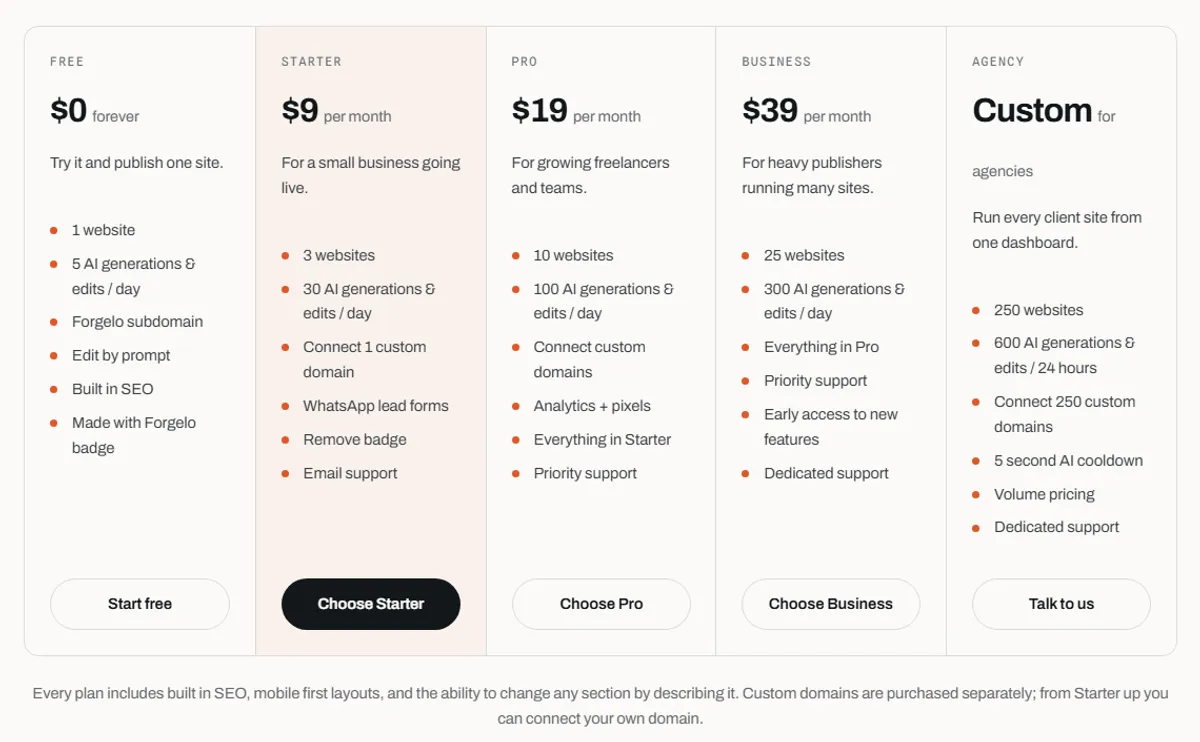
For a solo coach, Starter is usually enough: one main site, a custom domain, and lead forms. If you run separate sites for a podcast, a course, or a second coaching niche, Pro gives you room to grow. Whatever you choose, connect your own domain early. Our guide to connecting a custom domain to an AI website explains the steps. Check the pricing page for current plans before you decide.
Get found: SEO basics for coaches
A coaching website does not rank by itself. Search engines need to understand who you help and where, so be specific on the page. "Executive coach" competes with thousands of sites. "Executive coach for first-time founders in Austin" has a real chance.
Start with three habits. Give each program its own page with a clear title that matches how people search. Write a short page or article for the questions clients ask you on discovery calls, because other people search for the same questions. And make sure your name appears consistently on the site, so people who search for you by name find you first. Our website SEO basics guide covers titles, descriptions, and page structure in more depth.
Before you share the link widely, run through a quick launch check: the booking form sends to the right place, every button works on a phone, and the site loads quickly. Our website go-live checklist has the full list.
Common mistakes coaches make with their websites
- Talking about yourself before the client. Lead with the person you help and the change they get, then tell your story.
- Vague headlines. "Transform your life" could mean anything. Name the client and the result.
- Too many offers. Two or three clear programs convert better than eight.
- Hidden booking. If the button is only on the contact page, people leave before they find it. Repeat it on every page.
- Stock photos. A real photo of you builds more trust than any polished image of strangers.
- A site that never changes. Old prices and last year's workshop make a practice look inactive. Update it whenever your offer changes.
A website for coaches does not need to be big or expensive. It needs to be clear, honest, and easy to act on. Start with the five pages, write for the one person you help best, and make booking a call the easiest thing on the page. You can launch a first version this week and improve it as real clients tell you what they needed to see.